
Home › HR & Workforce Management › Weekly Payroll Template Excel
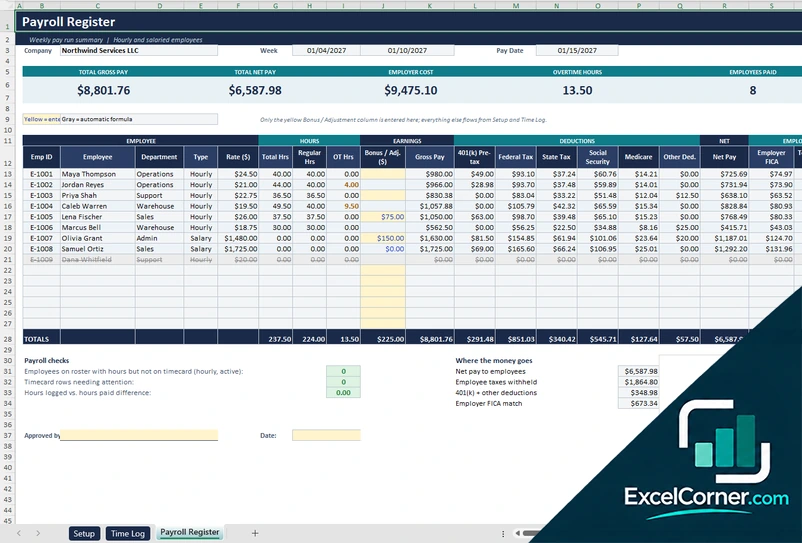
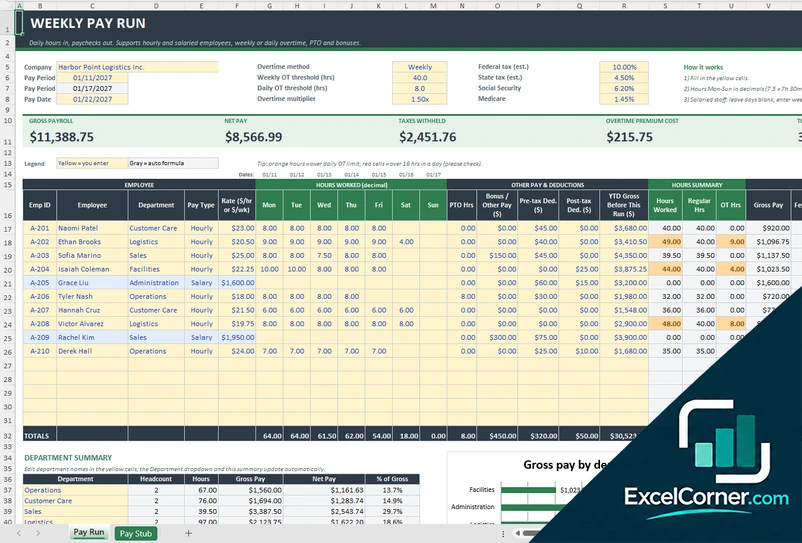
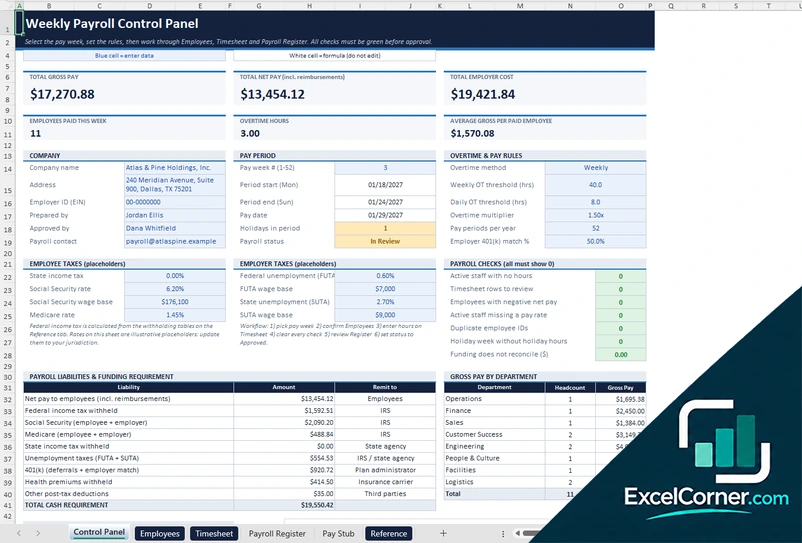
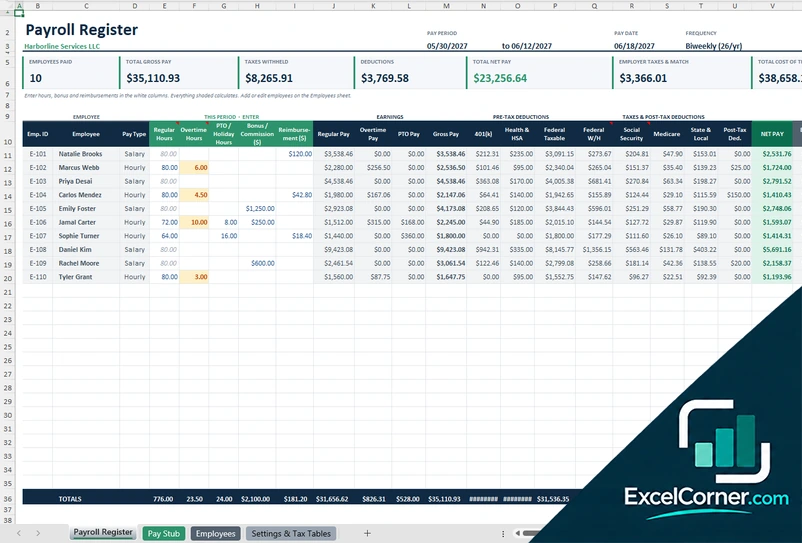
Previewing: Version 1 · Weekly Payroll Register. Pick another version on the right.
Instant download · No sign-up · No email
Use this free weekly payroll template for Excel to run payroll every week. Log the hours, calculate overtime, withholdings and net pay for hourly and salaried employees, and print a pay stub. Pick the version that fits the size of your team and how much control you want.
Choose your version
- File
- .xlsx · 36 KB · 3 sheets
- Works with
- Microsoft Excel (.xlsx)
- Macros
- None · formulas only
- Price
- Free
Run weekly payroll in Excel without starting from scratch
Weekly payroll means calculating pay 52 times a year, so the process has to be fast and repeatable. A weekly payroll spreadsheet takes the hours each employee worked, applies the pay rate and the overtime rule, subtracts taxes and deductions and shows the net pay and what the payroll costs you.
These Excel weekly payroll templates give you three ways to work. The first logs shifts on a time log and builds a payroll register. The second is a pay run where you enter hours for each day of the week and get paychecks and a pay stub. The third is a control panel with timesheets, checks and a funding requirement, so you can review and approve each week.
Best for
- Small businesses with hourly staff who are paid every week
- Bookkeepers who prepare weekly payroll for clients
- Managers who need a clear record of hours, overtime and net pay
Maybe not for
Employers who need automatic tax filing and direct deposit. These templates calculate payroll and use estimated tax rates, but they do not file or pay.
Which version is right for you?
All three are free, formula-driven Excel files with sample data you can replace. They are independent, so you can download more than one.
Version 1
Weekly Payroll Register
Log each shift on a time log and get a weekly payroll register with overtime, deductions, net pay and employer cost.
SetupTime LogPayroll Register
.xlsx · 36 KB
Version 2
Weekly Pay Run
Enter the hours for each day of the week and get paychecks with overtime, PTO, bonuses and a department summary.
Pay RunPay Stub
.xlsx · 22 KB
Version 3
Weekly Payroll Control Panel
Manage each pay week with a control panel, a timesheet, payroll checks and the cash needed to fund the payroll.
Control PanelEmployeesTimesheetPayroll RegisterPay StubReference
.xlsx · 55 KB
What is inside the weekly payroll Excel templates
Version 1: Weekly Payroll Register
On the Setup sheet you enter the company name, the week start and end, the pay date, who prepared the payroll, the overtime threshold and multiplier and the estimated federal, state, Social Security, Medicare and employer FICA rates. You add up to 15 employees with a pay type of hourly or salary, the rate per hour or per week, the 401(k) percentage and other deductions. You then log one row per shift on the Time Log, including overnight shifts. The Payroll Register shows the total hours, regular and overtime hours, a bonus or adjustment, gross pay, pre-tax 401(k), taxes, net pay and employer cost for each employee, with totals for gross pay, net pay, employer cost, overtime hours and employees paid.
Version 2: Weekly Pay Run
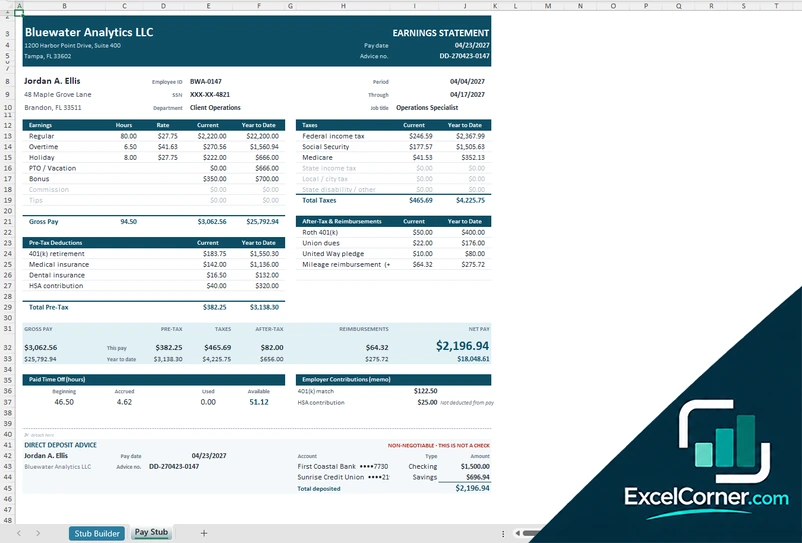
On the Pay Run sheet you enter the company and the pay period, the overtime method, either weekly or daily, the overtime thresholds and multiplier and the estimated tax rates. For each employee you enter the pay type, the rate and the hours worked from Monday to Sunday in decimals, plus PTO hours, bonus or other pay, pre-tax and post-tax deductions and the gross pay earned before this run. Hours over the daily limit are highlighted, and the sheet calculates the regular and overtime hours, gross pay, taxes and net pay for each employee. It shows the gross payroll, the net pay, the taxes withheld, the overtime premium cost and the total hours, with a department summary and a chart of gross pay by department. The Pay Stub sheet prints a stub for an employee.
Version 3: Weekly Payroll Control Panel
On the Control Panel you choose the pay week from 1 to 52, and the period start, end and pay date follow. You set the overtime method and thresholds, the employer 401(k) match, the tax placeholders and the payroll status, and you can see the gross pay, the net pay, the employer cost, the employees paid and the overtime hours. Payroll checks flag active staff with no hours, timesheet rows to review, negative net pay, duplicate employee IDs and funding that does not reconcile. A table lists the payroll liabilities and the total cash requirement, with the amount to remit to the IRS, the state, the plan administrator and the insurance carrier. The Employees, Timesheet, Payroll Register and Pay Stub sheets handle the details, and the Reference sheet holds the withholding tables.
How to use the weekly payroll template in Excel
- Download
Pick the version you want and open it in Excel. - Set up the week and your employees
Enter the company name, the pay week, the pay date, the overtime rule and your employees with their pay type and rate. Fill in the input cells; formula cells calculate on their own. - Enter the hours
Log the hours worked each day or each shift, plus any PTO, bonus or other pay. - Review and pay
Check overtime, taxes and net pay, read the totals and the checks, and print the pay stubs.
Save a copy of the workbook for each pay week, so every run has its own record.
Which weekly payroll template do you need?
| Weekly Payroll Register | Weekly Pay Run | Weekly Payroll Control Panel | |
|---|---|---|---|
| Hours entered | As shifts on a time log | As daily hours, Monday to Sunday | On a weekly timesheet |
| Best for | A simple weekly register for a small team | A fast pay run with overtime and a pay stub | A reviewed and approved payroll with checks |
| You get | Payroll register and employer cost | Paychecks, department summary and a stub | Checks, liabilities and funding requirement |
They are separate files, so you can use more than one.
Tips for running weekly payroll
- Pick a fixed cut-off day for hours and a fixed pay date, so every week follows the same routine.
- Enter hours in decimals, for example 7.5 for seven and a half hours, to avoid rounding mistakes.
- Check the overtime rule that applies to you, whether weekly or daily, before you rely on the numbers.
- Review hours that look too high, such as more than 16 hours in a day.
- Include employer taxes and benefits to see the real cost of each payroll.
- Keep a copy of every weekly payroll for your records.
Frequently asked questions
Is this weekly payroll template for Excel free?
Yes. All three versions are free to download as .xlsx files. You do not need an account or an email address.
Which version should I choose?
Choose the Weekly Payroll Register (Version 1) for a simple register built from a shift log. Choose the Weekly Pay Run (Version 2) to enter daily hours and get paychecks, a department summary and a pay stub. Choose the Weekly Payroll Control Panel (Version 3) for a timesheet, payroll checks and a funding requirement for each week. They are separate files, so you can use more than one.
How does the template calculate overtime?
Overtime is hours above a threshold, 40 hours per week in the examples, paid at a multiplier such as 1.5 times the regular rate. The Weekly Pay Run and the Weekly Payroll Control Panel can also use a daily overtime threshold.
Can I pay salaried employees?
Yes. You set the pay type to salary and enter the weekly salary as the rate, so no hours are needed.
Are the tax rates accurate?
The rates in the files are estimates and placeholders. Federal withholding, state tax, Social Security and Medicare rates change, so replace them with the current rates and rules before you pay your employees.
Does the template work in Google Sheets?
The files are made for Microsoft Excel and use standard formulas with no macros. You can upload them to Google Drive and open them with Google Sheets, but some formatting or charts may look different.
Is my payroll data stored online?
No. The templates are plain Excel files, so the names, pay rates and hours you type stay in your own file on your own computer.
These templates are calculation tools with sample data and estimated tax rates. They are not tax, payroll or legal advice. Confirm rates and rules with the IRS, your state and a qualified professional. Excel is a trademark of Microsoft Corporation; Excel Corner is not affiliated with Microsoft.