
Home › Accounting & Business Finance › NetSuite Implementation Cost Excel Template
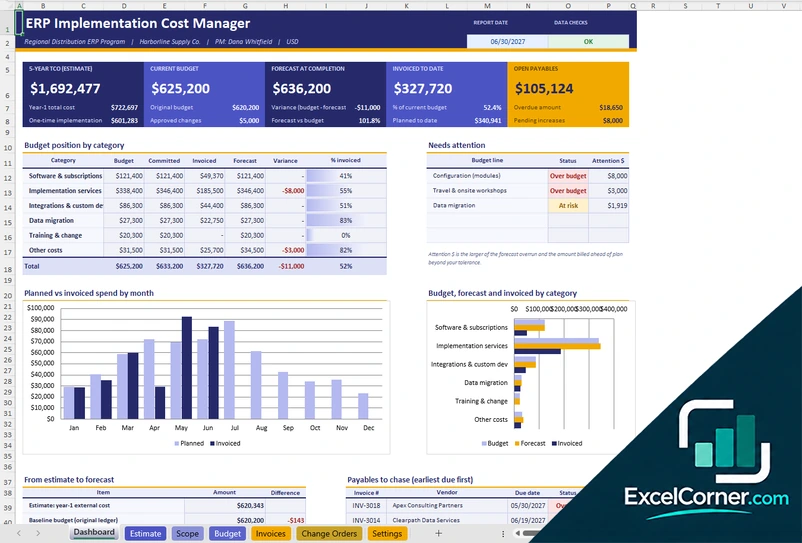
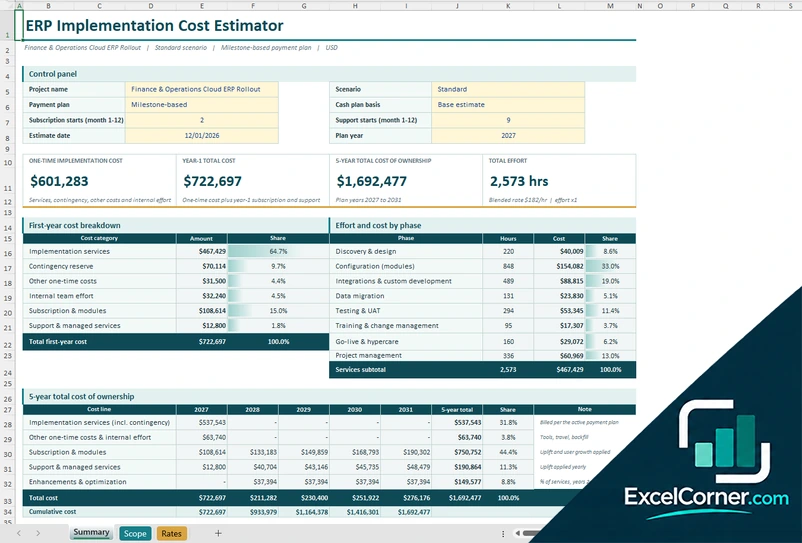
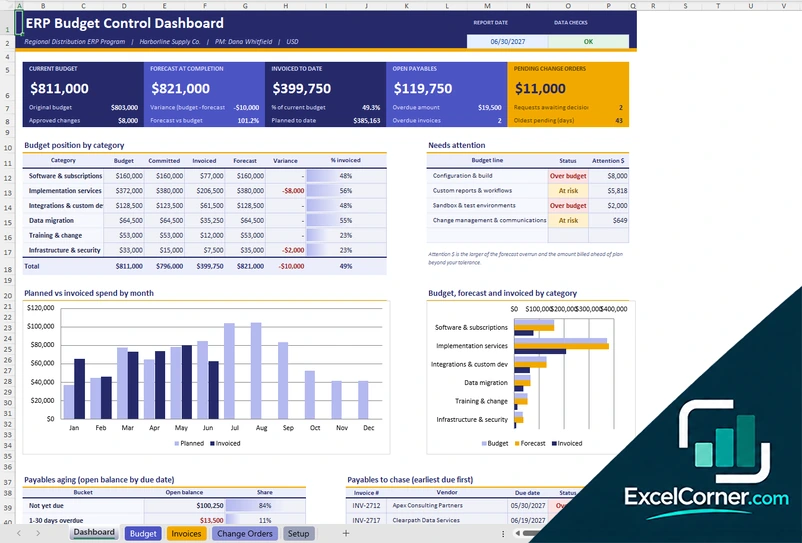
Previewing: Version 1 · Implementation Cost Manager. Pick another version on the right.
Instant download · No sign-up · No email
Use this free implementation cost Excel template to plan and control the cost of a cloud ERP project, such as a NetSuite implementation. Estimate the effort and the cost by phase, see the five-year total cost of ownership and track the budget, invoices and change orders. Pick the version that fits your stage.
Choose your version
- File
- .xlsx · 78 KB · 7 sheets
- Works with
- Microsoft Excel (.xlsx)
- Macros
- None · formulas only
- Price
- Free
Plan the cost of an ERP implementation in Excel
An ERP implementation costs more than the software subscription. The total includes implementation services, configuration, integrations, data migration, testing, training, internal team time, contingency and the ongoing subscription and support. A spreadsheet helps you estimate these costs before you sign a contract and then track them against the budget during the project.
These Excel templates are vendor-neutral, so you can use them for a NetSuite project or for any other cloud ERP. One is a complete cost manager with an estimate, a scope, a budget ledger, invoices and change orders. One is an estimator for the scope, rates and scenarios. One is a budget control workbook for the project once it is running.
Best for
- Finance and IT leaders who are planning an ERP or accounting system implementation
- Project managers who track budget, invoices and change orders
- Consultants who prepare an estimate with lean, standard and enterprise scenarios
Maybe not for
Anyone who needs an official quote. These are planning tools: the effort, the rates and the costs are assumptions that you replace with your own and with vendor quotes.
Which version is right for you?
All three are free, formula-driven Excel files with sample data you can replace. They are independent, so you can download more than one.
Version 1
Implementation Cost Manager
Estimate the implementation cost and then manage the budget, invoices and change orders in the same workbook.
DashboardEstimateScopeBudgetInvoicesChange OrdersSettings
.xlsx · 78 KB
Version 2
Implementation Cost Estimator
Estimate the effort and cost by phase and role, compare lean, standard and enterprise scenarios and see the five-year cost.
SummaryScopeRates
.xlsx · 37 KB
Version 3
Implementation Budget Control
Control the project budget with a cost line ledger, invoices, change orders and a forecast at completion.
DashboardBudgetInvoicesChange OrdersSetup
.xlsx · 47 KB
What is inside the implementation cost Excel templates
Version 1: Implementation Cost Manager
The Settings sheet holds the project details, the scenarios, the team roles and rates, the complexity factors and the payment plans. The Scope sheet lists the modules and the effort for each phase, and the Estimate sheet shows the one-time implementation cost, the year-1 total cost, the five-year total cost of ownership and the total effort, with the cost by category and by phase. The Budget sheet is a ledger with one row per cost line, with the original budget, approved changes, commitments, invoices, payments and an estimate to complete. The Invoices and Change Orders sheets feed the ledger, and the Dashboard shows the budget position by category, the forecast, the variance, the open payables and the lines that need attention.
Version 2: Implementation Cost Estimator
On the Rates sheet you define the scenarios with an effort factor, a rate factor and a contingency, the team roles with their hourly rate and mix, the complexity factors and the payment plans. On the Scope sheet you list the modules and the effort for each phase, such as discovery and design, configuration, integrations, data migration, testing and training. The Summary shows the one-time implementation cost, the year-1 total cost, the five-year total cost of ownership and the total effort, with the first-year cost breakdown, the effort and cost by phase and the cash plan for the payment plan you choose.
Version 3: Implementation Budget Control
The Budget sheet has one row per cost line with the category, the vendor, the dates, the original budget, the approved changes, the committed, invoiced and paid amounts and an estimate to complete, and it calculates the forecast, the variance, the percent invoiced and a status. The Invoices sheet records each invoice against a cost line with its due date and payment, and the Change Orders sheet records the changes and their approval, so the current budget updates. The Setup sheet holds the project and the lists, and the Dashboard shows the current budget, the forecast at completion, the amount invoiced, the open payables and the budget position by category.
How to use the implementation cost template in Excel
- Download
Pick the version you want and open it in Excel. - Set the scope and rates
Enter the modules and the effort for each phase, the team roles and rates, the scenario and the contingency. Fill in the input cells; formula cells calculate on their own. - Review the estimate
Check the one-time cost, the year-1 cost and the five-year total cost of ownership, and choose a payment plan. - Track the project
Enter the budget lines, invoices and change orders, and watch the forecast, the variance and the open payables.
Replace the sample rates and effort with vendor and partner quotes, and update the forecast every month during the project.
Which implementation cost template do you need?
| Implementation Cost Manager | Implementation Cost Estimator | Implementation Budget Control | |
|---|---|---|---|
| Stage | Estimate and delivery | Before the project | During the project |
| Best for | One workbook from estimate to budget | Sizing the scope and comparing scenarios | Tracking budget, invoices and changes |
| You get | 5-year TCO, budget, forecast and payables | Cost by phase, role and scenario | Committed, invoiced and forecast cost |
They are separate files, so you can use more than one.
Tips for estimating ERP implementation costs
- Estimate the one-time implementation cost and the yearly subscription and support separately.
- Include data migration, integrations, testing and training, which are often underestimated.
- Add a contingency reserve, such as 10 to 20 percent, to the estimate.
- Compare a lean, a standard and an enterprise scenario before you decide the scope.
- Record every change order and its approval, so the budget stays accurate.
- Track committed, invoiced and paid amounts separately to see the forecast and the cash needed.
Frequently asked questions
Is this NetSuite implementation cost Excel template free?
Yes. All three versions are free to download as .xlsx files. You do not need an account or an email address.
Are these templates made for NetSuite?
They are vendor-neutral ERP implementation cost templates, and you can use them to plan a NetSuite project. They do not connect to NetSuite, and the modules, rates and effort in the files are examples that you replace with your own. NetSuite is a trademark of Oracle, and Excel Corner is not affiliated with Oracle.
Which version should I choose?
Choose the Implementation Cost Manager (Version 1) for one workbook from the estimate to the budget and the invoices. Choose the Implementation Cost Estimator (Version 2) to size the scope and compare scenarios. Choose the Implementation Budget Control (Version 3) to track a project that is already running. They are separate files, so you can use more than one.
What is total cost of ownership?
Total cost of ownership is the cost of the system over several years, including the implementation, the subscription, the support and the internal effort. The templates show the five-year total, for the plan years 2027 to 2031 in the sample.
Can I model different scenarios?
Yes. The estimator and the manager include lean, standard and enterprise scenarios with an effort factor, a rate factor and a contingency, and you choose the active scenario.
Does the template work in Google Sheets?
The files are made for Microsoft Excel and use standard formulas with no macros. You can upload them to Google Drive and open them with Google Sheets, but some formatting or charts may look different.
Is my data stored online?
No. The templates are plain Excel files, so the numbers you type stay in your own file on your own computer.
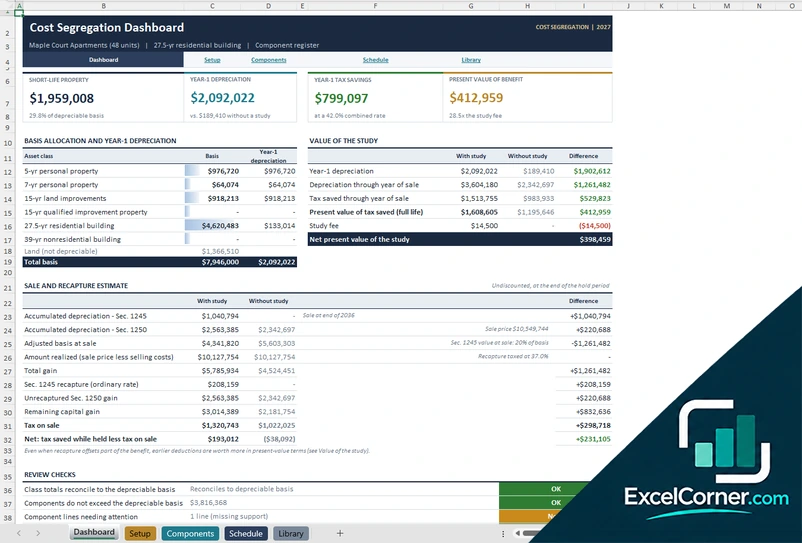
More free costing and margin templates
These templates are planning tools with sample figures, not quotes or financial advice. NetSuite is a trademark of Oracle; Excel Corner is not affiliated with or endorsed by Oracle. Excel is a trademark of Microsoft Corporation; Excel Corner is not affiliated with Microsoft.