
Home › Calendars, Schedules & Productivity › Excel Agenda Template
Previewing: Version 1 · Agenda Builder. Pick another version on the right.
Instant download · No sign-up · No email
Use these free Excel agenda templates to plan a meeting minute by minute or to organize your week. There are six versions: a timed agenda builder with a timeline, a decision-focused agenda, a recurring agenda that builds itself, a team agenda with attendees and actions, a board agenda with voting, and a weekly agenda planner.
Choose your version
- File
- .xlsx · 17 KB · 1 sheets
- Works with
- Microsoft Excel (.xlsx)
- Macros
- None · formulas only
- Price
- Free
Build a meeting agenda in an Excel spreadsheet
A good agenda tells people why they are meeting, what they will cover, how long each item takes and who leads it. In a spreadsheet, the times can be calculated: you enter the duration of each item and the start and end times, the planned end of the meeting and whether it fits before the hard stop all follow from that.
These Excel agenda templates cover the main kinds of meeting agenda. Two are timed agendas for a single meeting, one with a visual timeline and one built around the purpose and the outcome of each item. One builds the agenda of a recurring meeting from a library of standing items. One is a team meeting agenda with attendees, meeting cost and action items, and one is a board agenda with a voting record and a quorum check. The last is a weekly agenda that shows your appointments in a time grid.
Best for
- Meeting organizers who want to plan the timing and keep a meeting on schedule
- Team leads, secretaries and assistants who prepare agendas for recurring, team or board meetings
- Managers and individuals who plan a week of meetings and appointments
Maybe not for
A calendar app with invitations and reminders. These templates help you plan and print an agenda, they do not send invitations.
Which version is right for you?
All six are free, formula-driven Excel files with sample data you can replace. They are independent, so you can download more than one.
Version 1
Agenda Builder
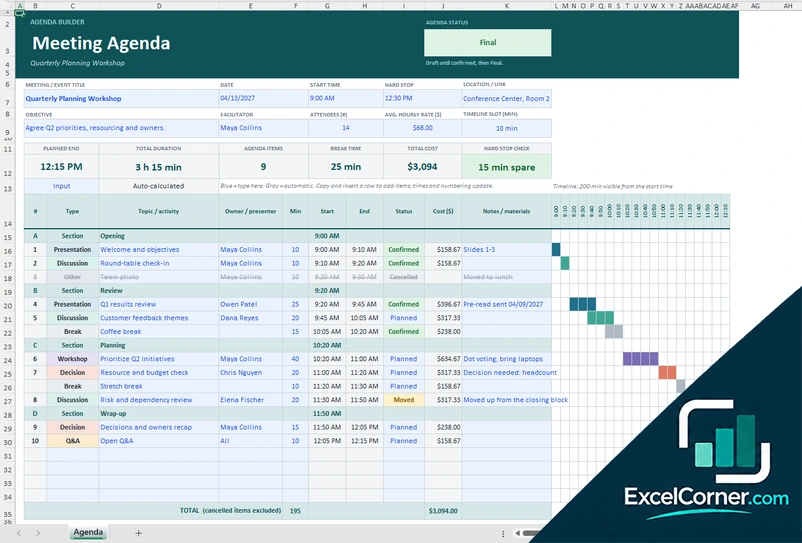
Plan a meeting or workshop minute by minute, with start and end times, breaks, status, cost and a timeline that shows the day at a glance.
Agenda
.xlsx · 17 KB
Version 2
Meeting Agenda with Outcomes
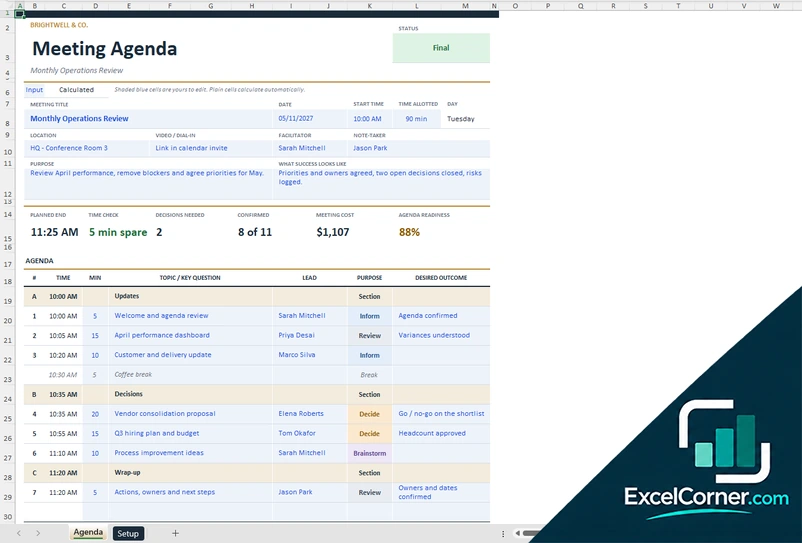
Write the purpose and the outcome you want from each item, then check the timing, the decisions needed and how ready the agenda is.
AgendaSetup
.xlsx · 20 KB
Version 3
Weekly Agenda Planner
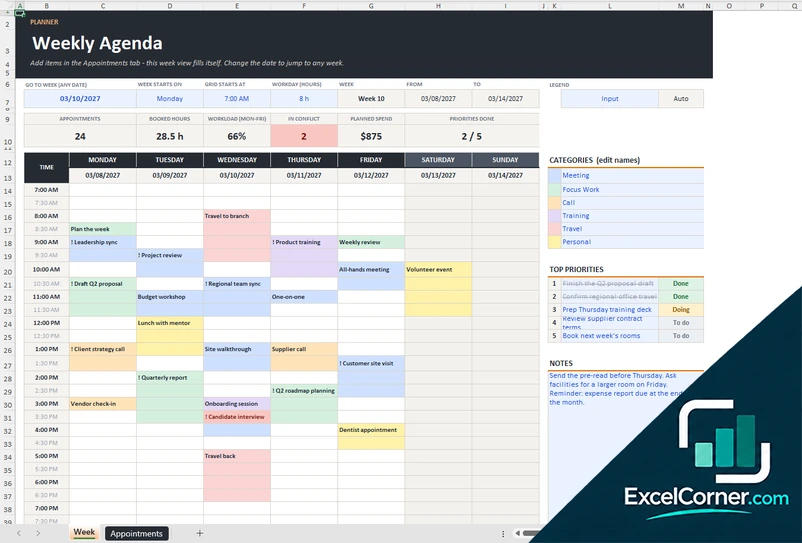
List your appointments once and see any week in a time grid, with booked hours, workload, conflicts and your top priorities.
WeekAppointments
.xlsx · 37 KB
Version 4
Recurring Meeting Agenda Builder
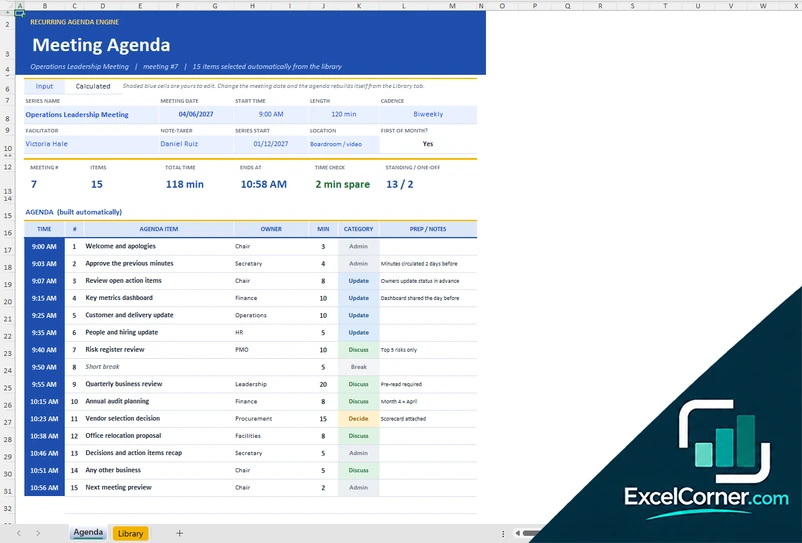
Define each agenda item once with a frequency rule and let the workbook build the agenda for any meeting date.
AgendaLibrary
.xlsx · 64 KB
Version 5
Team Meeting Agenda with Actions
Plan a team meeting with start and end times, track who is attending and what the meeting costs, and follow the action items.
AgendaAttendees & CostAction Items
.xlsx · 33 KB
Version 6
Board Meeting Agenda with Voting
Run a board or committee meeting with a timed agenda, a voting record for each motion and a roster that checks the quorum.
Board AgendaRoster
.xlsx · 25 KB
What is inside the Excel agenda templates
Version 1: Agenda Builder
At the top of the sheet you enter the title, the date, the start time, the hard stop, the location, the objective, the facilitator, the number of attendees, the average hourly rate and the timeline slot in minutes. Below it you list the agenda items with a type, such as presentation, discussion, workshop, decision, Q&A or break, a topic, an owner, the minutes, a status and notes. The sheet calculates the start and end of each item, the planned end, the total duration, the break time, the cost of each item and of the meeting, and a hard-stop check that tells you how many minutes are spare or over. A timeline strip shows the items as colored blocks.
Version 2: Meeting Agenda with Outcomes
The Agenda sheet has the meeting title, the date, the start time, the time allotted, the location, the video or dial-in link, the facilitator, the note-taker, the purpose and what success looks like. Each agenda item has a time, the duration, a topic or key question, a lead, a purpose such as inform, review, decide or brainstorm, and the desired outcome. It calculates the planned end, a time check, the number of decisions needed, how many items are confirmed, the meeting cost and an agenda readiness score. The Setup sheet holds the people directory with the job title, department and hourly rate, the default rate and the quorum.
Version 3: Weekly Agenda Planner
You add every appointment once on the Appointments sheet, with the date, start time, duration, title, category, location or link, priority, status and cost. The Week sheet shows the week of any date you choose in a Monday to Sunday grid with half-hour rows, colors for the categories and a mark for high-priority items. You can set the day the week starts, the time the grid starts and the length of the workday. At the top it counts the appointments, the booked hours, the workload for Monday to Friday, the appointments that conflict, the planned spend and the priorities done, and the side panel has the categories, five top priorities with a status and a notes box.
Version 4: Recurring Meeting Agenda Builder
The Library sheet is where you define each agenda item once, with the owner, the category, the zone of the meeting (opening, main or closing), the order, the duration, the notes and a frequency rule: every meeting, every second, third or fourth meeting, the first meeting of the month, quarterly, twice a year, annually, a specific month, a one-off or for the next meeting. The Agenda sheet takes the series name, the meeting date, the start time, the length and the cadence, works out the meeting number and builds the agenda with the start time of each item, the total time, the end time and a time check. It also shows the time by category and a look-ahead of the next 12 meetings.
Version 5: Team Meeting Agenda with Actions
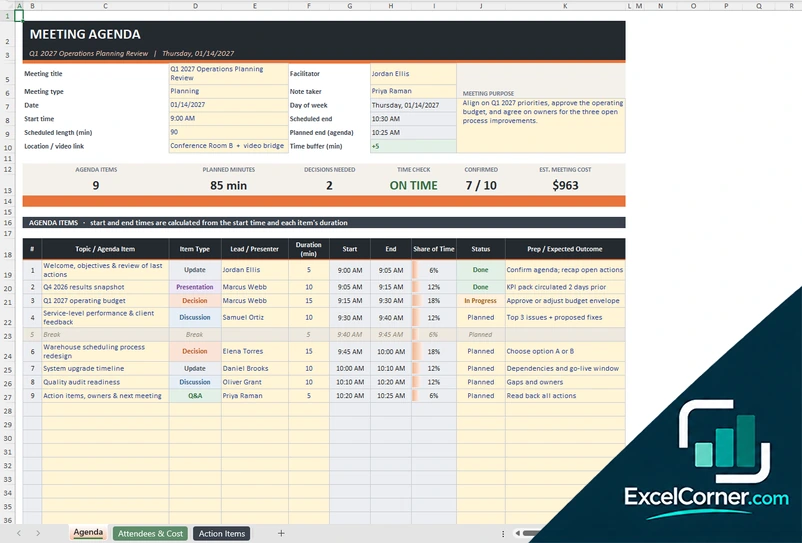
The Agenda sheet holds the meeting title, type, date, facilitator, note taker, purpose, location, start time, scheduled length and a time buffer. Each agenda item has a type, a lead, a duration and a status, and the sheet calculates the start and end times, the share of the time, the planned end, a time check, the decisions needed and the estimated cost, with a parking lot and a box for notes and decisions. The Attendees & Cost sheet records the invitation, the RSVP and the attendance of each person with an hourly rate, and estimates the cost including preparation time. The Action Items sheet tracks the owner, priority, due date, status and progress, flags overdue items and has a chart.
Version 6: Board Meeting Agenda with Voting
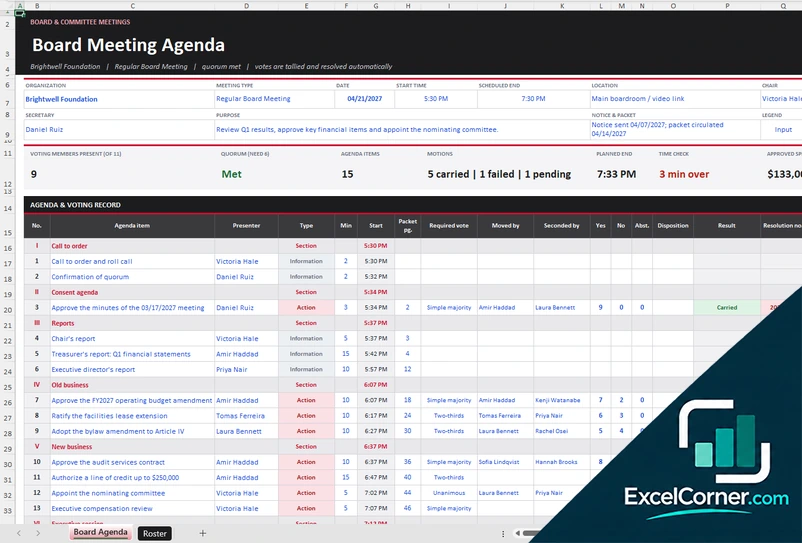
The Board Agenda sheet has the organization, the meeting type, the date, the times, the location, the chair, the secretary, the purpose and the notice and packet details. The agenda is divided into sections such as call to order, consent agenda, reports, old business, new business, executive session and adjournment. For each item you record the presenter, the type, the time, the packet page, the required vote, who moved and seconded, the votes for, against and abstaining, the disposition, the result, a resolution number and an amount. The sheet shows the motions carried, failed and pending, the planned end, a time check and the approved spend. The Roster sheet lists the members with their attendance, terms and voting rights and checks the quorum.
How to use an agenda template in Excel
- Download
Pick the version you want and open it in Excel. The files have a sample agenda so you can see how they work. - Enter the meeting details
Fill in the title or series name, the date, the start time, the length, the location or link, the objective, the facilitator and the number of attendees. In the weekly agenda, pick the week and the start of the grid. - List the agenda items
Add the topics with their type, the owner or lead and the duration, or, in the recurring version, define the items once in the library with a frequency rule. The start and end times are calculated in order, and you can add section headers and breaks. - Check the timing
Look at the planned end and the time check to see whether the agenda fits in the time you have, and move or shorten items until it does. - Share it
Print the sheet or save it as a PDF, and send it before the meeting with any materials.
Change a duration or the order of the items and the times, the cost and the checks update.
Which agenda template do you need?
| Version | Best for | Main outputs | Sheets |
|---|---|---|---|
| 1 – Agenda Builder | Facilitators of meetings, workshops and events | Start and end times, hard-stop check, cost and timeline | 1 |
| 2 – Meeting Agenda with Outcomes | Managers running decision-focused meetings | Time check, decisions needed, readiness and cost | 2 |
| 3 – Weekly Agenda Planner | Individuals and teams planning their week | Weekly grid, booked hours, workload and conflicts | 2 |
| 4 – Recurring Meeting Agenda Builder | Weekly, biweekly or monthly meetings with standing items | Agenda by meeting date, time check and a 12-meeting look-ahead | 2 |
| 5 – Team Meeting Agenda with Actions | Team meetings that need attendees, cost and follow-up | Timed agenda, meeting cost, parking lot and action items | 3 |
| 6 – Board Meeting Agenda with Voting | Boards and committees that record motions and votes | Voting record, quorum check and approved spend | 2 |
They are separate files, so you can use more than one.
Tips for a better meeting agenda
- State the purpose of the meeting at the top, and say what a successful meeting looks like.
- Put the items that need a decision early, while people are fresh.
- Give each item a time and an owner. An item without a time tends to take all the time that is left.
- Schedule breaks in meetings that last more than an hour and a half.
- Leave some slack before the hard stop for items that run over, and keep a parking lot for topics that do not fit.
- For a recurring meeting, keep a list of standing items and rotate the ones that do not need to be discussed every time.
- Send the agenda and the materials before the meeting, so people can prepare.
Frequently asked questions
Is this Excel agenda template free?
Yes. All six versions are free to download as .xlsx files. You do not need an account or an email address.
Which version should I choose?
Choose the Agenda Builder (Version 1) for a timed agenda with a timeline. Choose the Meeting Agenda with Outcomes (Version 2) for a decision-focused agenda. Choose the Weekly Agenda Planner (Version 3) to plan your appointments for a week. Choose the Recurring Meeting Agenda Builder (Version 4) for a meeting that repeats, the Team Meeting Agenda with Actions (Version 5) for a team meeting with attendees and action items, or the Board Meeting Agenda with Voting (Version 6) for a board or committee.
How does the template calculate the times?
You enter the start time of the meeting and the duration of each item. The template adds them up in order to give the start and end of every item, the planned end and the total duration, and it compares the planned end with the hard stop or the time allotted.
How does the recurring agenda build itself?
In the Library sheet, each agenda item has an owner, a category, a duration and a frequency rule, such as every meeting, every second meeting, quarterly or only in a given month. You enter the meeting date on the Agenda sheet, and the items that apply to that meeting are listed in order with their times.
Can I add breaks and sections?
Yes. The meeting agendas have rows for section headers and breaks, and the Agenda Builder lets you mark an item as cancelled or moved so that it drops out of the totals.
Does it calculate the cost of the meeting?
Yes. You enter the number of attendees and the average hourly rate, or the rate of each person, and the templates estimate the cost of the meeting. The team meeting agenda also includes the preparation time of each attendee.
Does the board agenda track votes?
Yes. For each item you can record the required vote, who moved and who seconded, the votes for, against and abstaining, the disposition, the result and a resolution number. The roster checks the quorum, including proxies if you allow them.
How does the weekly agenda work?
You list every appointment once in the Appointments sheet with its date, start time, duration, category and priority. The Week sheet shows the week you pick in a time grid, with the booked hours, the workload and the conflicts.
Does the template work in Google Sheets?
The files are made for Microsoft Excel and use standard formulas with no macros. You can upload them to Google Drive and open them with Google Sheets, but some formatting or charts may look different.
Is my meeting information stored online?
No. The templates are plain Excel files, so the names, notes and decisions you type stay in your own file on your own computer.
These templates are planning tools with sample data. For board meetings and other meetings with legal or regulatory requirements, check your bylaws and the rules that apply to your organization. Excel is a trademark of Microsoft Corporation; Excel Corner is not affiliated with Microsoft.