
Home › Accounting & Business Finance › Excel 1099 Template
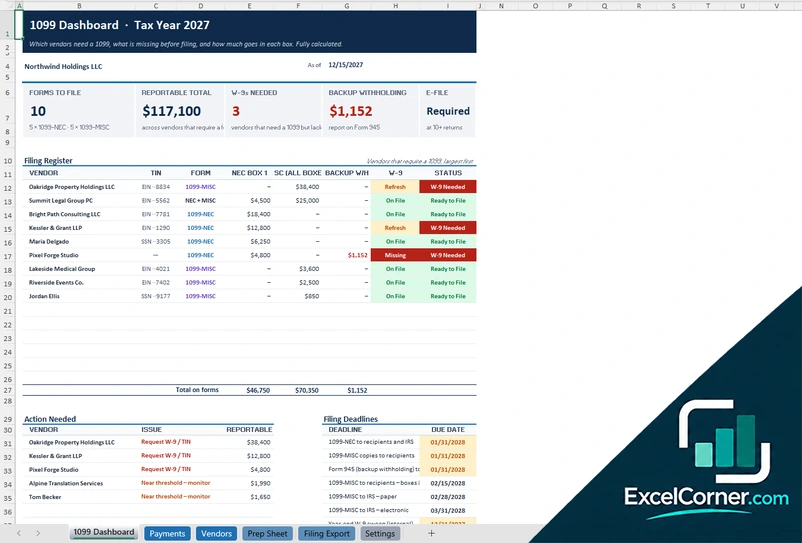
Previewing: Version 1 · Contractor Payments Tracker. Pick another version on the right.
Instant download · No sign-up · No email
Use this free Excel 1099 template to keep track of the payments that decide who gets a 1099. Log vendor payments, see which vendors need a form, which W-9s are missing and how much goes in each box, or, if you receive 1099s, track your income and match it to the forms your clients send. Pick the version that fits your side of the 1099.
Choose your version
- File
- .xlsx · 130 KB · 6 sheets
- Works with
- Microsoft Excel (.xlsx)
- Macros
- None · formulas only
- Price
- Free
Prepare for 1099 reporting with an Excel spreadsheet
A 1099 spreadsheet answers three questions: which vendors did you pay enough to need a Form 1099, what information are you missing, such as a Taxpayer Identification Number or a signed Form W-9, and how much goes in each box. Doing this all year is far easier than collecting everything in January.
These Excel 1099 templates cover both sides. Two are for businesses that pay contractors: a payments tracker with a filing export and a vendor compliance tracker. The third is for freelancers and self-employed people who receive 1099 income: it tracks income and expenses, estimates taxes and reconciles what each client paid you with the 1099 they send.
Best for
- Small businesses that pay freelancers, contractors and service providers
- Bookkeepers who prepare 1099-NEC and 1099-MISC information for clients
- Freelancers who want to match their income with the 1099s they receive
Maybe not for
Filing the forms with the IRS. These templates organize the data and calculate totals, but you still need approved software or a tax professional to file.
Which version is right for you?
All three are free, formula-driven Excel files with sample data you can replace. They are independent, so you can download more than one.
Version 1
Contractor Payments Tracker
Log what you pay vendors and see who needs a 1099, which W-9s are missing and how much goes in each box.
1099 DashboardPaymentsVendorsPrep SheetFiling ExportSettings
.xlsx · 130 KB
Version 2
Vendor Compliance Tracker
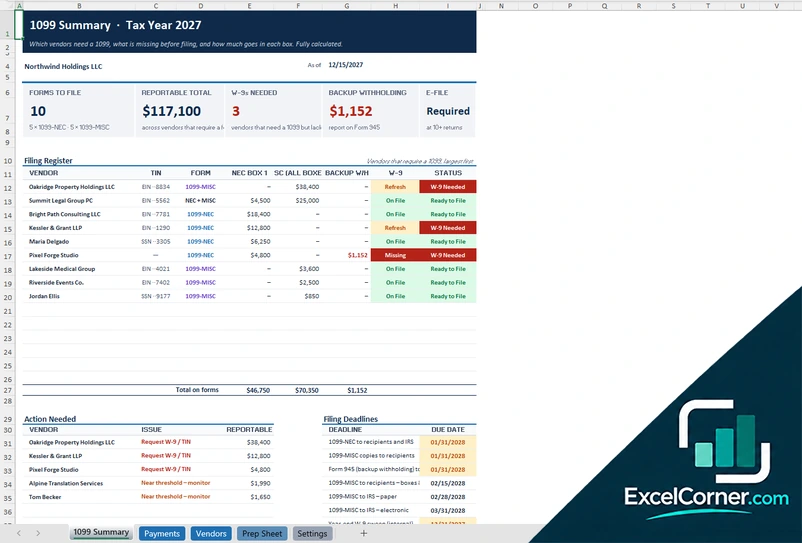
Track vendor payments and W-9 compliance, and see who needs a 1099 and what is missing before you file.
1099 SummaryPaymentsVendorsPrep SheetSettings
.xlsx · 119 KB
Version 3
1099 Income and Tax Planner
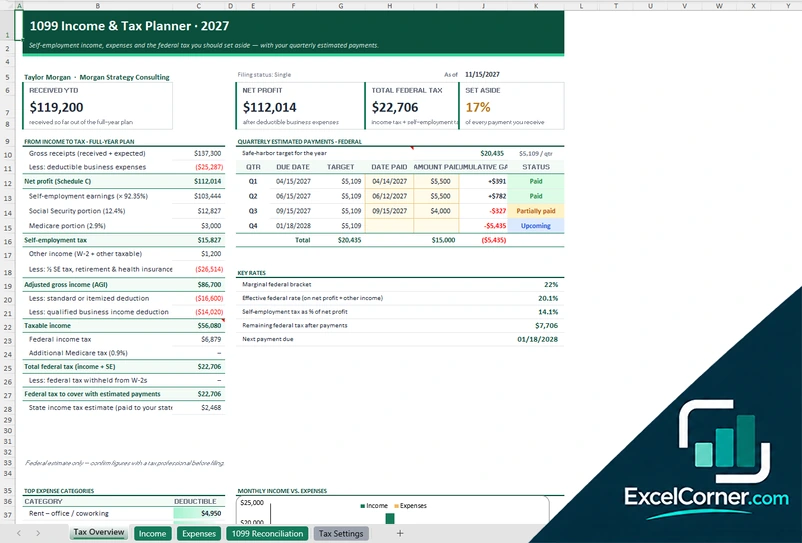
Track your 1099 income and expenses, set aside money for taxes and match each client’s payments with the 1099 they send.
Tax OverviewIncomeExpenses1099 ReconciliationTax Settings
.xlsx · 64 KB
What is inside the Excel 1099 templates
Version 1: Contractor Payments Tracker
On the Vendors sheet you list each vendor with the tax ID, entity type, W-9 status and the form type, and on the Payments sheet you log each payment with the date, the vendor, the amount, the payment method and the type of payment. The 1099 Dashboard shows the forms to file, the reportable total, the W-9s needed, the backup withholding and whether e-filing is required, with a filing register by vendor that splits the amounts between 1099-NEC box 1 and 1099-MISC, a list of actions needed and the filing deadlines. The Prep Sheet organizes the data for each form, the Filing Export lays it out for filing software and the Settings sheet holds the year and the thresholds.
Version 2: Vendor Compliance Tracker
The Vendors and Payments sheets work as a vendor list and a payment ledger. The 1099 Summary shows the forms to file, the reportable total, the number of W-9s needed and the backup withholding, with a filing register of the vendors that require a 1099, largest first, with the tax ID, the form, the amount in NEC box 1 and in MISC and the W-9 status. It also lists the actions needed, such as requesting a W-9 or a tax ID, and the filing deadlines for recipients and the IRS, and the Prep Sheet organizes the final figures for each vendor. The Settings sheet holds the tax year and the reporting thresholds.
Version 3: 1099 Income and Tax Planner
On the Income sheet you log each payment received with the client and the payment method, and on the Expenses sheet you log your business expenses. The Tax Overview shows the income received to date and for the full year, the net profit on Schedule C, the self-employment tax, the income tax and the total federal tax, the percentage to set aside, and the quarterly estimated payments with due dates, amounts and status. The 1099 Reconciliation sheet compares what each client paid you with the 1099 they send in January, with the amount expected on a 1099-NEC, the amount received and any mismatch to correct. The Tax Settings sheet holds your filing status and the tax parameters.
How to use the Excel 1099 template
- Download
Pick the version you want and open it in Excel. - Set up the year
Enter your company details, the tax year and the reporting threshold on the Settings sheet. Fill in the input cells; formula cells calculate on their own. - Add vendors and payments
List each vendor with the tax ID, entity type and W-9 status, then log every payment with its date, amount and payment method. - Review the filing register
Check who needs a form, what is missing and the amount for each box before the deadlines.
Collect a Form W-9 before you make the first payment to a new vendor, and review the dashboard each quarter.
Which 1099 template do you need?
| Contractor Payments Tracker | Vendor Compliance Tracker | 1099 Income and Tax Planner | |
|---|---|---|---|
| For | Businesses that pay contractors | Businesses that pay contractors | People who receive 1099 income |
| You enter | Vendors and payments | Vendors and payments | Income, expenses and 1099s received |
| You get | Filing register, prep sheet and filing export | Filing register, W-9 status and deadlines | Net profit, tax set-aside and a 1099 reconciliation |
They are separate files, so you can use more than one.
Tips for 1099 season
- Collect a W-9 from every vendor before you pay them.
- Record the payment method, because card and platform payments are usually reported by the processor on a 1099-K and not by you.
- Track the type of payment, since rent, services and other payments go in different boxes.
- Check names and tax IDs against the W-9 to avoid mismatches.
- Mark the deadlines on your calendar, including the date to furnish copies to recipients.
- If you receive 1099s, compare each one with your own income records before you file.
Frequently asked questions
Is this Excel 1099 template free?
Yes. All three versions are free to download as .xlsx files. You do not need an account or an email address.
Which version should I choose?
Choose the Contractor Payments Tracker (Version 1) if you pay contractors and want a filing export. Choose the Vendor Compliance Tracker (Version 2) for the same register and W-9 tracking without the export. Choose the 1099 Income and Tax Planner (Version 3) if you receive 1099s and want to estimate your taxes and reconcile your income. They are separate files, so you can use more than one.
Who needs to receive a 1099?
Generally, a business that pays an independent contractor or vendor above a set threshold during the year for services needs to report it on a Form 1099-NEC, and other payments such as rent may go on a Form 1099-MISC. The thresholds and rules change, so check the current IRS instructions. You set the threshold in the template.
Can I file my 1099s from the template?
No. The templates organize your data, flag missing information and calculate totals by box. You then enter the data into IRS-approved filing software or give it to your tax professional.
What is backup withholding?
Backup withholding is tax a payer may have to withhold from a vendor that has not provided a valid taxpayer identification number. The vendor compliance templates flag vendors that may be subject to it, and the amount withheld is reported on Form 945.
Does the template work in Google Sheets?
The files are made for Microsoft Excel and use standard formulas with no macros. You can upload them to Google Drive and open them with Google Sheets, but some formatting or charts may look different.
Is my data stored online?
No. The templates are plain Excel files, so the numbers you type stay in your own file on your own computer.
More free tax templates
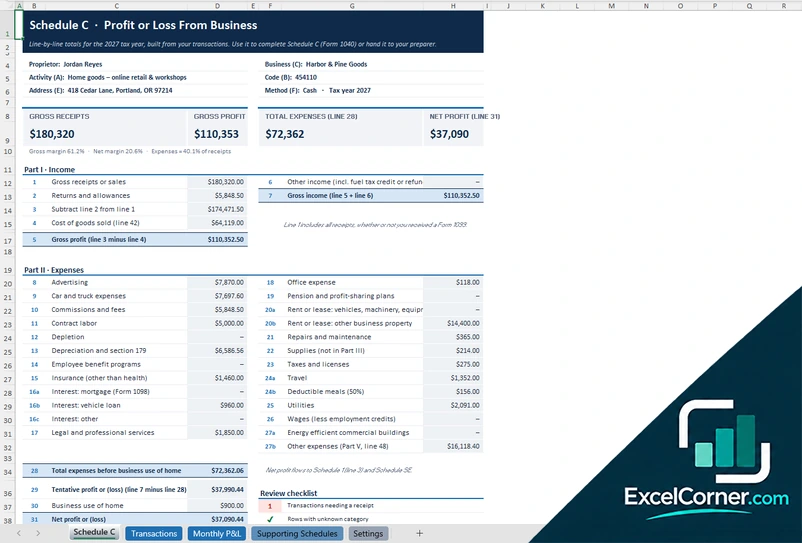
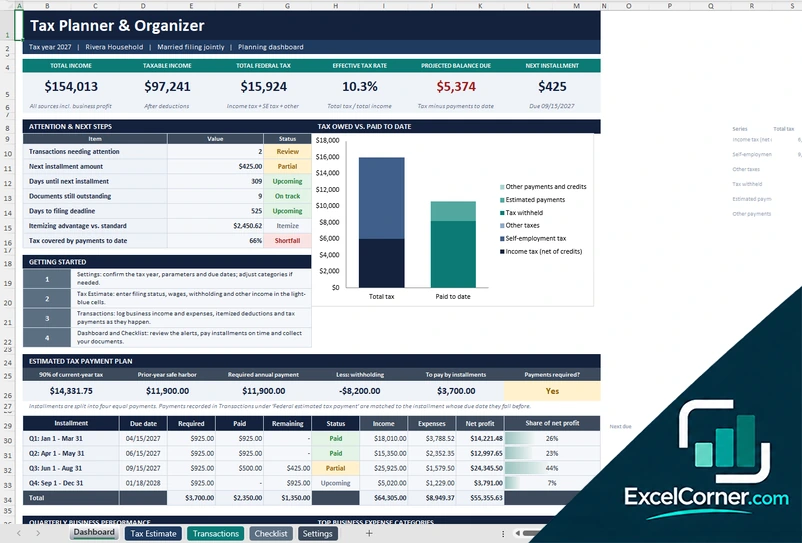
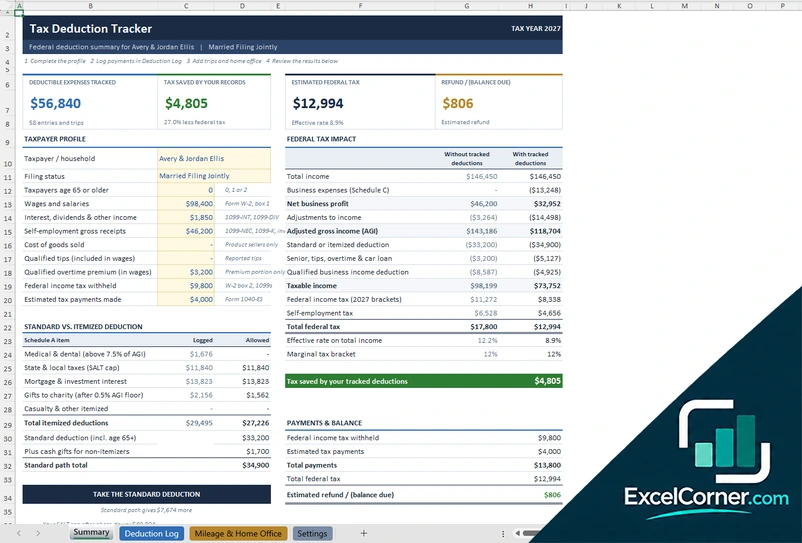
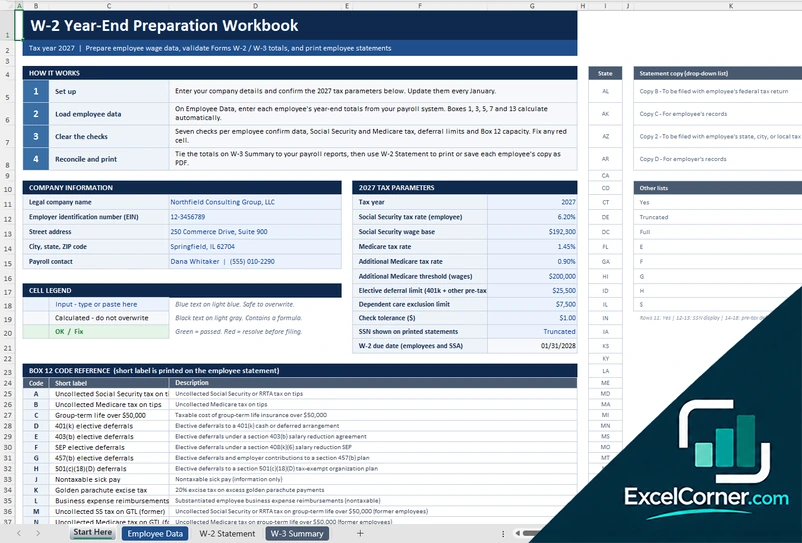
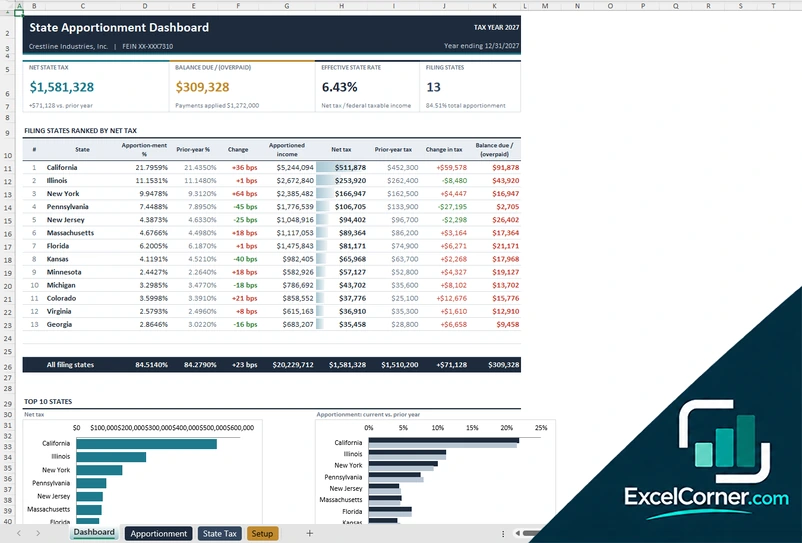
These templates are planning and bookkeeping tools with sample data and illustrative tax figures. They are not tax, legal or accounting advice. Tax rules, rates and thresholds change, so confirm them with the IRS, your state and a qualified tax professional before you file. Excel is a trademark of Microsoft Corporation; Excel Corner is not affiliated with Microsoft.