
Home › Accounting & Business Finance › Tax Spreadsheet Template Excel
Previewing: Version 1 · Tax Planner and Organizer. Pick another version on the right.
Instant download · No sign-up · No email
Use this free tax spreadsheet template for Excel to estimate your federal income tax and plan ahead. Enter your income, deductions and payments, and see your tax, your effective rate and whether you are heading for a refund or a balance due. Pick the version that fits your situation.
Choose your version
- File
- .xlsx · 90 KB · 5 sheets
- Works with
- Microsoft Excel (.xlsx)
- Macros
- None · formulas only
- Price
- Free
Estimate and plan your taxes in an Excel spreadsheet
Excel has no built-in tax template that fits your situation, but a well-built tax spreadsheet can do the calculation for you: it adds up your income, applies the standard or itemized deduction, runs the result through the tax brackets and subtracts credits and payments. You can then see the effect of a change before you make it.
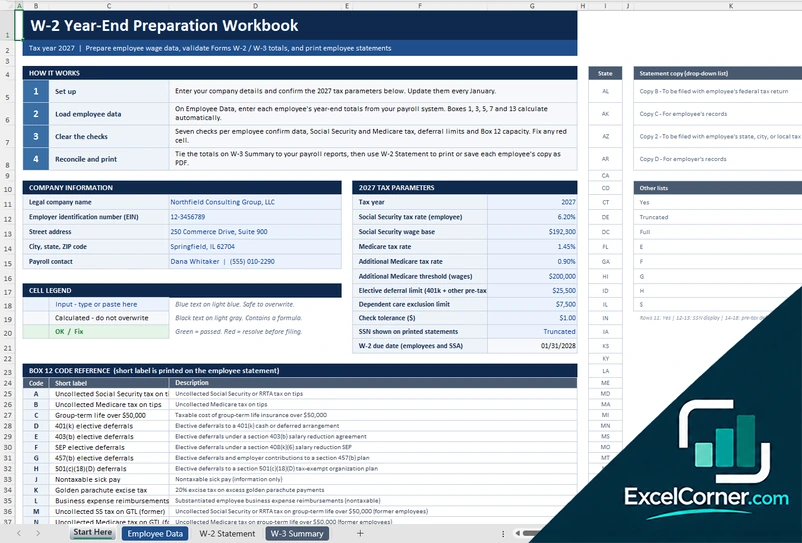
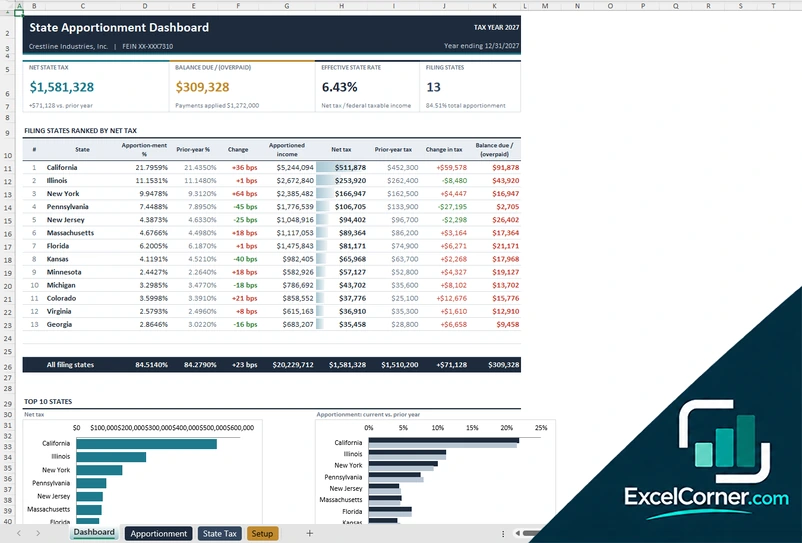
These Excel tax templates cover three needs. The first is a household tax planner with an estimate, transactions, a document checklist and a dashboard. The second is a step-by-step personal tax return estimator. The third is a command center for self-employed people that combines a ledger, self-employment tax and a plan for estimated payments.
Best for
- Individuals and families who want to estimate a refund or balance due
- Self-employed people who need to plan quarterly estimated payments
- Anyone who wants to organize tax documents and compare standard and itemized deductions
Maybe not for
A complete tax return or e-filing. These templates are estimators that follow the main steps of the federal return, but they are not tax preparation software.
Which version is right for you?
All three are free, formula-driven Excel files with sample data you can replace. They are independent, so you can download more than one.
Version 1
Tax Planner and Organizer
Plan your tax for the year with an estimate, a transaction log, a document checklist and a dashboard of what is owed and paid.
DashboardTax EstimateTransactionsChecklistSettings
.xlsx · 90 KB
Version 2
Personal Tax Return Estimator
Work through income, adjustments, deductions and credits to estimate your refund or balance due.
EstimatorItemized DeductionsChecklistTax Tables
.xlsx · 34 KB
Version 3
Self-Employed Tax Command Center
Turn a business ledger into an estimate of income tax and self-employment tax, with a plan for estimated payments.
DashboardLedgerSettings
.xlsx · 53 KB
What is inside the tax Excel templates
Version 1: Tax Planner and Organizer
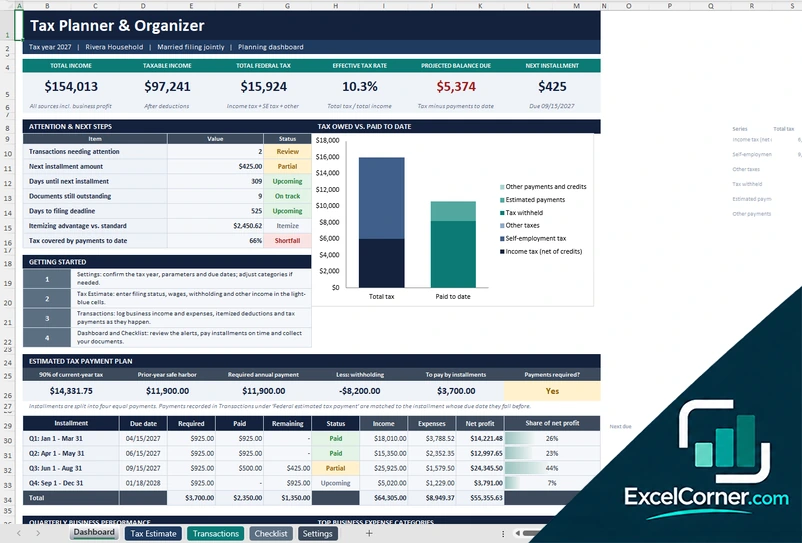
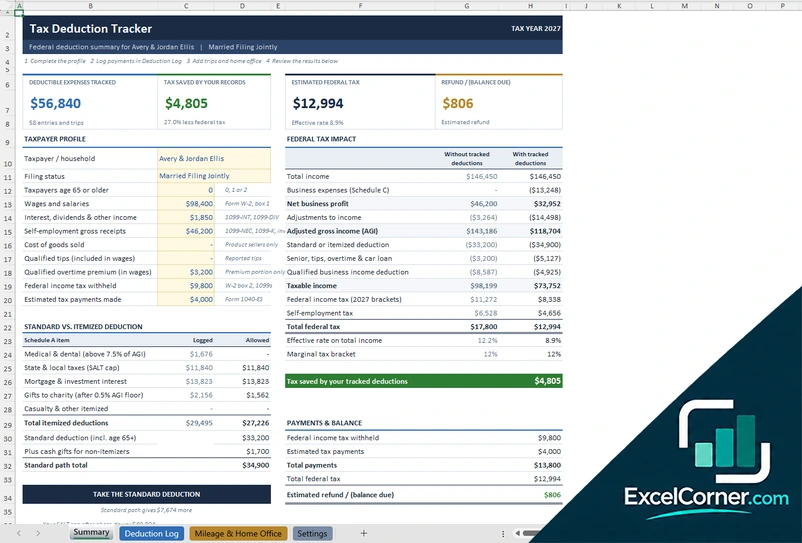
On the Settings sheet you confirm the tax year, the tax parameters and the due dates. The Tax Estimate sheet takes your profile, such as the filing status and the number of children, your income, your business figures and your deductions, and calculates the federal tax. On the Transactions sheet you log business income and expenses, itemized deductions and tax payments as they happen. The Dashboard shows the total income, the taxable income, the total federal tax, the effective tax rate, the projected balance due and the next installment, with a chart of tax owed against tax paid, an itemizing advantage over the standard deduction and the next steps, and the Checklist keeps track of the documents you still need.
Version 2: Personal Tax Return Estimator
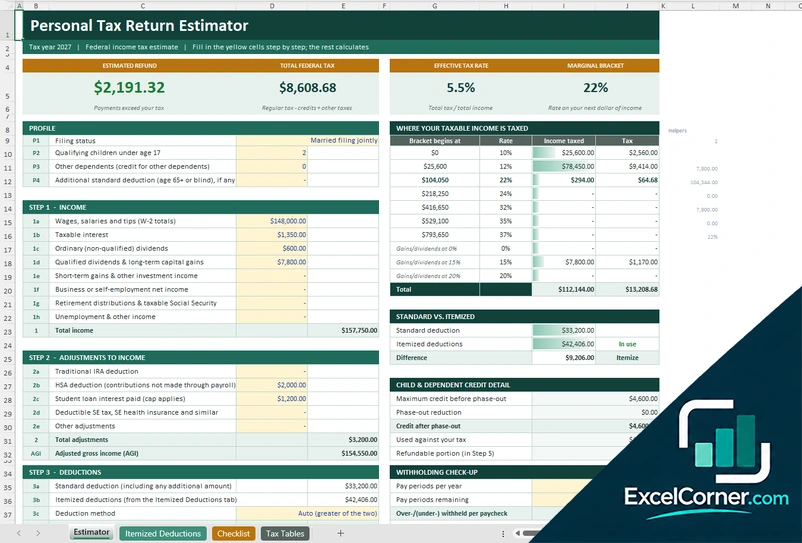
The Estimator sheet starts with a profile, which covers the filing status, the number of qualifying children and any additional standard deduction, then walks you through the income step, with wages, interest, dividends, capital gains and other income, the adjustments to income, the deductions and the credits and payments. It shows the estimated refund, the total federal tax, the effective tax rate and the marginal bracket, with a table of where your taxable income is taxed in each bracket, a comparison of the standard and the itemized deduction, the child credit and a withholding check. The Itemized Deductions sheet logs deductible expenses, the Checklist lists the documents to collect and the Tax Tables sheet holds the brackets.
Version 3: Self-Employed Tax Command Center
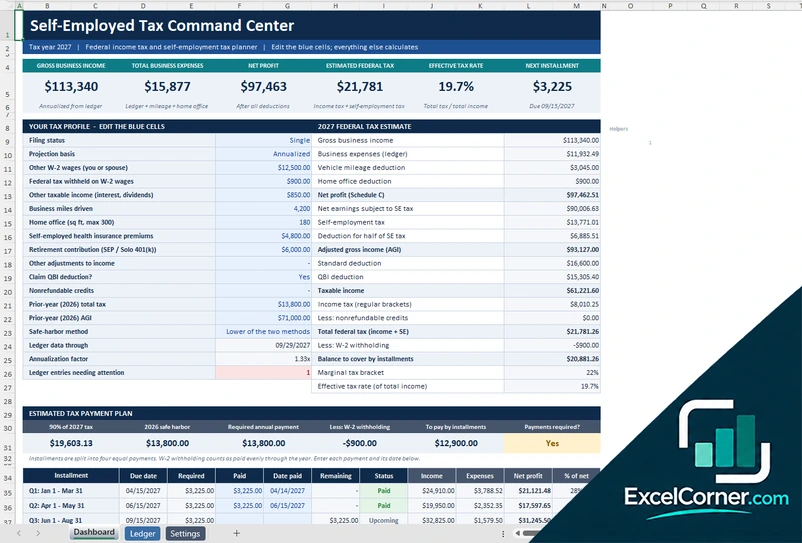
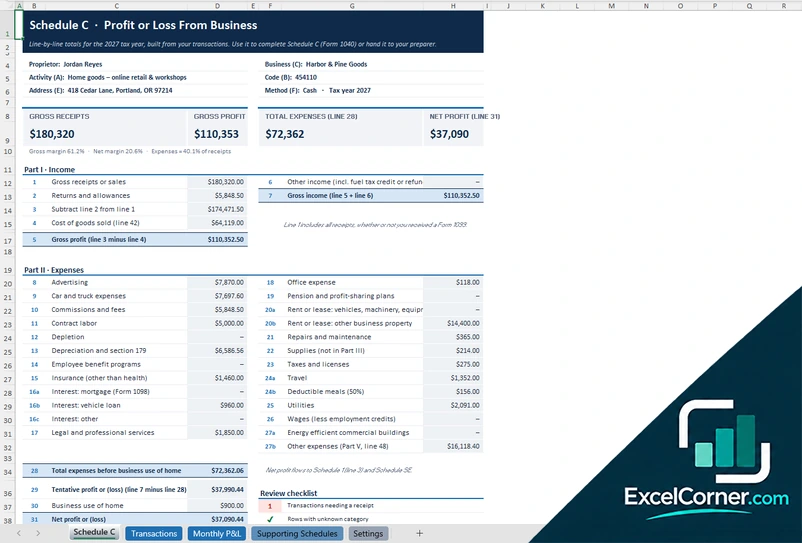
On the Dashboard you enter your tax profile, such as the filing status, the projection basis, other wages and tax withheld, business miles, the home office, health insurance and retirement contributions, and the sheet builds the estimate. It shows the gross business income, the total business expenses, the net profit, the estimated federal tax, the effective tax rate and the next installment, with the net profit on Schedule C, the self-employment tax, the deduction for half of it, the qualified business income deduction and the safe harbor against last year’s tax. The Ledger sheet holds the income and expenses, and the Settings sheet holds the tax parameters and the due dates.
How to use the tax spreadsheet template in Excel
- Download
Pick the version you want and open it in Excel. - Enter your profile
Choose your filing status and enter the number of children, the tax year and prior-year figures. Fill in the input cells; formula cells calculate on their own. - Add income, deductions and payments
Enter wages, interest, dividends, business figures, deductions, credits and the tax already withheld or paid. - Read the estimate
Check the total tax, the effective rate, the refund or balance due and, where available, the installments to pay.
Update the estimate whenever your income or deductions change, and compare it with last year’s tax to avoid an underpayment.
Which tax template do you need?
| Tax Planner and Organizer | Personal Tax Return Estimator | Self-Employed Tax Command Center | |
|---|---|---|---|
| Best for | A household that plans all year | A step-by-step estimate of your return | Self-employed people with a ledger |
| You enter | Profile, transactions and documents | Income, adjustments, deductions and credits | Income, expenses, mileage and a profile |
| You get | Tax estimate, installments and a checklist | Refund, total tax and bracket detail | Self-employment tax and estimated payments |
They are separate files, so you can use more than one.
Tips for tax planning in Excel
- Update the tax parameters for the year, such as the brackets and the standard deduction, at the start of every year.
- Keep a running list of income and deductible expenses so the estimate stays current.
- Compare the standard deduction with your itemized deductions.
- If you are self-employed, plan quarterly payments, and check the safe-harbor amount based on last year’s tax.
- Keep a checklist of the documents you need, such as W-2, 1099 and 1098 forms.
- Review the estimate before year end, when there is still time to act.
Frequently asked questions
Does Excel have a tax template?
Excel does not include a tax return template, but these free templates estimate your federal income tax, plan your payments and organize your documents.
Is this tax spreadsheet template free?
Yes. All three versions are free to download as .xlsx files. You do not need an account or an email address.
Which version should I choose?
Choose the Tax Planner and Organizer (Version 1) to plan all year with a dashboard, transactions and a checklist. Choose the Personal Tax Return Estimator (Version 2) for a step-by-step estimate of your return. Choose the Self-Employed Tax Command Center (Version 3) if you have business income and need to plan self-employment tax and installments. They are separate files, so you can use more than one.
Are the tax rates and brackets up to date?
The files include sample brackets and parameters for the 2027 reference year, which are illustrative. Update them with the official IRS figures for your tax year before you rely on the estimate.
Does it cover state taxes?
The templates focus on the federal tax estimate. The self-employed versions include a field for state and local tax percentages, but state rules vary and you should check your state’s forms.
Does the template work in Google Sheets?
The files are made for Microsoft Excel and use standard formulas with no macros. You can upload them to Google Drive and open them with Google Sheets, but some formatting or charts may look different.
Is my data stored online?
No. The templates are plain Excel files, so the numbers you type stay in your own file on your own computer.
More free tax templates
These templates are planning and bookkeeping tools with sample data and illustrative tax figures. They are not tax, legal or accounting advice. Tax rules, rates and thresholds change, so confirm them with the IRS, your state and a qualified tax professional before you file. Excel is a trademark of Microsoft Corporation; Excel Corner is not affiliated with Microsoft.