
Home › Personal Life & Leisure › Meal Plan Template Excel
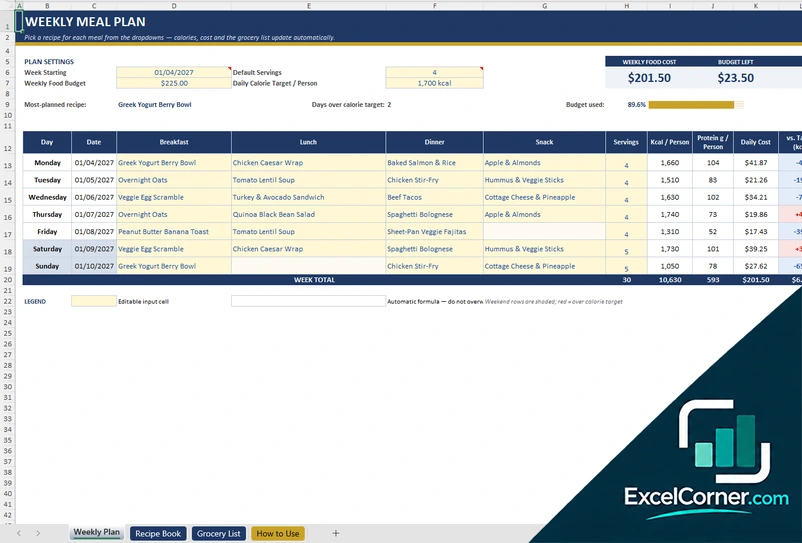
Previewing: Version 1 · Weekly Meal Plan. Pick another version on the right.
Instant download · No sign-up · No email
Download these free meal plan templates for Excel to decide what you will eat and what you need to buy. One version is a weekly meal plan that adds up calories, protein and food cost and builds the grocery list from your recipes. One is a monthly meal plan with a calendar and a nutrition dashboard. One is a household menu with a shopping list, a pantry and a budget.
Choose your version
- File
- .xlsx · 33 KB · 4 sheets
- Works with
- Microsoft Excel (.xlsx)
- Macros
- None · formulas only
- Price
- Free
Plan your meals in an Excel spreadsheet
A meal plan is a simple idea that saves time and money: you decide what you will eat for the week or the month, you buy only what the plan needs and you avoid the daily question of what is for dinner. In a spreadsheet the plan can do more than list meals. It can add up the calories and the protein of each day, compare the food cost with your budget and turn the meals into a shopping list. You can also change it freely, which is why an Excel meal planning template is often a better fit than a fixed app.
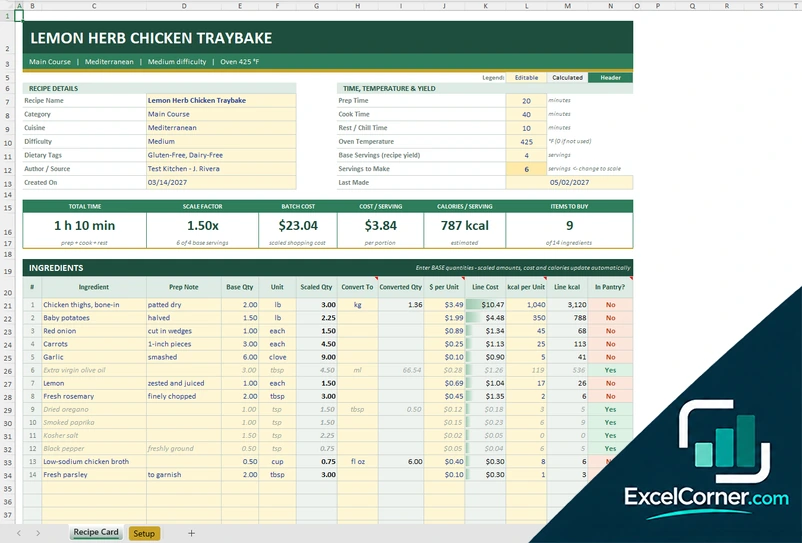
These Excel templates give you three ways to plan. The first is a weekly meal plan: you pick a recipe for each meal of the week from a drop-down list, and the sheet shows the calories, the protein and the cost of each day, tells you how much budget is left and builds an automatic grocery list with the quantities that you need after the food that you already have. The second is a monthly meal plan: you log the foods that you eat and plan, and a dashboard shows the days that are on target, the macro balance, the top foods and the spending, with a monthly calendar of meals. The third is a household menu: you set the size of the household and a weekly grocery budget, build the menu from a library of meals and get a shopping list by store section with the pantry, the packs to buy and the remaining budget.
Best for
- Families, couples and single households that want to plan meals and control the grocery budget
- People who track calories and protein, or who prepare meals for the week
- Anyone who wants to turn a meal plan into a shopping list without retyping it
Maybe not for
A meal planning app with recipes and delivery. These templates are Excel files that you fill in and can change. They do not connect to a store, and the nutrition values are the ones that you enter.
Which version is right for you?
All three are free, formula-driven Excel files with sample data you can replace. They are independent, so you can download more than one.
Version 1
Weekly Meal Plan
A weekly meal plan with drop-down recipes, calories and protein per person, daily cost against a weekly budget, a recipe book and an automatic grocery list by aisle.
Weekly PlanRecipe BookGrocery ListHow to Use
.xlsx · 33 KB
Version 2
Monthly Meal Plan Dashboard
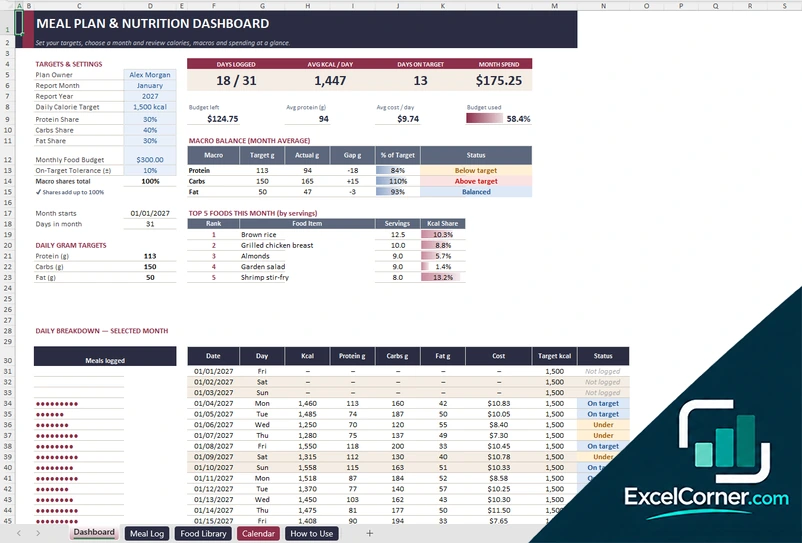
A monthly meal plan with a food library, a meal log of about 500 entries, a nutrition dashboard with macro balance and top foods, and a monthly meal calendar.
DashboardMeal LogFood LibraryCalendarHow to Use
.xlsx · 89 KB
Version 3
Household Menu and Shopping List
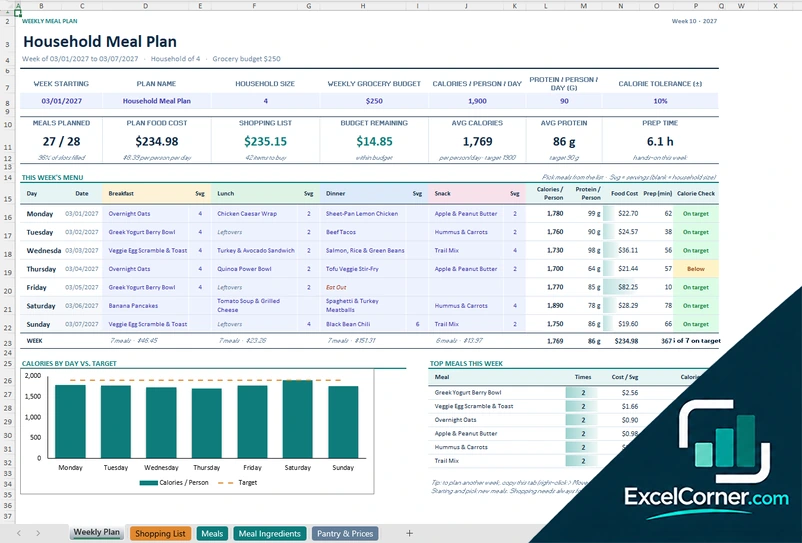
A household weekly menu with calorie and protein checks, a chart of calories by day, a shopping list by store section with packs and cost, a meal library, meal ingredients and a pantry and price catalog.
Weekly PlanShopping ListMealsMeal IngredientsPantry & Prices
.xlsx · 74 KB
What is inside the meal plan Excel templates
Version 1: Weekly Meal Plan
The Weekly Plan sheet has the plan settings (week starting, default servings, weekly food budget and daily calorie target per person) and cards for the weekly food cost, the budget left and the average calories per person. For each day of the week you pick a recipe for breakfast, lunch, dinner and snack from a drop-down list, and the sheet shows the servings, the calories and the protein per person, the daily cost, the difference from the calorie target and a notes column for prep reminders. It also shows the most planned recipe, the days over the calorie target and how much of the budget is used. The Recipe Book sheet holds your recipes with the meal type, the category, the prep and cook time, the diet tags, the calories, the protein, the carbs and the fat and the cost for each serving, and counts how many times each one is planned. The Grocery List sheet builds the list from the recipes that you planned, with the aisle, the quantity needed, what is in the pantry, the quantity to buy, the estimated cost and a purchased box, with totals and a budget check.
Version 2: Monthly Meal Plan Dashboard
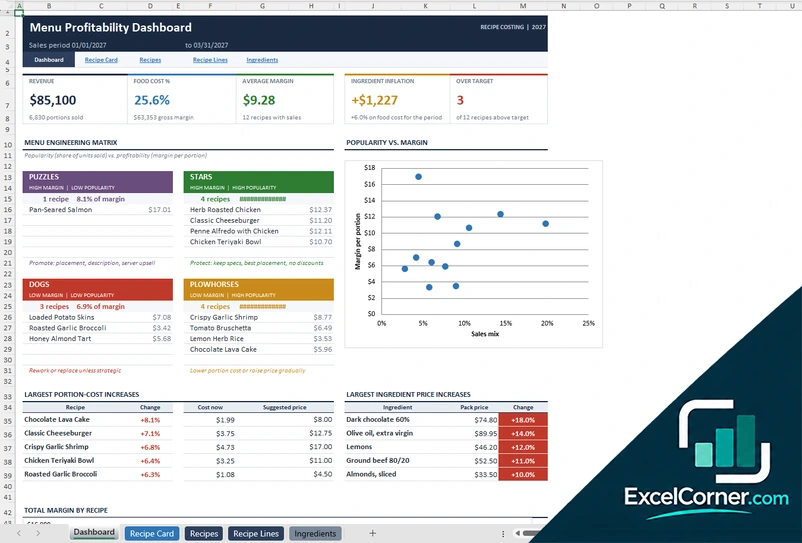
The Dashboard sheet takes your targets and settings (plan owner, month and year, daily calorie target, protein, carbs and fat shares, monthly food budget and tolerance) and shows the days logged, the average calories per day, the days on target and the month spend. A macro balance table compares the protein, carbs and fat with the target in grams and as a percentage, with a status, and a chart and a list of the top five foods of the month by servings and share of calories. The daily breakdown lists each day of the month with the meals logged, the macros, the cost, the target and a status. On the Meal Log sheet you record each food or meal with the date, the servings, the macros and a status, and the Food Library holds about 150 foods with the serving size, the protein, carbs and fat, the cost per serving, the protein per 100 calories and the calories per dollar. The Calendar sheet shows the meals of the month in a Sunday to Saturday grid.
Version 3: Household Menu and Shopping List
On the Weekly Plan sheet you enter the week, the household size, the weekly grocery budget, the calories and the protein per person per day and a tolerance. The sheet shows the meals planned, the plan food cost, the cost of the shopping list, the budget remaining, the average calories and protein and the total prep time. This week’s menu has a row for each day with breakfast, lunch, dinner and snack, the servings of each, the calories and protein per person, the food cost, the prep time and a calorie check. A chart compares the calories per person with the target for each day, and a list shows the top meals of the week. The Shopping List sheet is grouped by store section, with the quantity needed, what you have on hand, the quantity to buy, the packs, the estimated cost and a got it box. The Meals sheet holds your meal library, about 100 meals with the calories, the protein, the carbs, the fat and the cost, the Meal Ingredients sheet lists the ingredients of each meal, up to about 400 lines, and the Pantry and Prices sheet holds the grocery catalog with the pack size, the pack price, the unit price and what is on hand.
How to use a meal plan template in Excel
- Download
Pick the version you want and open it in Excel. The files have a sample plan, so you can see how each sheet works. - Set your targets
Enter the number of people, the weekly food budget and your daily calorie and protein targets, or the targets of the month. - Add your recipes or foods
Fill the recipe book, the meal library or the food library with the calories, the protein and the cost of each serving, and the ingredients if the template has a grocery list. - Plan the meals
Pick a meal for each day from the drop-down lists, or log what you eat. The calories, the cost and the checks update on their own. - Shop and adjust
Use the grocery or shopping list, mark what you already have and buy the rest. Compare the plan with your budget and change a meal if you are over.
Replace the sample recipes and prices with your own. The totals, the grocery list and the charts update on their own.
Which meal plan template do you need?
| Weekly Meal Plan | Monthly Meal Plan Dashboard | Household Menu and Shopping List | |
|---|---|---|---|
| For | A week of meals with an automatic grocery list | A month of meals with nutrition tracking | A family menu with a budget and a pantry |
| Best for | Weekly planners and meal preppers | People who track calories and macros | Households that plan and shop by store section |
| Data you enter | Recipes and the meals of one week | About 500 meal log entries and a food library | A meal library, ingredients and a pantry catalog |
| Main outputs | Weekly cost, budget left, calories per person, grocery list | Days on target, macro balance, top foods, spending, monthly calendar | Calories by day vs. target, shopping list, packs to buy, budget remaining |
| Sheets | 4 | 5 | 5 |
| Charts | No | Yes | Yes |
They are separate files, so you can use more than one.
Tips for a meal plan that you will use
- Start small. Plan the dinners of one week before you plan every meal of the month.
- Reuse the meals that work. A library of 15 to 20 meals covers most weeks.
- Plan the leftovers. Cook a double batch once and use it for a second meal.
- Check the plan against the budget before you shop, not after.
- Write down what you already have in the pantry and the freezer, so that you do not buy it twice.
- Keep the calories and the protein as a guide and not as a rule. The days that are a bit off do not matter if the week is on target.
- Update the prices from your receipts every month, so that the cost of the plan stays real.
Frequently asked questions
Are these meal plan templates for Excel free?
Yes. All three versions are free to download as .xlsx files. You do not need an account or an email address.
Which version should I choose?
Choose the Weekly Meal Plan (Version 1) for a simple plan with an automatic grocery list. Choose the Monthly Meal Plan Dashboard (Version 2) if you want to log your meals and follow calories and macros over a month. Choose the Household Menu and Shopping List (Version 3) for a family with a grocery budget, a pantry and a shopping list by store section.
How do I make a meal plan in Excel?
Make a table with a row for each day and a column for each meal, and a list of your recipes or meals with their calories and cost. Then pick a meal from a drop-down list in each cell and add formulas for the daily totals. The templates already have all of this.
Does the template make a grocery list from the meal plan?
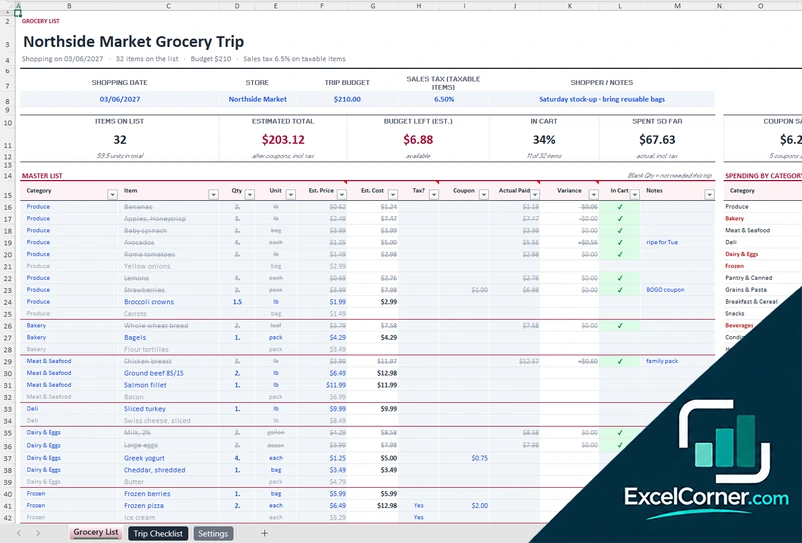
Yes. Versions 1 and 3 take the ingredients of the meals that you planned and calculate the quantities that you need, subtract what you have at home and give you the list to buy, with the estimated cost. Version 2 is built around the foods that you eat and plan, with a monthly calendar.
Can I use it as a weekly or a monthly meal plan?
Yes. Versions 1 and 3 plan one week at a time, and you can copy the sheet or reset it for the next week. Version 2 works by month, with a calendar and a dashboard that you can filter by month.
Can I track calories and protein?
Yes. You enter the calories, the protein and, in Version 2, the carbs and the fat of each serving. The templates add them up by day and compare them with your targets. The values are the ones that you type, so check them against a reliable source.
Is this a meal plan for a diet or for weight loss?
These are planning tools, not medical or dietary advice. You set your own targets, and the templates tell you whether the plan reaches them. If you follow a diet for a health reason, check your plan with a professional.
Does the template work in Google Sheets?
The files are made for Microsoft Excel and use standard formulas with no macros. You can upload them to Google Drive and open them with Google Sheets, but some formatting or charts may look different.
Is my information stored online?
No. The templates are plain Excel files, so the names, addresses, dates and amounts you type stay in your own file on your own computer.
These templates are planning tools with made-up sample data. The calories, nutrients, prices and costs are examples that you replace with your own, and they are not nutrition, medical or dietary advice. Check the allergens and the food safety rules that apply to you. Excel is a trademark of Microsoft Corporation; Excel Corner is not affiliated with Microsoft.