
Home › Personal Life & Leisure › Medication List Template Excel
Previewing: Version 1 · Medication List with Summary and Refill Tracking. Pick another version on the right.
Instant download · No sign-up · No email
Download these free medication list templates in Excel to keep every medicine, dose and refill in one place. They include a printable summary, a daily schedule, a caregiver record with a monthly log, and a visit summary to take to appointments.
Choose your version
- File
- .xlsx · 36 KB · 4 sheets
- Works with
- Microsoft Excel (.xlsx)
- Macros
- None · formulas only
- Price
- Free
Keep a medication list in an Excel spreadsheet
A medication list tells a doctor, a pharmacist or a caregiver exactly what you take, how much, when and why. It helps you avoid duplicates, refill on time and answer questions at an appointment. In Excel, the list can also work out your supply, the next refill date and the monthly cost, which a paper form cannot do.
These four templates start from the same kind of list and then differ. Version 1 has a printable summary with charts. Version 2 builds a daily schedule you can print for the fridge. Version 3 is for caregivers, with a monthly record and a change history. Version 4 builds a daily plan and a visit summary.
Best for
- People who take several medicines and want one up-to-date list
- Caregivers who manage the medicines of a parent or a partner
- Anyone who needs a printed list for appointments or the pharmacy
Maybe not for
A prescription app that connects to your pharmacy. These are Excel files: you type your medicines, and the schedule, the supply and the cost are calculated from what you enter.
Which version is right for you?
All four are free, formula-driven Excel files with sample data you can replace. They are independent, so you can download more than one.
Version 1
Medication List with Summary and Refill Tracking
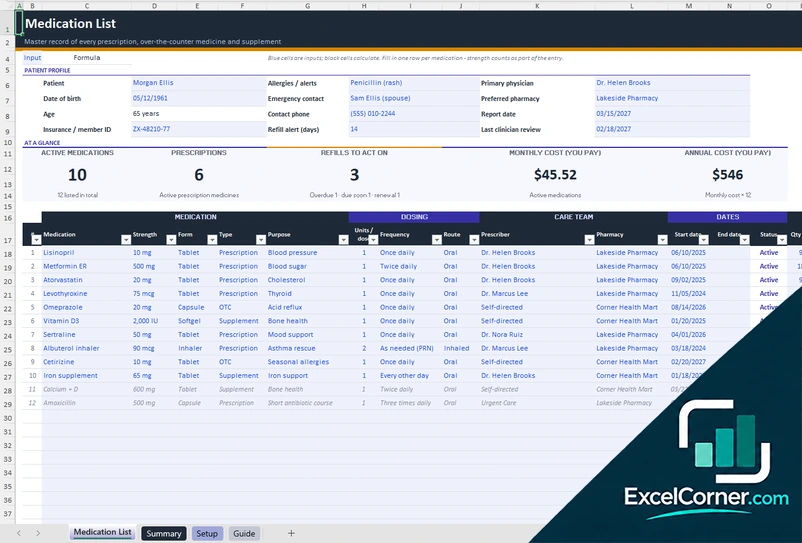
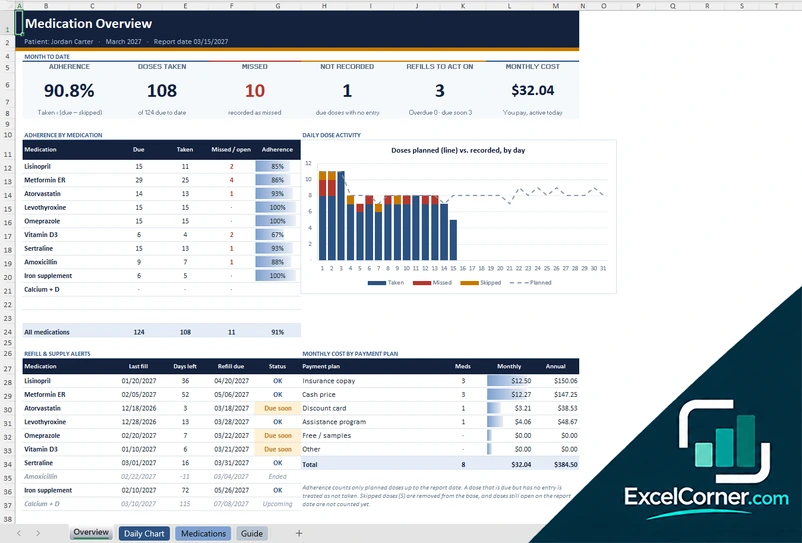
A medication list with a patient profile, one row per medicine, automatic refill and cost tracking, a printable summary with two charts and a setup sheet.
Medication ListSummarySetupGuide
.xlsx · 36 KB
Version 2
Medication List with Daily Schedule
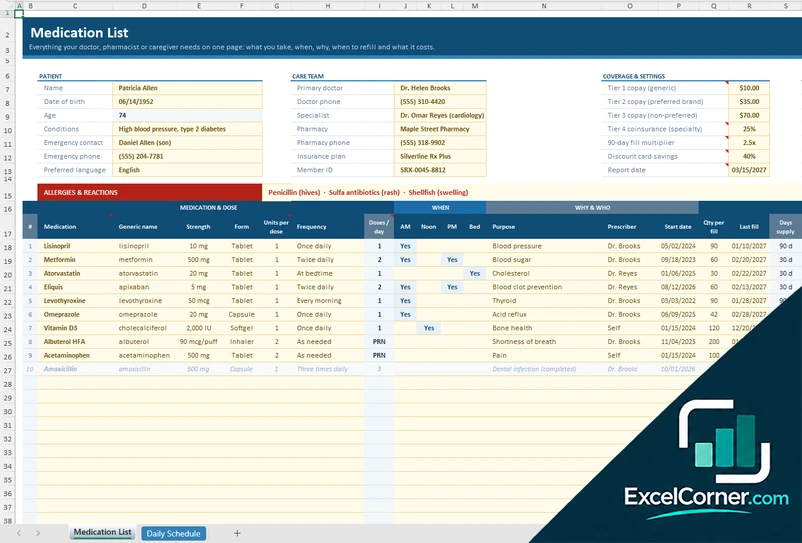
A medication list with a patient and care team section, days of supply and a daily schedule that builds itself by time of day.
Medication ListDaily Schedule
.xlsx · 37 KB
Version 3
Caregiver Medication List with Monthly Record
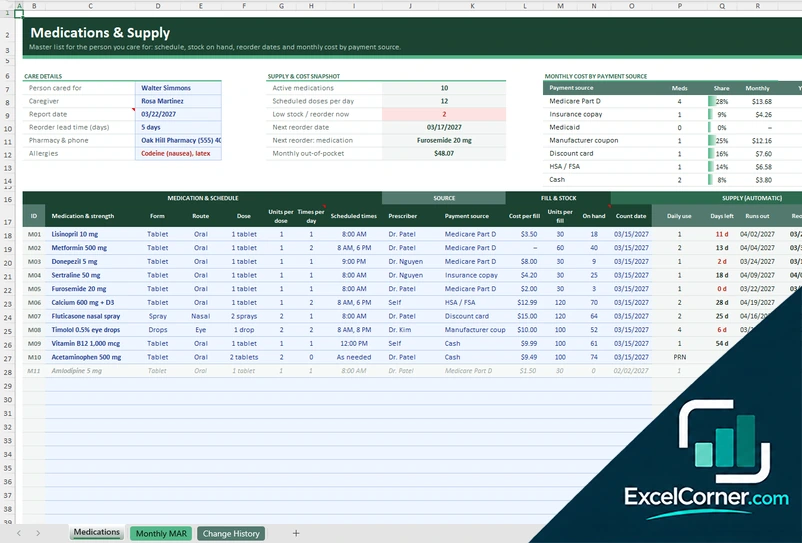
A caregiver medication list with stock on hand, reorder dates, cost by payment source, a monthly administration record and a change history.
MedicationsMonthly MARChange History
.xlsx · 45 KB
Version 4
Printable Medication List with Visit Summary
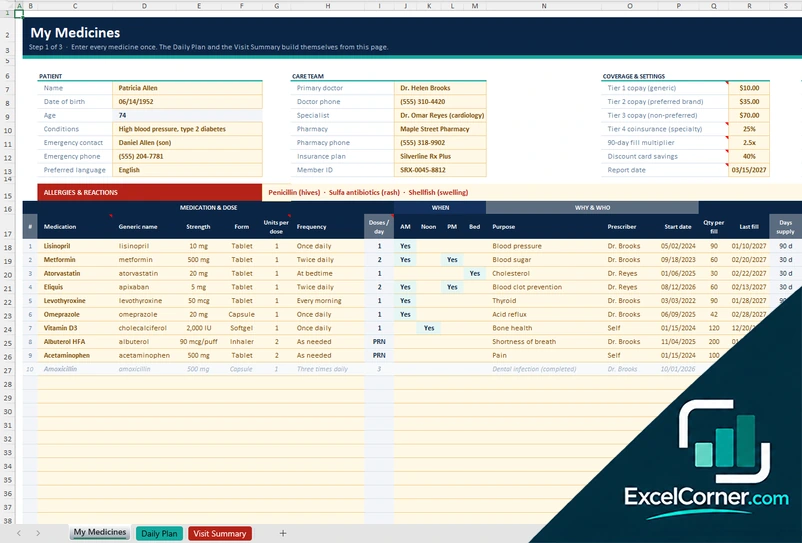
A printable medication list in three steps: enter your medicines, print a daily plan, and bring a one-page visit summary to every appointment.
My MedicinesDaily PlanVisit Summary
.xlsx · 45 KB
What is inside the medication list templates
Version 1: Medication List with Summary and Refill Tracking
The Setup sheet holds the dosing frequencies and the payment plans that feed the drop-down lists. The Medication List sheet has the patient profile and one row per medicine, with the strength, form, type, dosing, prescriber, pharmacy, dates, quantity and notes. It works out the supply left, the refill date and the cost.
The Summary sheet is a printable record with the patient details, the active medications, prescriptions, refills to act on, the next refill and the monthly and annual cost, with two charts. A Guide sheet explains each tab.
Version 2: Medication List with Daily Schedule
On the Medication List sheet you enter the patient, the care team, the insurance copays, the conditions and the allergies. Each medicine has a generic name, strength, form, frequency, times of day, purpose, prescriber, quantity per fill and last fill. It calculates the doses per day and the days of supply.
The Daily Schedule sheet builds itself from the list. It groups every medicine into morning, midday, evening and bedtime, with the allergies at the top, so you can print it for the fridge, a pill organizer or a caregiver.
Version 3: Caregiver Medication List with Monthly Record
The Medications sheet is the master list for the person you care for: the caregiver, the reorder lead time, and each medicine with its dose, scheduled times, payment source and stock on hand. It works out the days left, the run-out date and the monthly cost by payment source.
The Monthly MAR sheet is a medication administration record for any month, where you mark each dose as given, missed, refused or held. The Change History sheet logs every start, stop and dose change with the reason and who ordered it.
Version 4: Printable Medication List with Visit Summary
The workbook works in three steps. On My Medicines you enter every medicine once, with the patient, the care team, the allergies and the coverage. It works out the doses per day, the days of supply and the refill dates.
Daily Plan builds a schedule by time of day from that list. Visit Summary is a one-page printout with the patient, the care team and every active medicine, to bring to appointments, hospital visits or the pharmacy.
How to use a medication list template in Excel
- Download
Pick the version that fits your needs and open it in Excel. Each file has a sample patient so you can see how it works. - Add the patient
Enter the name, the date of birth, the allergies, the doctors and the pharmacy. - List each medicine
Add one row per medicine with the strength, the dose, how often you take it, the purpose and the prescriber. - Add supply and cost
Enter the quantity per fill and the last fill date, so the template can work out the refill dates and the cost. - Print and update
Print the summary or the schedule, and update the list whenever a doctor changes a medicine.
Replace the sample patient with your own data. The schedule, the refill dates and the totals update on their own.
Which medication list template do you need?
| Medication List with Summary | Medication List with Daily Schedule | Caregiver List with Monthly Record | Medication List with Visit Summary | |
|---|---|---|---|---|
| You enter | Patient profile and medicines | Patient, care team and medicines | Care details, medicines and stock | Patient, care team and medicines |
| Best for | A complete record with refills and cost | A daily schedule to print | Caregivers and a monthly record | Bringing a summary to visits |
| You get | Summary, refill alerts, monthly and annual cost | Schedule by time of day, days of supply | Monthly record, change history, cost by payer | Daily plan and one-page visit summary |
| Sheets | 4 | 2 | 3 | 3 |
| Charts | 2 | No | No | No |
They are separate files, so you can use more than one.
Tips for keeping a medication list
- List everything you take: prescriptions, over-the-counter medicines, vitamins and supplements.
- Write the allergies at the top, so they are the first thing anyone reads.
- Update the list the same day that a doctor starts, stops or changes a medicine.
- Print a copy and keep it in your wallet or on the fridge.
- Check the list with your pharmacist once a year.
Frequently asked questions
Are these medication list templates free?
Yes. All four versions are free to download as .xlsx files. You do not need an account or an email address.
Which version should I choose?
Choose Version 1 for a complete record with refill alerts and cost charts. Choose Version 2 for a daily schedule. Choose Version 3 if you care for someone and need a monthly record. Choose Version 4 for a one-page visit summary.
What should a medication list include?
The name, the strength, the dose, how often and when you take it, and what it is for. Add the prescriber, the pharmacy, the refill dates and your allergies. The templates have columns for all of them.
How do I make a medication list in Excel?
Make a table with a column for the medicine, the strength, the dose, the frequency, the purpose and the prescriber. Add the quantity and the last fill date to work out the refill date. The templates already do this and also build a schedule.
Can I print the list?
Yes. Each version has a sheet made to print, such as the summary, the daily schedule or the visit summary. Print it on one page and keep a copy with you or on the fridge.
More free health and planning templates
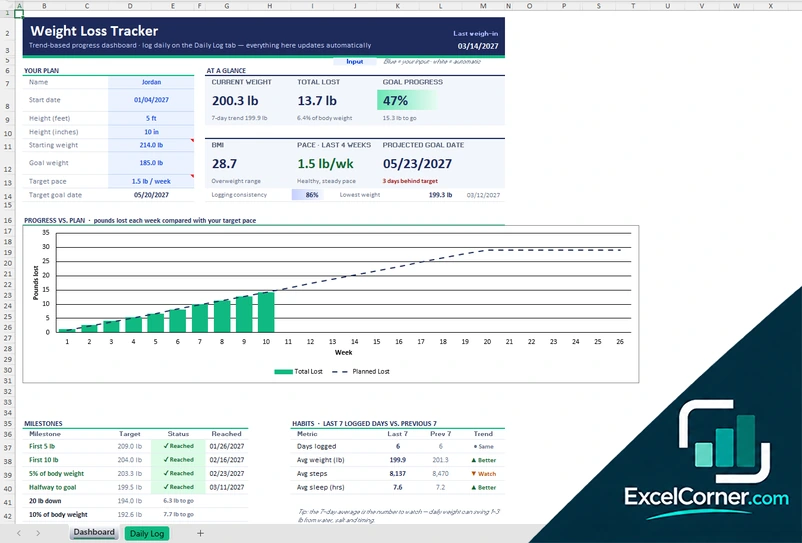
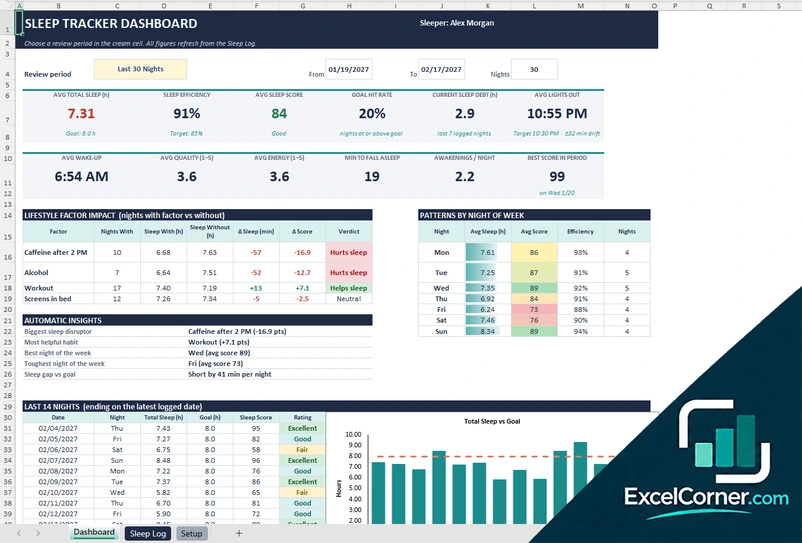
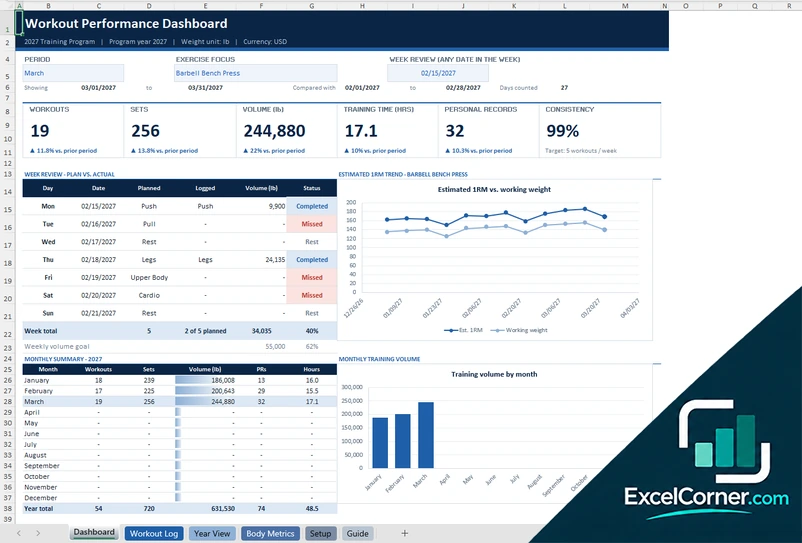
These templates use made-up sample patients and medicines. They are record-keeping tools and not medical advice. Always follow the instructions of your doctor or pharmacist, and never change a dose because of a spreadsheet. Excel is a trademark of Microsoft Corporation; Excel Corner is not affiliated with Microsoft.