
Home › Personal Life & Leisure › Excel Workout Template
Previewing: Version 1 · Workout Log and Dashboard with Year Calendar. Pick another version on the right.
Instant download · No sign-up · No email
Download these six free Excel workout templates to plan your training and log every session. They cover a workout log with a dashboard, a strength template with progressive overload, a 12-week schedule, an activity log, a set-by-set tracker and a training plan.
Choose your version
- File
- .xlsx · 188 KB · 6 sheets
- Works with
- Microsoft Excel (.xlsx)
- Macros
- None · formulas only
- Price
- Free
Plan and track your workouts in an Excel spreadsheet
A workout spreadsheet works because it makes progress visible. When you log the exercise, sets, reps and weight each time, Excel can work out your volume, your estimated one-rep max and your personal records, and show whether you do more than last month. You stop guessing and start following numbers.
These six templates cover the main ways people train. Some log every set for strength training. One logs any activity, from running to a spin class. Others plan the weeks ahead with a workout schedule, a 12-week plan or a training cycle with deloads. Each file has sample data, so you can see it working first.
People search for a workout template, a tracker, a plan, a schedule or a log, but the job is the same: plan what you will do and record what you did. Pick the file that fits how you train, and use the table below to compare them.
Best for
- Lifters who want to see volume, records and progressive overload
- Anyone who wants a weekly schedule or a 12-week plan with loads that rise by themselves
- People who train in different ways and want one log for gym, running and classes
Maybe not for
A coaching app with video and automatic sensors. These are Excel files: you type your workouts, and the numbers and charts are calculated from what you enter.
Which version is right for you?
All six are free, formula-driven Excel files with sample data you can replace. They are independent, so you can download more than one.
Version 1
Workout Log and Dashboard with Year Calendar
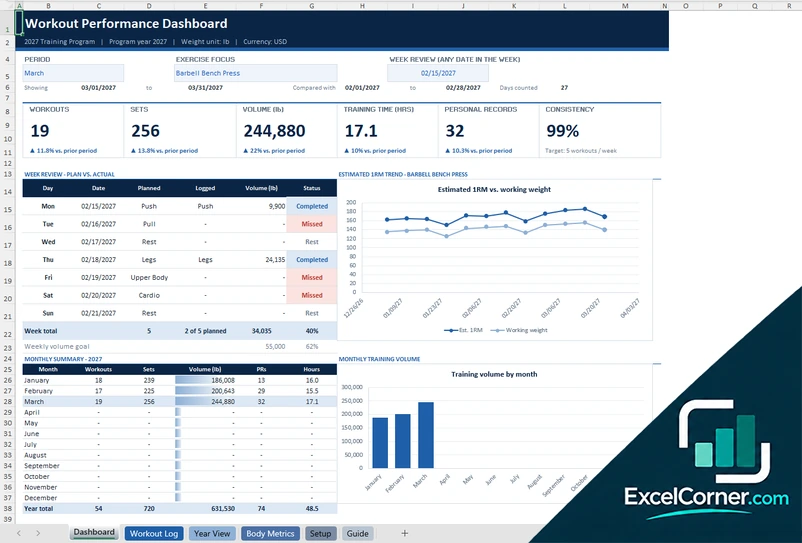
A complete workout tracker with a dashboard, a log of 1,000 rows, a year calendar shaded by volume, body metrics and a setup with your weekly routine and costs.
DashboardWorkout LogYear ViewBody MetricsSetupGuide
.xlsx · 188 KB
Version 2
Strength Training Template with Progressive Overload
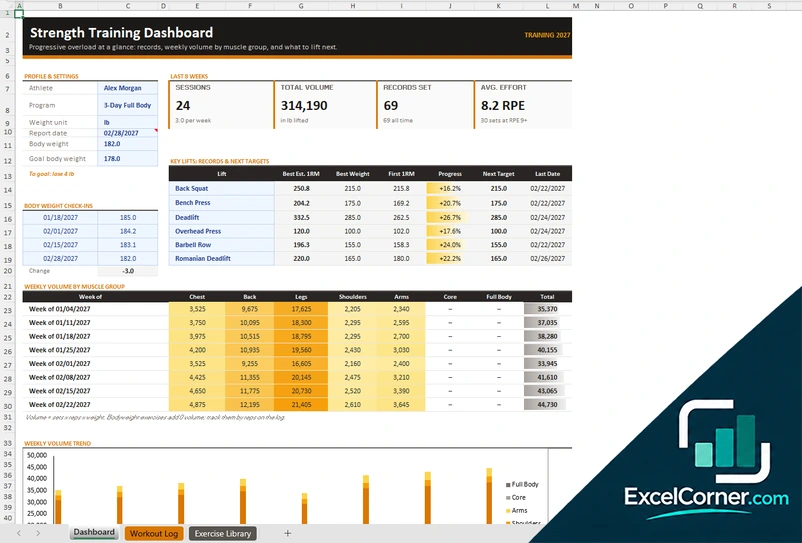
A strength training template with a log by exercise, an exercise library with target rep ranges and a dashboard that tells you what to lift next.
DashboardWorkout LogExercise Library
.xlsx · 97 KB
Version 3
12-Week Workout Schedule and Planner
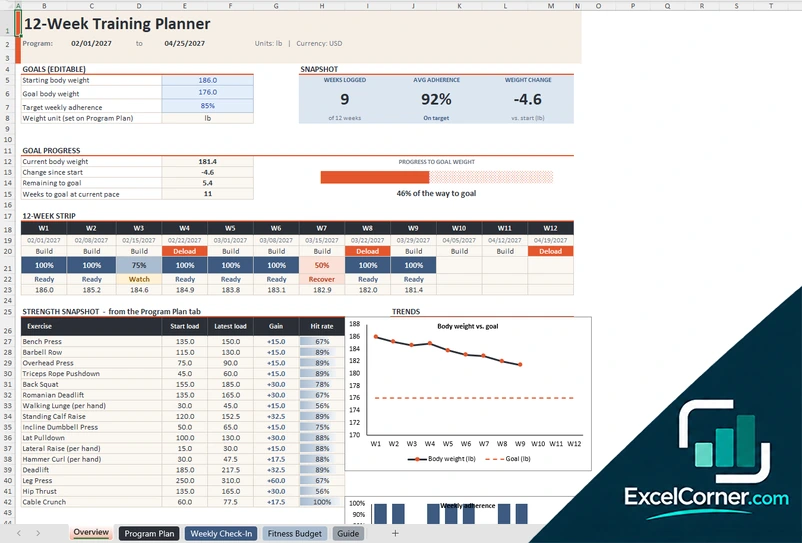
A 12-week workout schedule with planned loads by day, an automatic deload, a weekly check-in with readiness and a fitness budget.
OverviewProgram PlanWeekly Check-InFitness BudgetGuide
.xlsx · 42 KB
Version 4
Workout Log for Any Activity
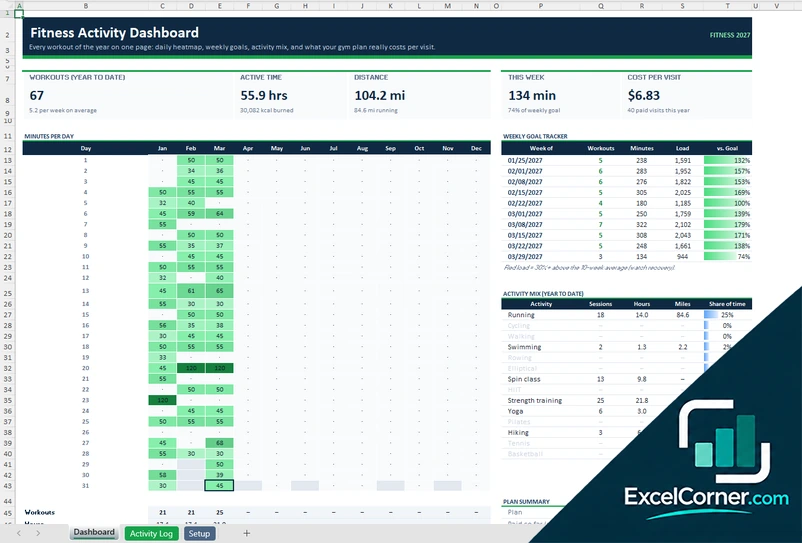
A workout log for any activity with a dashboard of the whole year, a daily heatmap, weekly goals, an activity mix and gym plan costs.
DashboardActivity LogSetup
.xlsx · 85 KB
Version 5
Set-by-Set Workout Tracker
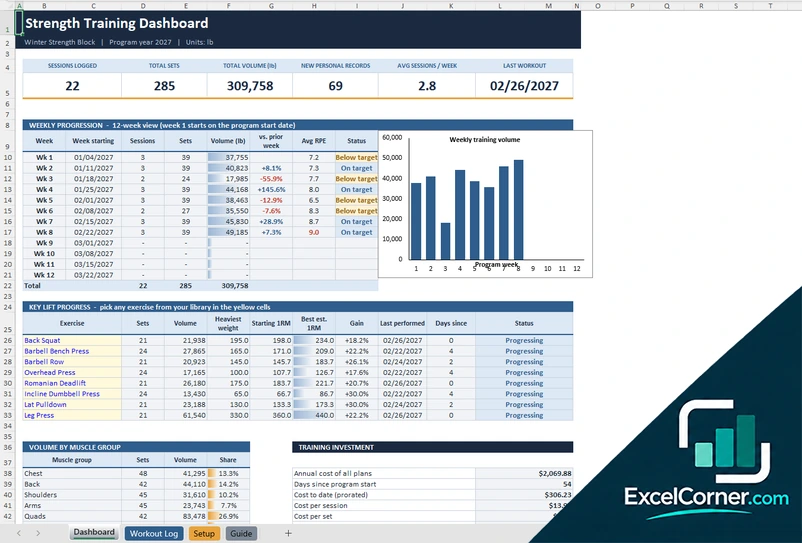
A workout tracker with one row per set, a 12-week progression table, key lift progress, volume by muscle group and training investment.
DashboardWorkout LogSetupGuide
.xlsx · 104 KB
Version 6
Workout Plan with Training Max Cycles
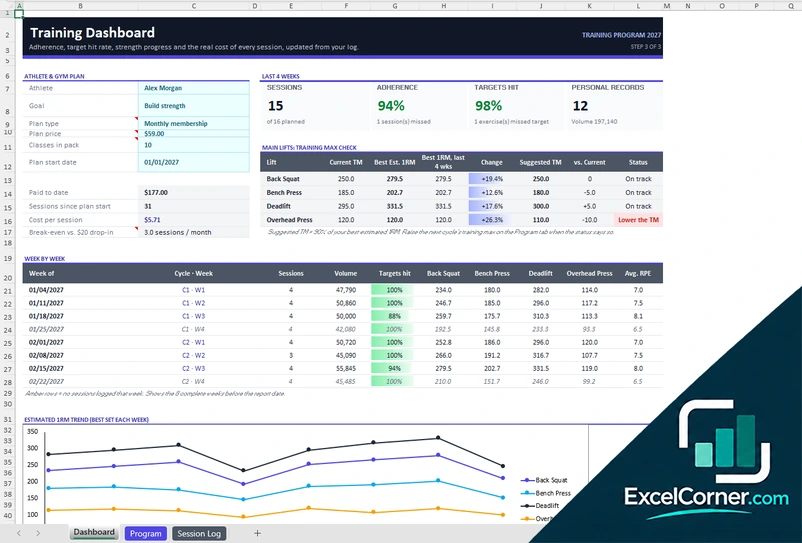
A workout plan with training maxes, weekly intensity, calculated target loads, a session log and a dashboard with adherence and a training max check.
DashboardProgramSession Log
.xlsx · 149 KB
What is inside the Excel workout templates
Version 1: Workout Log and Dashboard with Year Calendar
The Setup sheet holds your program, your weekly routine, the exercise library and your training costs. The Workout Log has one row per exercise with the date, workout, sets, reps, weight, RPE and minutes. It holds 1,000 rows and works out the volume and the estimated 1RM.
The Dashboard lets you choose a month or the full year, an exercise to focus on and a week to review. It shows workouts, sets, volume, hours, records and consistency against the prior period, with charts. Year View shades every training day, and Body Metrics tracks weight, body fat and waist.
Version 2: Strength Training Template with Progressive Overload
On the Exercise Library you list each exercise with its muscle group, movement, equipment, rep range and weight increment. The Workout Log has one row per exercise for each session, with sets, reps, weight and RPE, and it flags every personal record.
The Dashboard shows sessions, total volume, records and average effort for the last eight weeks. It lists your key lifts with the best estimated 1RM and the next target, and a heatmap of weekly volume by muscle group with a trend chart.
Version 3: 12-Week Workout Schedule and Planner
On the Program Plan sheet you set the start date, the deload rule and the exercises with their day, sets, reps, start load and weekly increase. It calculates the planned load for each of the 12 weeks, with a deload every fourth week by default.
The Weekly Check-In records completed workouts, minutes, RPE, sleep, energy and body weight, and calculates adherence. The Overview shows a 12-week strip with a readiness flag, a strength snapshot and charts. The Fitness Budget tracks your payments.
Version 4: Workout Log for Any Activity
On the Setup sheet you enter your profile, your weekly goals for minutes, workouts and distance, your gym plan and the list of activities. The Activity Log has one row per workout with the date, activity, venue, minutes, distance, heart rate and effort, and it estimates the calories.
The Dashboard shows workouts, active time and distance for the year, a heatmap of minutes per day, a weekly goal tracker, the activity mix and the cost per gym visit.
Version 5: Set-by-Set Workout Tracker
The Setup sheet holds the program settings, the exercise library and your payment plans. The Workout Log takes one row per set with the date, exercise, weight, reps and RPE, and calculates the volume, the estimated 1RM and every new record. It holds 700 sets.
The Dashboard shows a 12-week progression table with the weekly volume and a status, a chart of weekly volume, the progress of eight key lifts of your choice, the volume by muscle group and the cost of each session. A Guide sheet explains each tab.
Version 6: Workout Plan with Training Max Cycles
On the Program sheet you set the cycle start, the weeks per cycle, the intensity of each week, the session names and the training max of each main lift. Target loads are calculated as a percentage of the training max, rounded to your plate increment.
In the Session Log you pick the day and the exercise, and the targets fill in. You enter the actual sets, reps and load, and see if you hit the target. The Dashboard shows adherence, targets hit, records, a training max check, the 1RM trend and the cost per session.
How to use an Excel workout template
- Download
Pick the version that fits how you train and open it in Excel. Each file has sample workouts so you can see how it works. - Set it up
Enter your name, the year, the weight unit and your goals. Add your own exercises or activities to the list. - Log or plan
Log each workout: the date, the exercise, the sets, the reps and the weight. Or plan the weeks ahead first. - Read the dashboard
Look at the volume, the personal records, the consistency and the trend of each lift. - Adjust
Raise the loads, add a deload week or change the plan, and keep logging.
Replace the sample workouts with your own. The totals, the records and the charts update on their own.
Which workout template do you need?
| Workout Log and Dashboard | Strength Training Template | 12-Week Workout Schedule | Workout Log for Any Activity | Set-by-Set Tracker | Workout Plan with Training Max | |
|---|---|---|---|---|---|---|
| You log | Exercise, sets, reps, weight, RPE, minutes | Exercise, sets, reps, weight, RPE | Completed workouts and loads each week | Activity, minutes, distance, heart rate | Every set with weight and reps | Target and actual for each session |
| Best for | A full workout tracker with a year view | Progressive overload on key lifts | A fixed weekly schedule with deloads | Gym, running, classes and other activity | Detailed strength tracking | Percentage-based strength cycles |
| You get | Dashboard, 1RM, year calendar, body metrics | Records, next targets, volume by muscle | Planned loads, adherence, readiness, budget | Heatmap, weekly goals, cost per visit | Weekly progression, key lifts, volume | Target hit rate, training max check |
| Sheets | 6 | 3 | 5 | 3 | 4 | 3 |
| Charts | 4 | 1 | 2 | Heatmap | 3 | 1 |
They are separate files, so you can use more than one.
Tips for tracking your workouts
- Log your workout right after you finish, while you still remember the weights.
- Use the same exercise names every time, so the totals and the records work.
- Add a little weight or one rep when you can, and let the numbers show the trend.
- Plan a lighter deload week every four weeks or so.
- Look at weeks and months, not at one single session.
Frequently asked questions
Are these workout Excel templates free?
Yes. All six versions are free to download as .xlsx files. You do not need an account or an email address.
Which version should I choose?
For a complete tracker, choose Version 1. For key lifts and progressive overload, choose Version 2 or Version 5. For a schedule or a plan, choose Version 3 or Version 6. For running, classes and other activity, choose Version 4.
What is the difference between a workout template, tracker, plan, schedule and log?
A plan or schedule says what you will do, and a log or tracker records what you did. The templates combine both: they plan the loads or the days and compare them with your logged sessions, so you can see if you follow the plan.
How do I make a workout template in Excel?
Make a table with a column for the date, the exercise, the sets, the reps and the weight. Add a volume column (sets times reps times weight) and a chart of the volume by week. The templates already have this and more.
Can I track cardio and not only weights?
Yes. Version 4 logs any activity with minutes, distance and heart rate. Version 1 also takes minutes for cardio, and Version 3 plans training minutes each week. The strength versions focus on sets, reps and weight.
More free health, habit and planning templates
These templates use made-up sample data. They are tracking tools and not medical or coaching advice. Start with weights that are safe for you, and ask a doctor or a qualified coach if you have a health condition or an injury. Excel is a trademark of Microsoft Corporation; Excel Corner is not affiliated with Microsoft.