
Home › Accounting & Business Finance › Schedule C Template Excel
Previewing: Version 1 · Schedule C Template. Pick another version on the right.
Instant download · No sign-up · No email
Use this free Schedule C template for Excel to keep your self-employment books in the same layout as the form. Log your income and expenses, and get line-by-line totals for Schedule C, a monthly profit and loss, and support for vehicle, home office and depreciation. Pick the version that fits how you keep records.
Choose your version
- File
- .xlsx · 108 KB · 5 sheets
- Works with
- Microsoft Excel (.xlsx)
- Macros
- None · formulas only
- Price
- Free
Keep your Schedule C numbers ready all year in Excel
Schedule C reports the profit or loss from a sole proprietorship or a single-member LLC. Its lines group your income, cost of goods sold and expenses, so the easiest way to prepare it is to categorize every transaction by Schedule C line as you go and let a spreadsheet add them up.
These Excel Schedule C templates work in three ways. Two are bookkeeping workbooks: you enter transactions and get Schedule C totals and a monthly profit and loss, plus supporting schedules for the vehicle, the home office and cost of goods sold. The third is an annual organizer for people who prefer to enter yearly totals, with an asset register for depreciation and a tax estimate.
Best for
- Freelancers, consultants and sole proprietors
- Small business owners who prepare their own return
- Bookkeepers who organize records for Schedule C clients
Maybe not for
Filing a return. These templates organize the numbers for Schedule C, but they do not produce the IRS form or file it.
Which version is right for you?
All three are free, formula-driven Excel files with sample data you can replace. They are independent, so you can download more than one.
Version 1
Schedule C Template
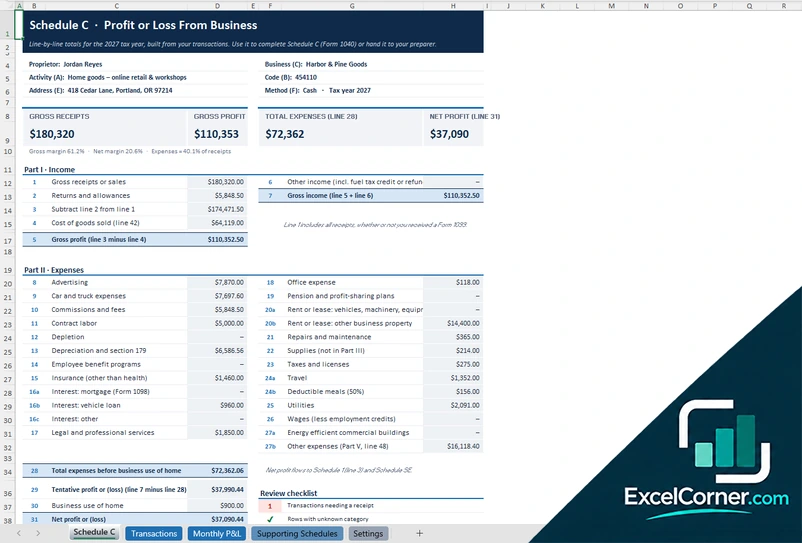
Enter your transactions and get the totals for each line of Schedule C, a monthly profit and loss and supporting schedules.
Schedule CTransactionsMonthly P&LSupporting SchedulesSettings
.xlsx · 108 KB
Version 2
Schedule C Bookkeeping Workbook
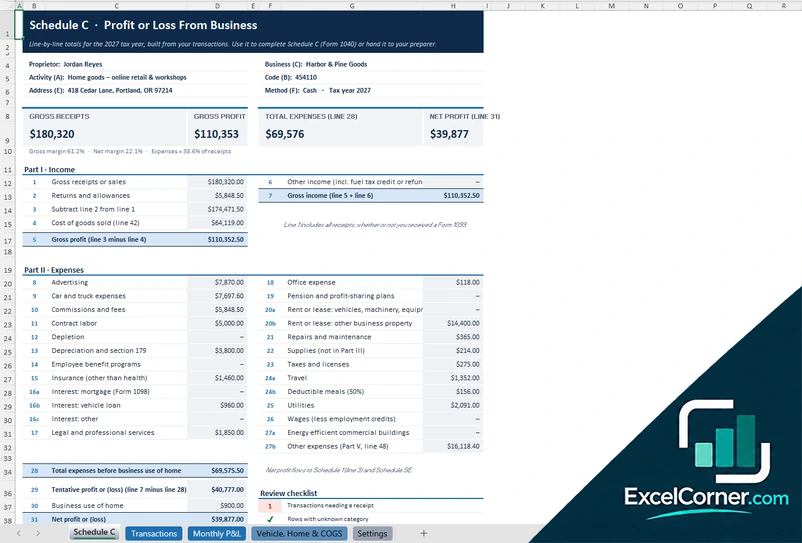
Keep your books by Schedule C line, with a monthly profit and loss and a sheet for vehicle, home office and cost of goods sold.
Schedule CTransactionsMonthly P&LVehicle, Home & COGSSettings
.xlsx · 104 KB
Version 3
Schedule C Annual Organizer
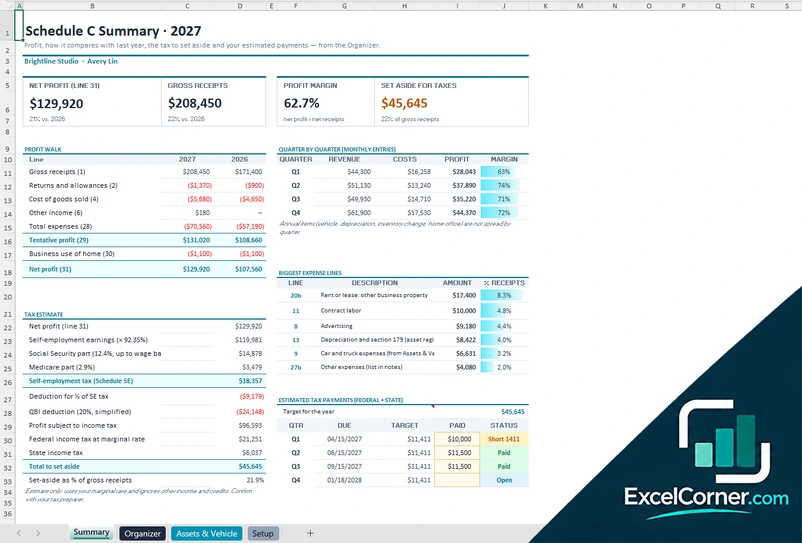
Enter yearly figures and assets and see your profit, a comparison with last year and an estimate of the tax to set aside.
SummaryOrganizerAssets & VehicleSetup
.xlsx · 33 KB
What is inside the Schedule C Excel templates
Version 1: Schedule C Template
On the Transactions sheet you log each income and expense item with the date, the description, the amount and the Schedule C category. The Schedule C sheet shows your business details and the totals for each line, from gross receipts through cost of goods sold and gross income to every expense line, the business use of the home and the net profit or loss, with a review checklist for transactions that need a receipt or a category. The Monthly P&L shows the same data by month, and the Supporting Schedules sheet covers the vehicle, the home office and the cost of goods sold. The Settings sheet holds the business details, the accounting method and the category lists.
Version 2: Schedule C Bookkeeping Workbook
The Transactions sheet is a ledger where each row gets a date, a description, an amount and a Schedule C line, and the Schedule C sheet adds them up by line to give the gross receipts, the cost of goods sold, the expenses and the net profit. The Monthly P&L shows each line by month with the year total and the percentage of sales. Mileage, the change in inventory and the home office are annual adjustments that you enter on the Vehicle, Home and COGS sheet. The Settings sheet holds the business details and the category lists, and the checklist flags rows that are missing a category.
Version 3: Schedule C Annual Organizer
On the Organizer sheet you enter your annual income and expense figures by Schedule C line, with last year next to this year. The Assets and Vehicle sheet holds an asset register for depreciation on line 13, with the cost, the business use percentage and the method, such as Section 179, MACRS or bonus depreciation, together with the car and truck expenses for line 9 and the business use of the home for line 30. The Summary shows the net profit, the gross receipts, the profit margin and the amount to set aside for taxes, with a profit walk against the prior year, a quarterly view, an estimate of self-employment and income tax and a schedule of estimated payments.
How to use the Schedule C template in Excel
- Download
Pick the version you want and open it in Excel. - Set up your business
Enter your name, business activity, accounting method and tax year on the Settings or Setup sheet. Fill in the input cells; formula cells calculate on their own. - Add your numbers
Log each transaction with a date, amount and category, or enter the yearly totals and your assets. - Read Schedule C
Check gross receipts, expenses and net profit line by line, and review the checklist for missing receipts or categories.
Keep receipts for every expense and review the checklist each month, so nothing is left for the last week of the tax season.
Which Schedule C template do you need?
| Schedule C Template | Schedule C Bookkeeping Workbook | Schedule C Annual Organizer | |
|---|---|---|---|
| Method | Transactions list | Transactions list | Yearly totals and assets |
| Best for | Line-by-line Schedule C from your transactions | Bookkeeping with a monthly P&L | An annual summary with a tax estimate |
| You get | Schedule C, monthly P&L and supporting schedules | Schedule C, monthly P&L and vehicle, home and COGS | Profit walk, tax estimate and depreciation |
They are separate files, so you can use more than one.
Tips for Schedule C bookkeeping
- Use a separate bank account and card for the business, so every transaction is easy to categorize.
- Choose the Schedule C line for every transaction when you record it.
- Keep a mileage log and your home office measurements, because those deductions need records.
- Separate cost of goods sold from operating expenses if you sell products.
- Set aside part of every payment for self-employment and income tax.
- Review the numbers each quarter, not only at tax time.
Frequently asked questions
Is this Schedule C template for Excel free?
Yes. All three versions are free to download as .xlsx files. You do not need an account or an email address.
Which version should I choose?
Choose the Schedule C Template (Version 1) or the Schedule C Bookkeeping Workbook (Version 2) if you want to enter transactions and get Schedule C totals and a monthly P&L. Choose the Schedule C Annual Organizer (Version 3) if you prefer yearly totals with an asset register and a tax estimate. They are separate files, so you can use more than one.
Does the template follow the lines of Schedule C?
Yes. The totals are organized by Schedule C line, including gross receipts, returns and allowances, cost of goods sold, advertising, car and truck expenses, contract labor, depreciation, insurance, legal and professional services, rent, supplies, taxes and licenses, travel, meals, utilities and wages, and the business use of the home.
Does it calculate self-employment tax?
The Annual Organizer includes an estimate of self-employment tax, income tax and the amount to set aside, with quarterly estimated payments. The estimates use the parameters you can edit and are not a tax return.
Can I use it to file my taxes?
No. The templates help you prepare and check the numbers. You then enter them in your tax software or give them to your tax preparer.
Does the template work in Google Sheets?
The files are made for Microsoft Excel and use standard formulas with no macros. You can upload them to Google Drive and open them with Google Sheets, but some formatting or charts may look different.
Is my data stored online?
No. The templates are plain Excel files, so the numbers you type stay in your own file on your own computer.
More free tax templates
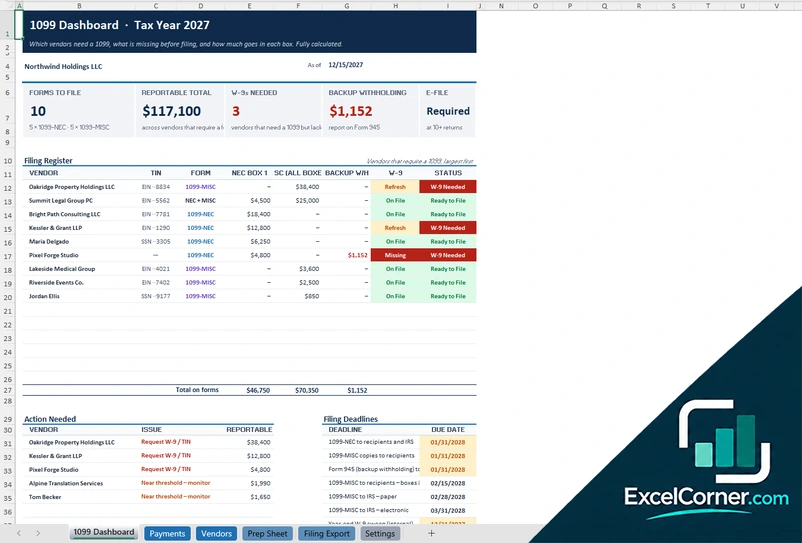
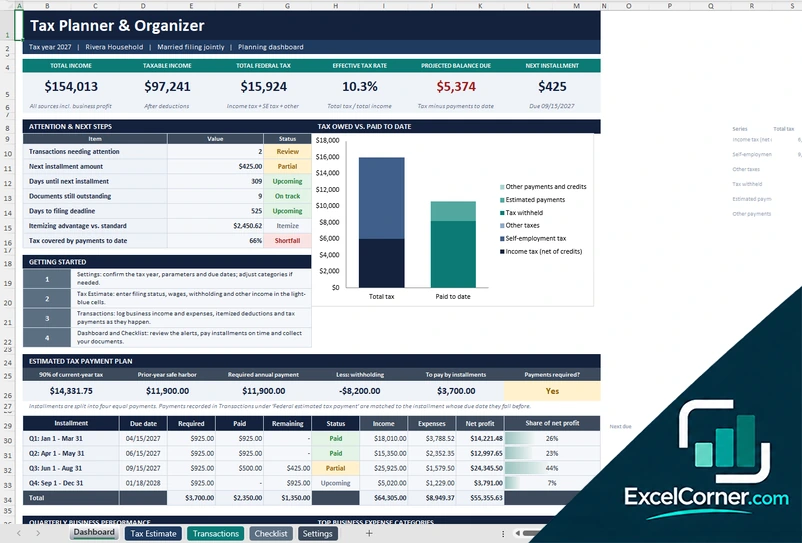
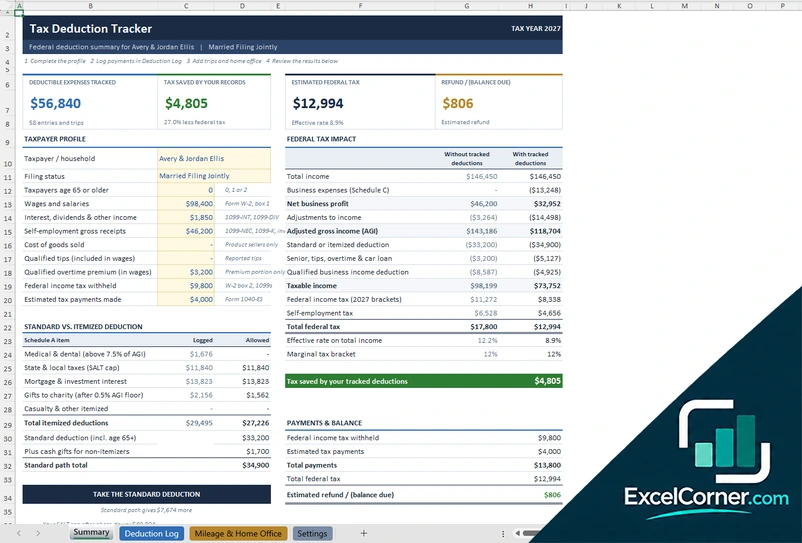
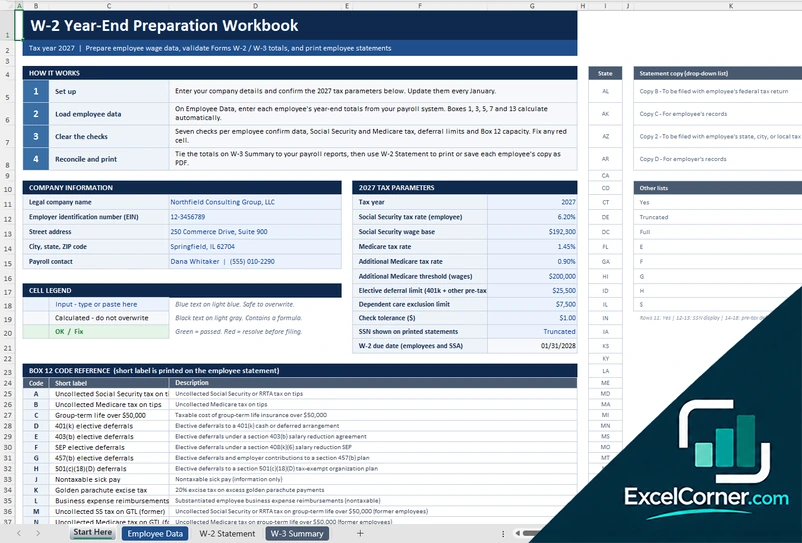
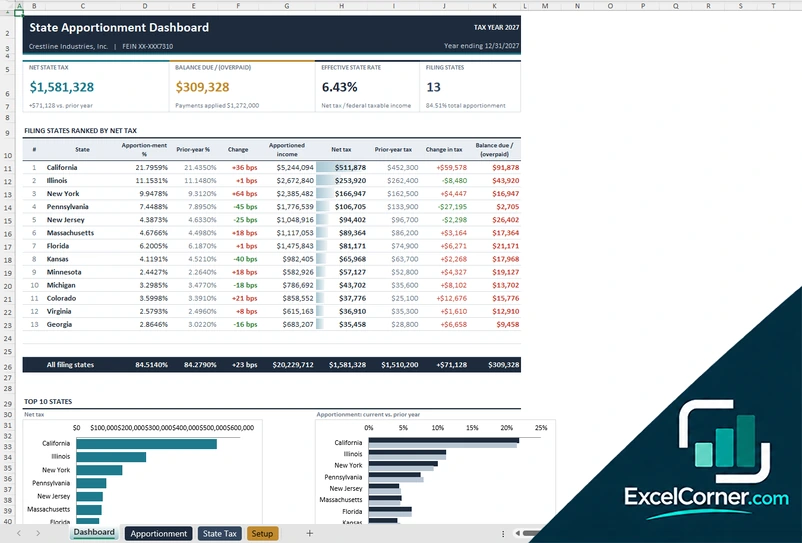
These templates are planning and bookkeeping tools with sample data and illustrative tax figures. They are not tax, legal or accounting advice. Tax rules, rates and thresholds change, so confirm them with the IRS, your state and a qualified tax professional before you file. Excel is a trademark of Microsoft Corporation; Excel Corner is not affiliated with Microsoft.