
Home › Accounting & Business Finance › Excel Spreadsheet Template for W2
Previewing: Version 1 · W-2 Year-End Preparation Workbook. Pick another version on the right.
Instant download · No sign-up · No email
Use this free Excel template for W-2 to prepare year-end wage data. Enter each employee’s totals, check the boxes and the W-3 control totals, and print a statement for each employee. If you are an employee, there is also a planner that projects your W-2 and your refund from your paychecks. Pick the version that fits your role.
Choose your version
- File
- .xlsx · 54 KB · 4 sheets
- Works with
- Microsoft Excel (.xlsx)
- Macros
- None · formulas only
- Price
- Free
Prepare W-2 information in an Excel spreadsheet
The Form W-2 reports an employee’s wages and the taxes withheld during the year, and the Form W-3 summarizes all the W-2s for the Social Security Administration. A spreadsheet is useful to prepare the numbers: it adds up payroll, applies the Social Security and Medicare limits, checks the boxes against each other and shows where something does not add up before you file.
These Excel W-2 templates cover both sides. Two are for employers: a year-end preparation workbook with employee data, W-2 statements and a W-3 summary, and a payroll workbook that builds the W-2 totals from every paycheck. The third is for employees: a planner that projects your W-2 boxes and your refund from the paychecks you log.
Best for
- Small employers who prepare W-2 data before they use filing software
- Bookkeepers who reconcile payroll to W-2 and W-3 totals
- Employees who want to project their wages, withholding and refund
Maybe not for
Filing W-2s with the SSA. The statements are informational copies and are not official IRS forms, so use approved software or a payroll provider to file.
Which version is right for you?
All three are free, formula-driven Excel files with sample data you can replace. They are independent, so you can download more than one.
Version 1
W-2 Year-End Preparation Workbook
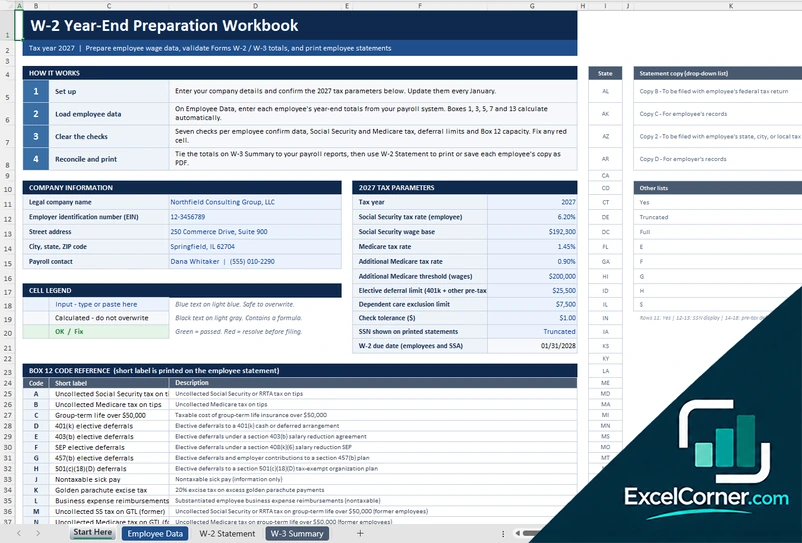
Enter each employee’s year-end totals, clear the checks and print a W-2 statement for each employee, with a W-3 summary.
Start HereEmployee DataW-2 StatementW-3 Summary
.xlsx · 54 KB
Version 2
W-2 Payroll and Year-End Workbook
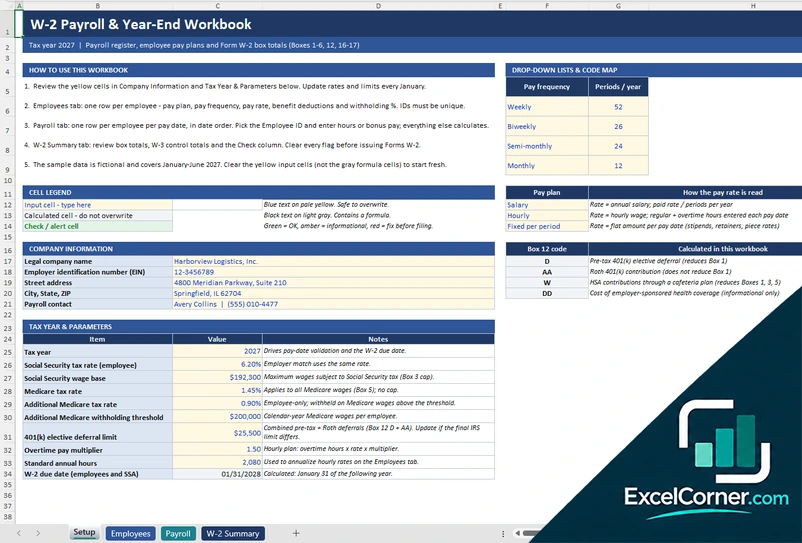
Record each pay period for each employee and let the workbook add up the W-2 boxes and the W-3 control totals.
SetupEmployeesPayrollW-2 Summary
.xlsx · 193 KB
Version 3
My W-2 Income and Withholding Planner
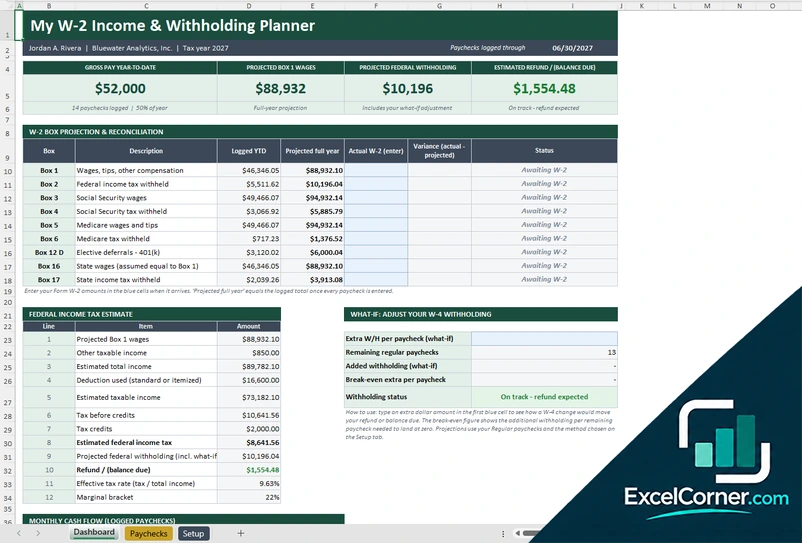
Log your paychecks and see your projected W-2 boxes, your federal tax estimate and your expected refund or balance due.
DashboardPaychecksSetup
.xlsx · 35 KB
What is inside the W-2 Excel templates
Version 1: W-2 Year-End Preparation Workbook
The Start Here sheet explains the steps and holds the company information, the tax parameters for the year, such as the Social Security rate and wage base, the Medicare rate, the deferral limit and the due date, and a reference of Box 12 codes. On the Employee Data sheet you enter each employee’s year-end totals from your payroll system, and Boxes 1, 3, 5, 7 and 13 calculate automatically, with seven checks for each employee. The W-2 Statement sheet lets you pick an employee and a copy, and shows the boxes in the layout of the form so that you can print or save it as a PDF. The W-3 Summary shows the control totals to tie to your payroll reports.
Version 2: W-2 Payroll and Year-End Workbook
On the Setup sheet you enter the company information and the tax year parameters, and on the Employees sheet you set up one row per employee with the pay plan, the pay frequency, the rate, the deductions and the withholding. In the Payroll sheet you add one row per employee per pay date, entering hours or bonus pay, and everything else is calculated. The W-2 Summary shows the employees with a W-2, the total gross pay, the Box 1 taxable wages, the total taxes withheld, the employer match and the due date, with a row for each employee showing Boxes 1 to 6, Box 12 and Box 13 and the state wages and tax, a check column and the W-3 control totals.
Version 3: My W-2 Income and Withholding Planner
On the Paychecks sheet you log each paycheck with the gross pay, the pre-tax deductions and the taxes withheld, and the Setup sheet holds your pay frequency, your filing status and the tax parameters. The Dashboard shows the gross pay year to date, the projected Box 1 wages, the projected federal withholding and the estimated refund or balance due. It projects each W-2 box for the full year next to the amount logged so far, and lets you enter the actual W-2 when it arrives to see the variance. A federal income tax estimate and a what-if section for your W-4 withholding show how an extra amount per paycheck changes the result.
How to use the W-2 Excel template
- Download
Pick the version you want and open it in Excel. - Set up the year
Enter your company details, the tax year and the Social Security and Medicare parameters. Fill in the input cells; formula cells calculate on their own. - Enter the wage data
Add each employee’s year-end totals, or log the payroll of every pay period, or your own paychecks if you are an employee. - Clear the checks
Review the checks, tie the totals to your payroll reports and print or save the statements.
Update the tax parameters every January, and reconcile the W-3 totals with your payroll reports before you file.
Which W-2 template do you need?
| W-2 Year-End Preparation Workbook | W-2 Payroll and Year-End Workbook | My W-2 Income and Withholding Planner | |
|---|---|---|---|
| For | Employers | Employers | Employees |
| You enter | Year-end totals for each employee | Payroll for each pay period | Your paychecks |
| You get | Checks, W-2 statements and a W-3 summary | A payroll register and W-2 box totals | A projected W-2 and refund estimate |
They are separate files, so you can use more than one.
Tips for W-2 preparation
- Confirm each employee’s name, Social Security number and address before you prepare the forms.
- Check that Box 3 stops at the Social Security wage base and that Box 5 has no cap.
- Remember that pre-tax benefits, such as a 401(k), reduce Box 1 but not Boxes 3 and 5.
- Use the right code for each Box 12 item.
- Reconcile the W-3 totals with your payroll reports and quarterly returns.
- Furnish the copies to employees and file with the SSA by the January deadline.
Frequently asked questions
Is this W-2 Excel template free?
Yes. All three versions are free to download as .xlsx files. You do not need an account or an email address.
Which version should I choose?
Choose the W-2 Year-End Preparation Workbook (Version 1) if you already have year-end totals and need checks, statements and a W-3 summary. Choose the W-2 Payroll and Year-End Workbook (Version 2) to build the totals from each pay period. Choose My W-2 Income and Withholding Planner (Version 3) if you are an employee who wants to project your W-2 and your refund. They are separate files, so you can use more than one.
Is this an official IRS Form W-2?
No. The statements in the templates show the same boxes so that you can check the numbers and keep a copy, but they are not official forms. Use IRS-approved software, the SSA, or a payroll provider to file.
Which boxes does it calculate?
The employer templates calculate Box 1 wages, Box 2 federal tax withheld, Boxes 3 and 4 for Social Security, Boxes 5 and 6 for Medicare, Box 12 codes such as D and DD, Box 13 and the state wages and tax in Boxes 16 and 17.
What checks does it run?
The Year-End Preparation Workbook runs seven checks for each employee on the data, the Social Security and Medicare tax, the deferral limits and the Box 12 capacity, and the Payroll workbook shows an overall check for the W-2 summary.
Does the template work in Google Sheets?
The files are made for Microsoft Excel and use standard formulas with no macros. You can upload them to Google Drive and open them with Google Sheets, but some formatting or charts may look different.
Is my data stored online?
No. The templates are plain Excel files, so the numbers you type stay in your own file on your own computer.
More free tax templates
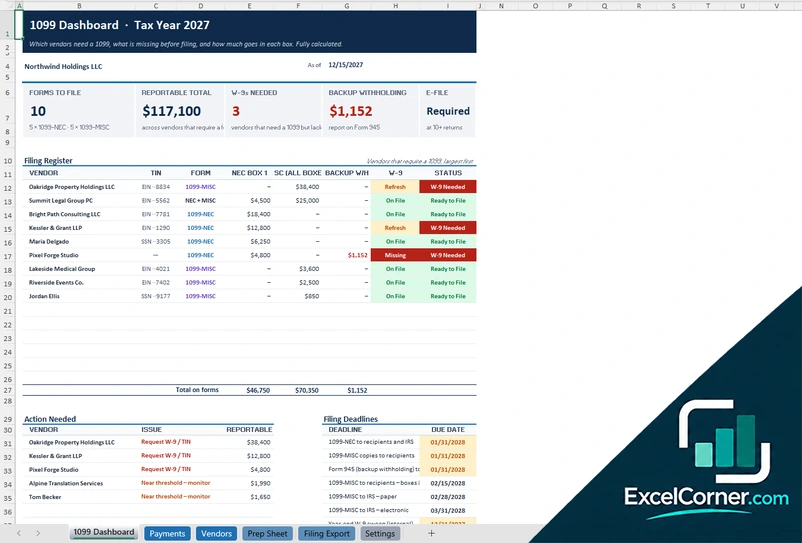
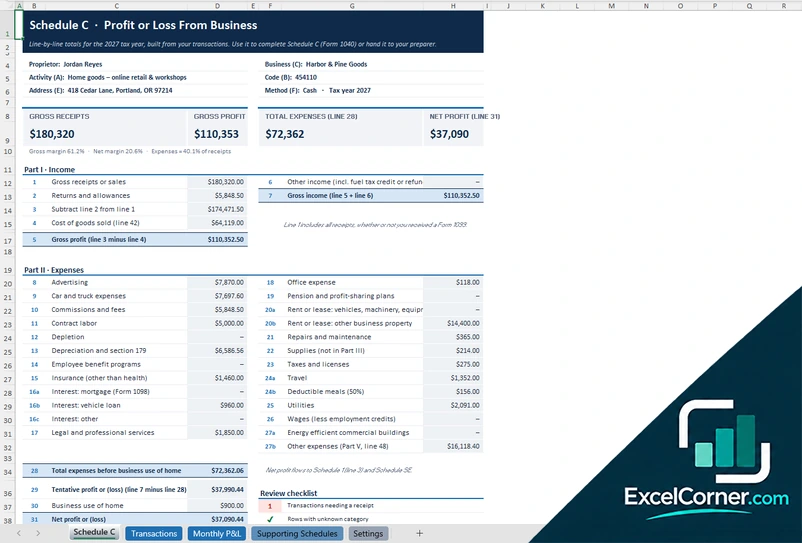
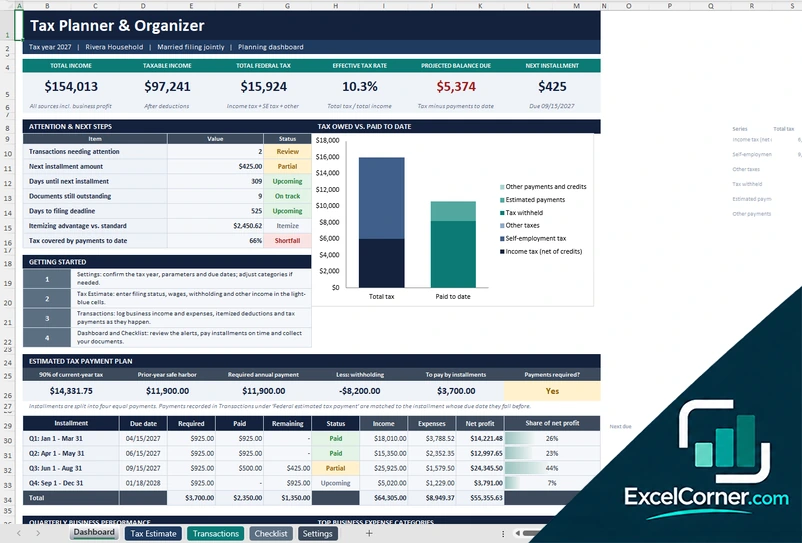
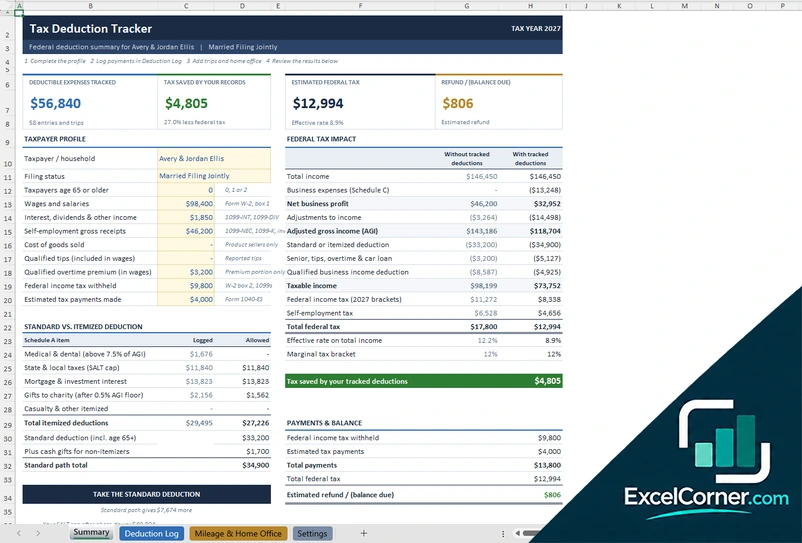
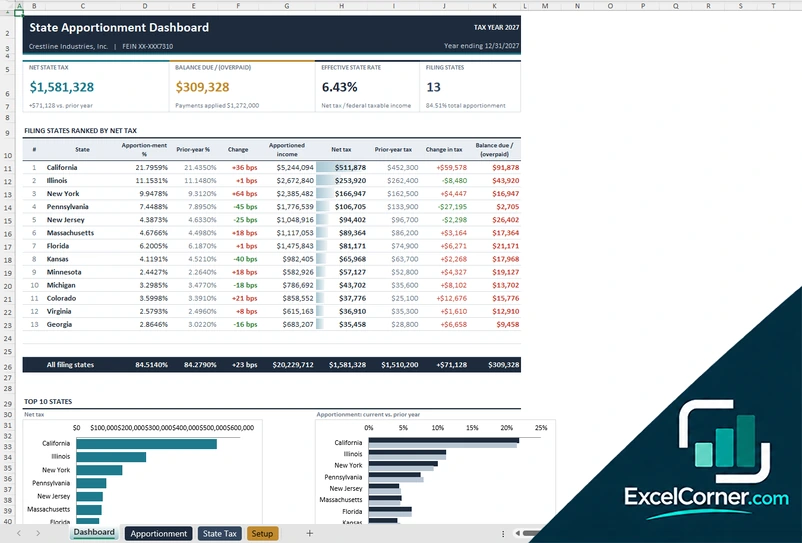
These templates are planning and bookkeeping tools with sample data and illustrative tax figures. They are not tax, legal or accounting advice. Tax rules, rates and thresholds change, so confirm them with the IRS, your state and a qualified tax professional before you file. Excel is a trademark of Microsoft Corporation; Excel Corner is not affiliated with Microsoft.