
Home › Marketing, Sales & Customers › Rate Sheet Template Excel
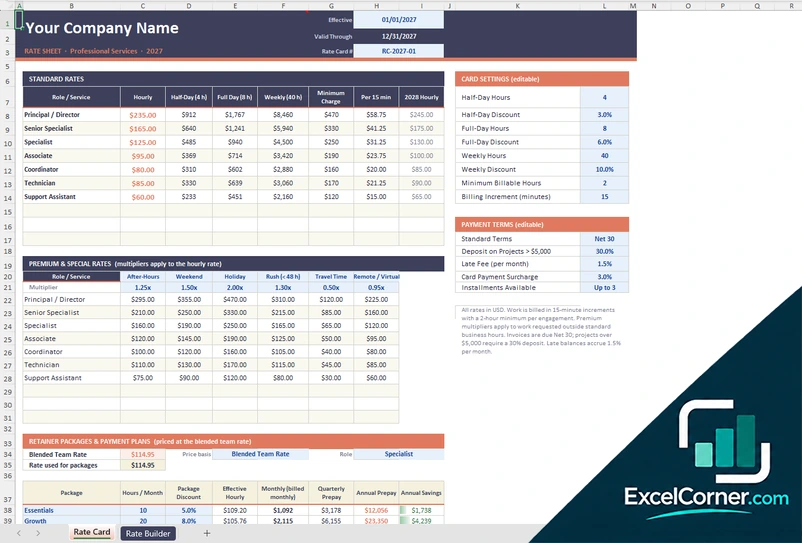
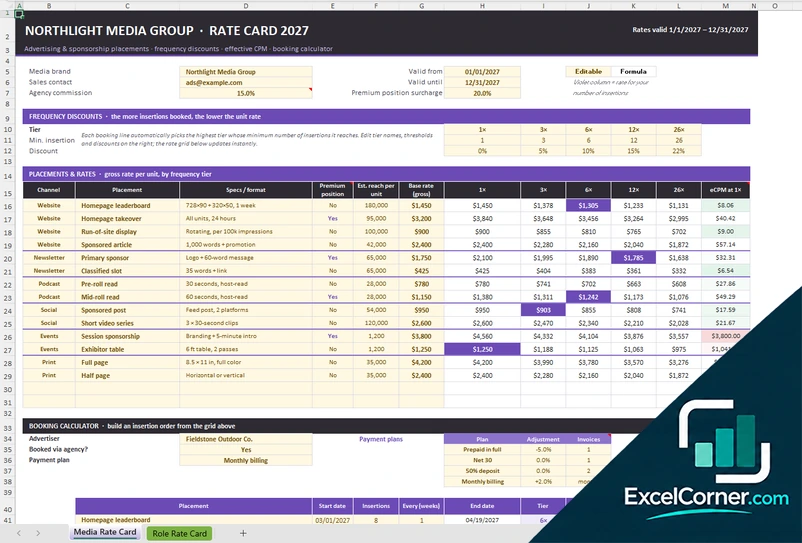
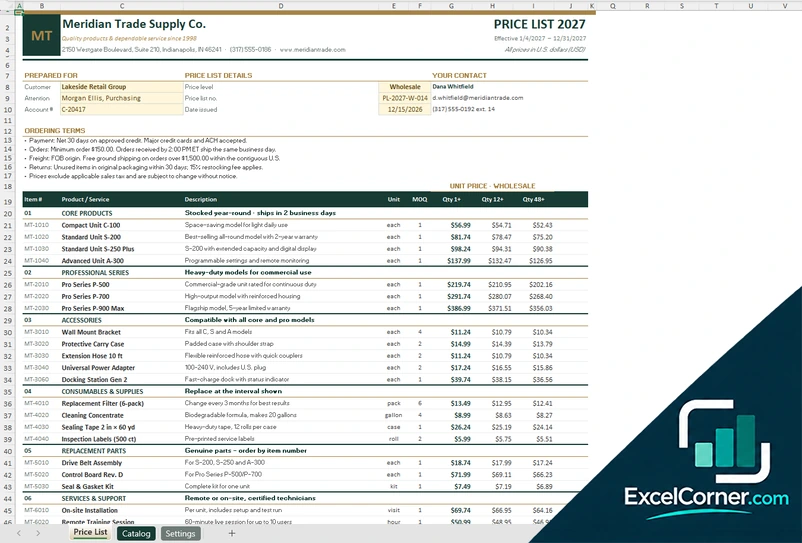
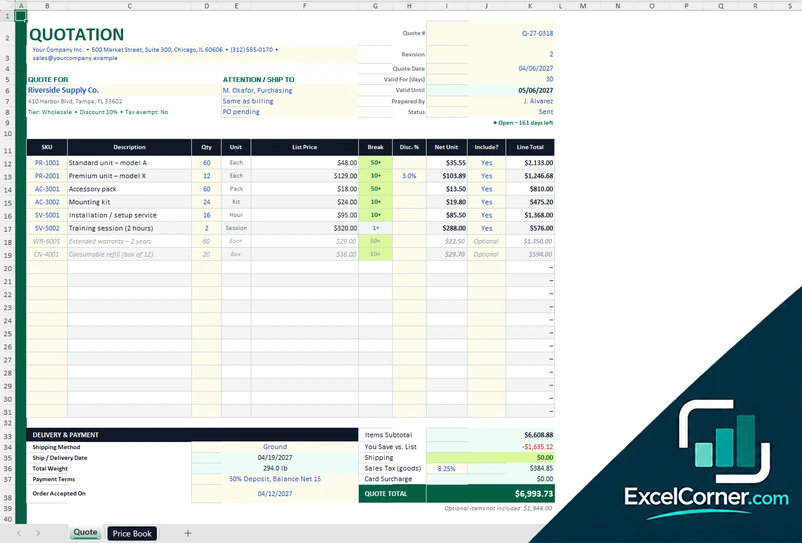
Previewing: Version 1 · Rate Sheet by Client Tier with Rate Builder. Pick another version on the right.
Instant download · No sign-up · No email
Download these free rate sheet and rate card templates in Excel. They include a rate sheet by client tier, a client rate card with an audit, a dated rate schedule with a job log, a rate card by role, and two media rate cards with an insertion order builder.
Choose your version
- File
- .xlsx · 27 KB · 2 sheets
- Works with
- Microsoft Excel (.xlsx)
- Macros
- None · formulas only
- Price
- Free
Make a rate sheet or a rate card in an Excel spreadsheet
A rate sheet, also called a rate card, lists what you charge: the price of each service, role or placement, with the unit and the terms. In Excel you keep one master list, and the client rates, the discounts and the totals are calculated from it. When a rate changes, everything that depends on it changes too.
These six templates cover the usual cases. Some give each client or tier its own rate and audit what was invoiced. One keeps rates with start and end dates and prices a job log. One is a rate card by role with premium multipliers, and two are media rate cards for ad and sponsorship placements.
Rate sheet and rate card are searched in the same way, so they share this page. Pick the file that fits how you sell, and use the table below to compare them.
Best for
- Consultants, agencies and trades that sell time and services
- Media sellers with ad and sponsorship placements and frequency discounts
- Finance teams that keep rate history and check invoiced rates against contracts
Maybe not for
A billing system or an ad platform that applies rates automatically. These are Excel files: you type the rates and the agreements, and the client rates and the totals are calculated from them.
Which version is right for you?
All six are free, formula-driven Excel files with sample rates that you can replace. They are independent, so you can download more than one.
Version 1
Rate Sheet by Client Tier with Rate Builder
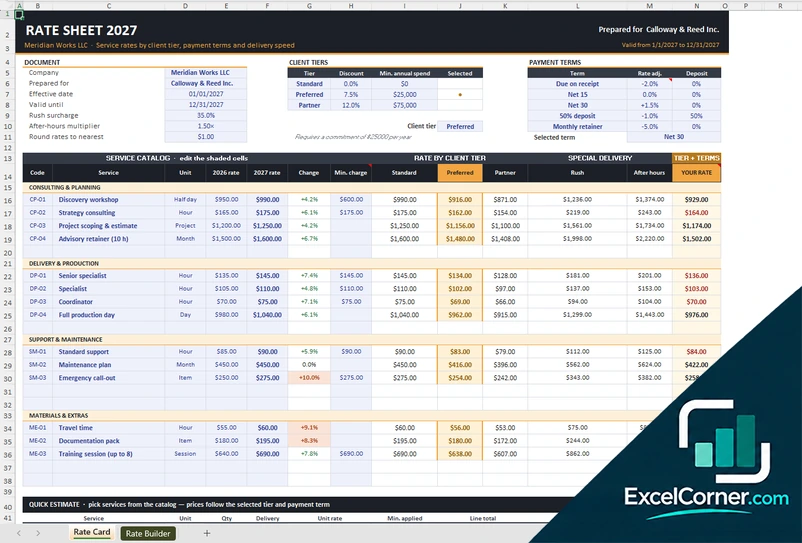
A rate sheet with client tiers, payment terms, a service catalog, rush and after-hours rates, a quick estimate, and a rate builder with a rate ladder and a quote.
Rate CardRate Builder
.xlsx · 27 KB
Version 2
Client Rate Card with Negotiated Rates and Rate Audit
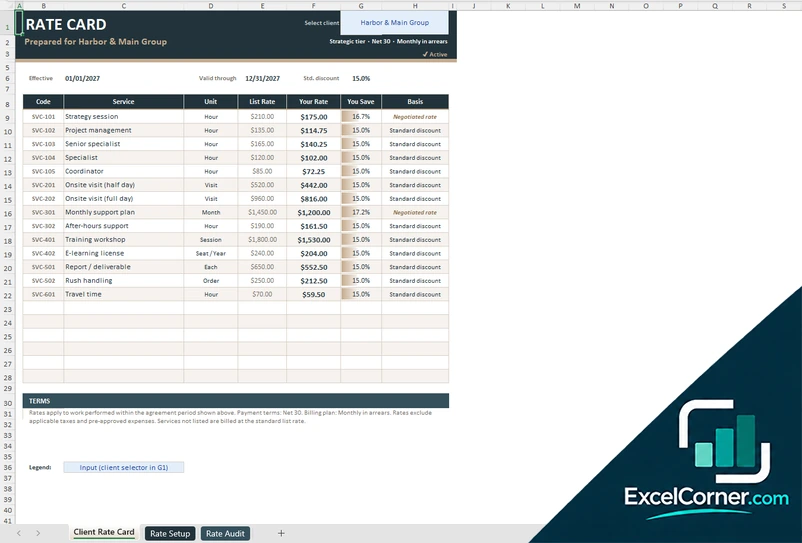
A service rate card with a master rate list, client agreements, negotiated overrides and a rate audit that flags over-billed and under-billed invoice lines.
Client Rate CardRate SetupRate Audit
.xlsx · 26 KB
Version 3
Effective-Dated Rate Schedule with Job Log
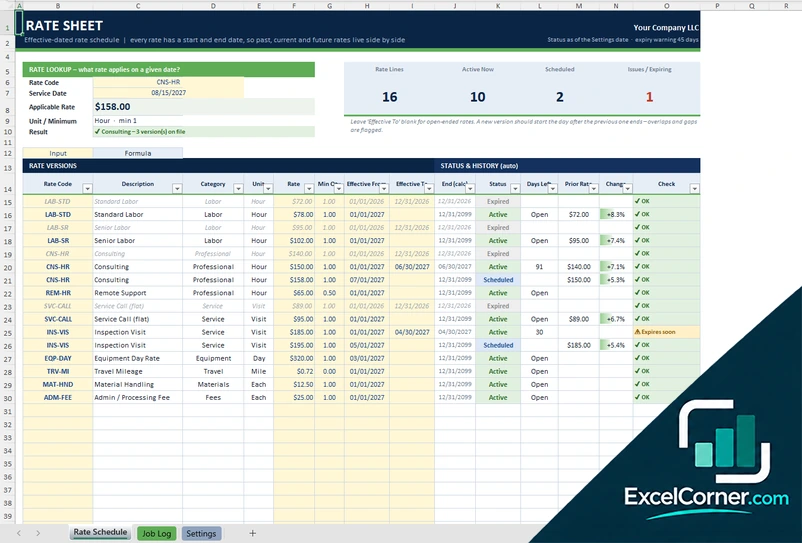
A rate sheet where every rate has a start and an end date, with a rate lookup, status and expiry checks, a job log that prices each job and a settings sheet.
Rate ScheduleJob LogSettings
.xlsx · 39 KB
Version 4
Media Rate Card with Insertion Order Builder
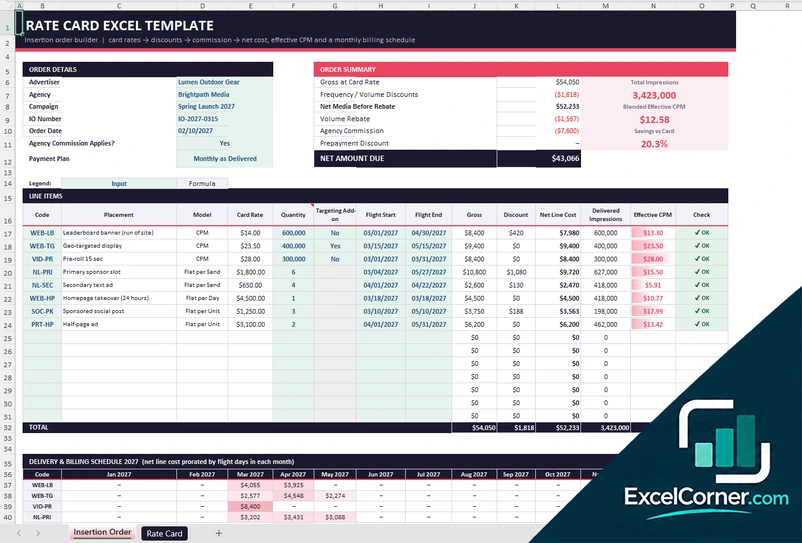
An insertion order builder with a media rate card, frequency discounts, volume rebates, agency commission, a monthly billing schedule and a chart.
Insertion OrderRate Card
.xlsx · 24 KB
Version 5
Rate Card by Role with Premium Rates and Retainers
A professional services rate sheet with standard rates by role, premium multipliers, retainer packages and a rate builder that turns salary and overhead into a billable rate.
Rate CardRate Builder
.xlsx · 20 KB
Version 6
Media Rate Card and Role Rate Card
A media rate card with frequency tiers and a booking calculator, plus a role rate card with hourly rates by role and region, a team estimate and yearly escalation.
Media Rate CardRole Rate Card
.xlsx · 26 KB
What is inside the rate sheet and rate card templates
Version 1: Rate Sheet by Client Tier with Rate Builder
The Rate Card sheet shows the document details, the client tiers with their discounts and the payment terms with their adjustments. The service catalog lists each service with its 2026 and 2027 rate, the change and the minimum charge, then the rate for each client tier and for special delivery.
It gives your rate for the tier and the terms you select, and a quick estimate. The Rate Builder sheet turns annual costs into an hourly rate, builds a rate ladder and a quote with a payment plan.
Version 2: Client Rate Card with Negotiated Rates and Rate Audit
The Client Rate Card sheet shows the rates for the client you pick: the effective dates, the standard discount and a table of services with the code, the unit, the list rate, your rate, the saving and whether the rate is standard or negotiated. The terms are printed below.
The Rate Setup sheet holds the master rate card and the client agreements, with negotiated overrides. The Rate Audit sheet checks invoice lines against each client’s contract and shows over-billing, under-billing and lines outside the agreement dates.
Version 3: Effective-Dated Rate Schedule with Job Log
The Rate Schedule sheet lists each rate with a code, a category, a unit, a minimum and a start and end date. It shows the status, the days left, the prior rate and the change, and flags overlaps, gaps and rates that expire soon. A lookup returns the rate for a code and a date.
The Job Log prices each job with the rate in effect on its date, plus modifiers, the client discount, the tax and a payment plan. The Settings sheet holds the rate catalog, the client tiers and the payment plans.
Version 4: Media Rate Card with Insertion Order Builder
The Rate Card sheet lists the placements with a code, a channel, a pricing model, a rate and the estimated impressions, plus the frequency discounts, the volume rebates and the buying terms. It calculates the effective CPM of each placement.
On the Insertion Order sheet you enter the order details and the lines with a quantity and flight dates. It shows the gross, the discounts, the commission and the net amount due, the blended effective CPM and a monthly billing schedule, with a chart.
Version 5: Rate Card by Role with Premium Rates and Retainers
The Rate Card sheet lists the roles with the hourly rate and the rates per half-day, full day and week, the minimum charge and the rate per 15 minutes. Premium multipliers cover after-hours, weekend, holiday, rush, travel and remote work.
Retainer packages are priced from a blended team rate, with a discount and an effective hourly rate. The Rate Builder sheet turns the salary, the burden, the overhead and the utilization into a billable rate for each role.
Version 6: Media Rate Card and Role Rate Card
The Media Rate Card sheet has the frequency discount tiers and a grid of placements with the rate at each tier and the effective CPM. A booking calculator turns a placement, a start date and the number of insertions into a price, with payment plans.
The Role Rate Card sheet sets cost-based hourly rates by role, seniority and delivery region. It builds a team estimate and a three-year rate escalation, and compares billing models.
How to use a rate sheet template in Excel
- Download
Pick the version that fits your business and open it in Excel. Each file has sample rates. - Enter your rates
Add each service, role or placement with its unit, its rate and the dates it applies. - Set the rules
Enter the client tiers, the frequency or volume discounts, the surcharges, the commission and the payment terms. - Price a client or an order
Pick a client tier, add the lines of an order, or add a job to the log, and read the rate and the total. - Share or audit
Print the rate sheet as a PDF, or check invoiced rates against the contract.
Replace the sample rates with your own. The client rates, the discounts and the totals update on their own.
Which rate sheet or rate card template do you need?
| Rate Sheet by Client Tier | Client Rate Card with Audit | Dated Rate Schedule | Media Rate Card with Insertion Order | Rate Card by Role | Media and Role Rate Card | |
|---|---|---|---|---|---|---|
| You enter | Services, tiers and payment terms | List rates and client agreements | Rate versions with start and end dates | Placements, rates and order lines | Roles, rates and multipliers | Placements and hourly rates by role |
| Best for | Rates for each client level | Rates for each client with an audit | Keeping rate history and pricing jobs | Selling ads and sponsorships | A professional services rate card | Media sales and hourly billing |
| You get | Your rate by tier, rate builder, estimate | Client rate card, overrides, rate audit | Rate lookup, job log, expiry checks | Net cost, effective CPM, billing schedule | Hourly to weekly rates, premium rates, retainers | Frequency grid, booking calculator, role rates |
| Sheets | 2 | 3 | 3 | 2 | 2 | 2 |
| Charts | No | No | No | 1 | No | No |
They are separate files, so you can use more than one.
Tips for a good rate sheet
- Keep one master list of rates, and let everything else read from it.
- Show the unit next to every rate: hour, day, visit, project or thousand impressions.
- Write the dates the rates are valid, and keep the old rates for old jobs.
- Set clear discount tiers and a minimum charge, so sales people do not invent them.
- Audit the invoices against the rate sheet every quarter.
Frequently asked questions
Are these rate sheet templates free?
Yes. All six versions are free to download as .xlsx files. You do not need an account or an email address.
Which version should I choose?
For service rates by client, choose Version 1 or Version 2. To keep rates by date and price jobs, choose Version 3. For roles and hourly rates, choose Version 5. For ad and sponsorship placements, choose Version 4 or Version 6.
What is the difference between a rate sheet and a rate card?
They mean almost the same. Media companies and agencies usually say rate card, and service businesses say rate sheet. Both list the unit, the price, the discounts and the terms, and both are the source for quotes and invoices.
How do I calculate an hourly rate?
Add the salary, the burden and the overhead, divide by the hours you can bill, and add your margin. A person who bills 1,400 of 2,080 hours has a utilization of about 67 percent. Version 1, Version 5 and Version 6 have a rate builder.
How do I track rate changes and check invoices?
Keep each rate with a start and an end date, so a job is priced with the rate valid on its date (Version 3). Compare each invoice line with the client’s agreement to find over-billing and under-billing (Version 2).
More free rate and pricing templates
These templates use made-up sample companies, products and prices. Check the prices, the taxes, the discounts and the terms against your own rules before you share them with a customer. Excel is a trademark of Microsoft Corporation; Excel Corner is not affiliated with Microsoft.