
Home › Personal Life & Leisure › Excel Recipe Template › Excel Recipe Book Template
Previewing: Version 1 · Family Cookbook with Contents and Recipe Pages. Pick another version on the right.
Instant download · No sign-up · No email
Download these free Excel recipe book templates to keep all your recipes in one file. One is a cookbook with a table of contents and a page for each recipe. One adds scaling, cost and a shopping list. One is a searchable recipe database with a pantry.
Choose your version
- File
- .xlsx · 86 KB · 2 sheets
- Works with
- Microsoft Excel (.xlsx)
- Macros
- None · formulas only
- Price
- Free
Keep a recipe book in an Excel spreadsheet
A recipe book in Excel works like a small database. Each recipe has a category, times, ingredients and a method, and you can search it, sort it and turn the recipes you pick into a shopping list. It is easier to keep and to back up than a pile of printed cards. For a single recipe card, see our excel recipe template page.
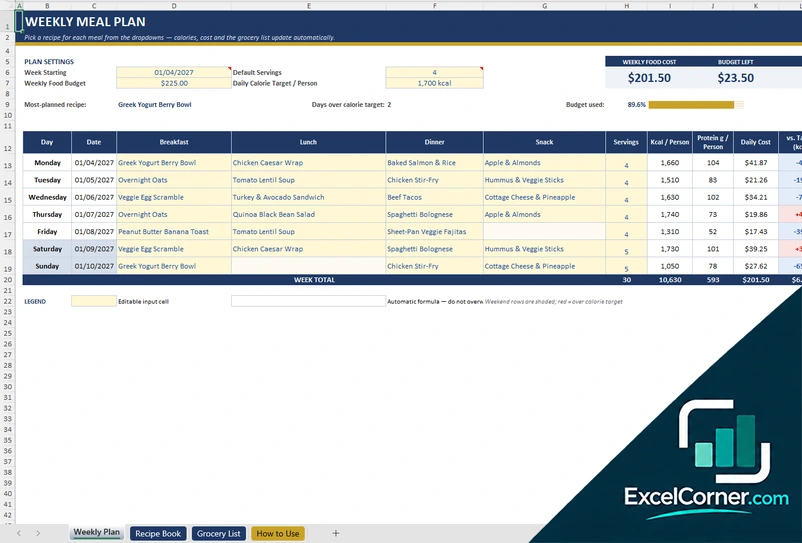
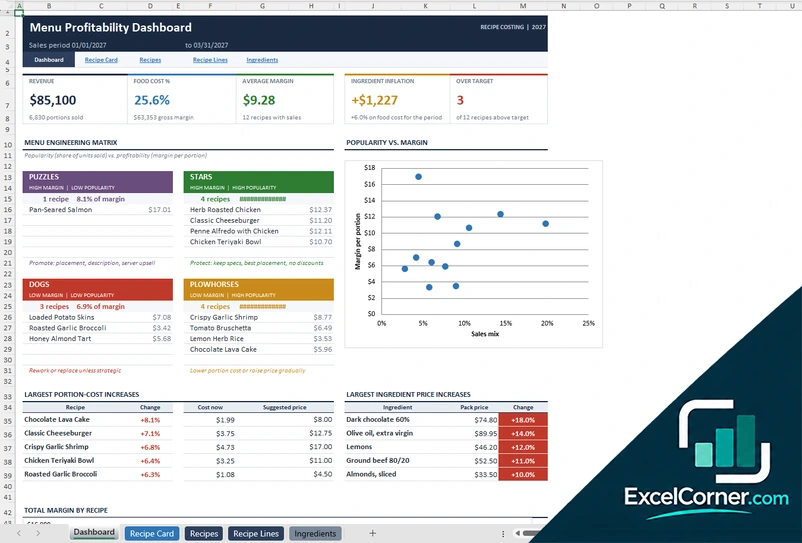
These templates give you three kinds of recipe book. Version 1 is a family cookbook with chapters, a table of contents and one page per recipe. Version 2 adds a finder, scaling, cost and a shopping list. Version 3 is a recipe database with a search and a pantry.
Best for
- Home cooks who want to gather family recipes in one book
- Bakers and meal preppers who want to scale recipes and see their cost
- Anyone who wants to search recipes by ingredient and by what is in the pantry
Maybe not for
A recipe app that imports recipes from web pages. These are Excel files that you fill in. They do not import recipes automatically.
Which version is right for you?
All three are free, formula-driven Excel files with sample data you can replace. They are independent, so you can download more than one.
Version 1
Family Cookbook with Contents and Recipe Pages
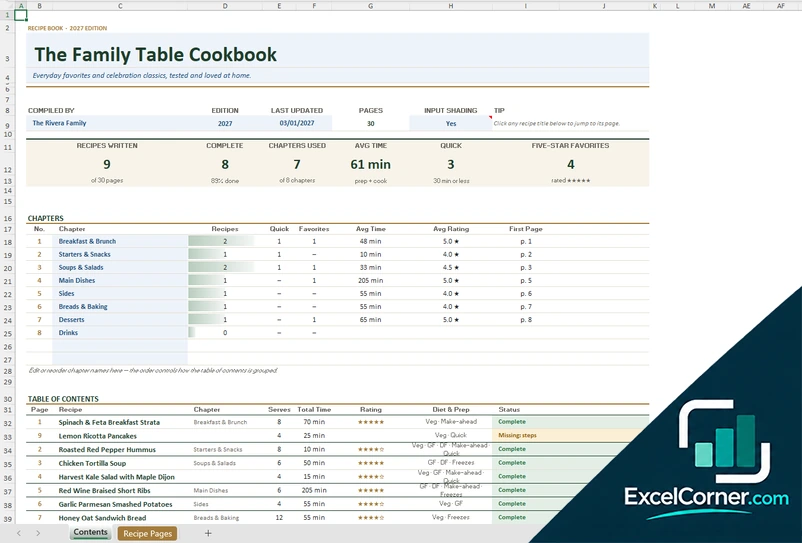
A family cookbook with chapters, a table of contents with links, and a page for each recipe with times, rating, diet flags, ingredients and method.
ContentsRecipe Pages
.xlsx · 86 KB
Version 2
Recipe Book with Shopping List
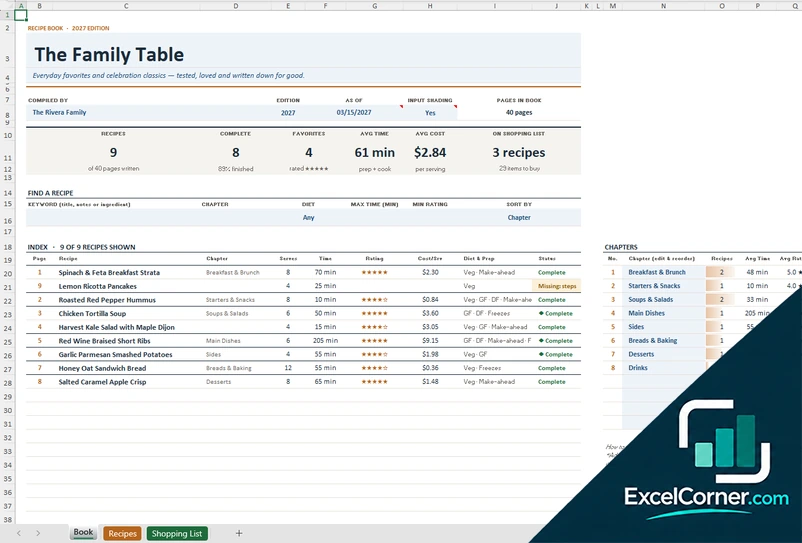
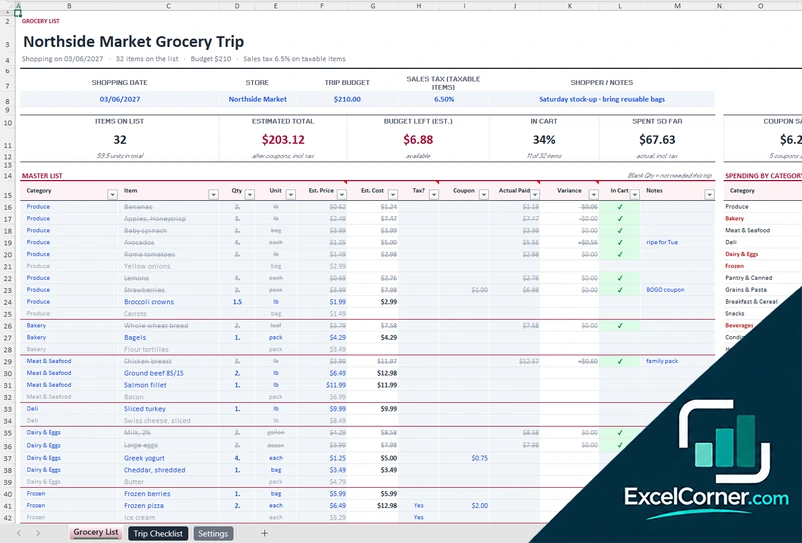
A recipe book with a finder, an index, recipe pages that scale and show cost, and a shopping list built from the recipes you select.
BookRecipesShopping List
.xlsx · 237 KB
Version 3
Recipe Database with Finder and Pantry
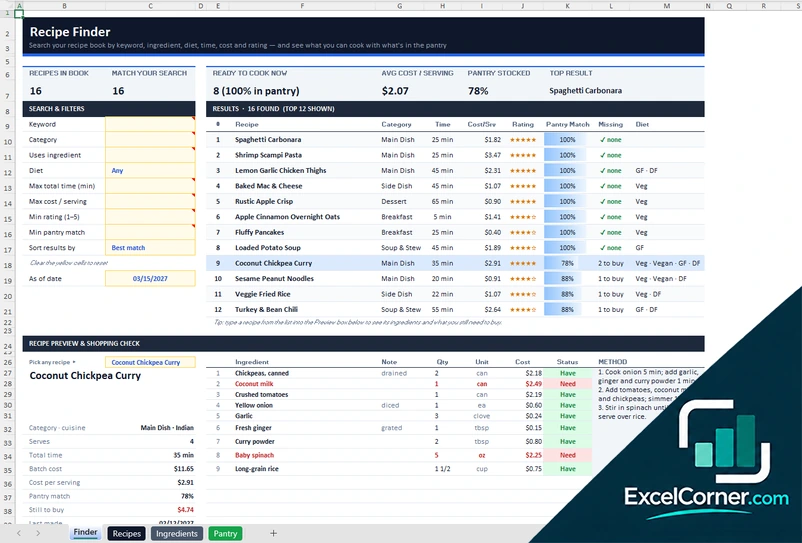
A recipe database with a finder by keyword, ingredient, diet, time, cost and rating, a pantry list, and a preview that shows what you still need to buy.
FinderRecipesIngredientsPantry
.xlsx · 68 KB
What is inside the recipe book Excel templates
Version 1: Family Cookbook with Contents and Recipe Pages
The Contents sheet holds the title, who compiled the book, the edition and the page count, with chapters and a table of contents that links to each recipe. The Recipe Pages sheet gives each recipe a page with servings, prep and cook time, rating, source, diet flags, ingredients and method.
Cards show recipes written, complete, chapters used, average time, quick recipes and five-star favorites. A status column flags recipes with missing steps.
Version 2: Recipe Book with Shopping List
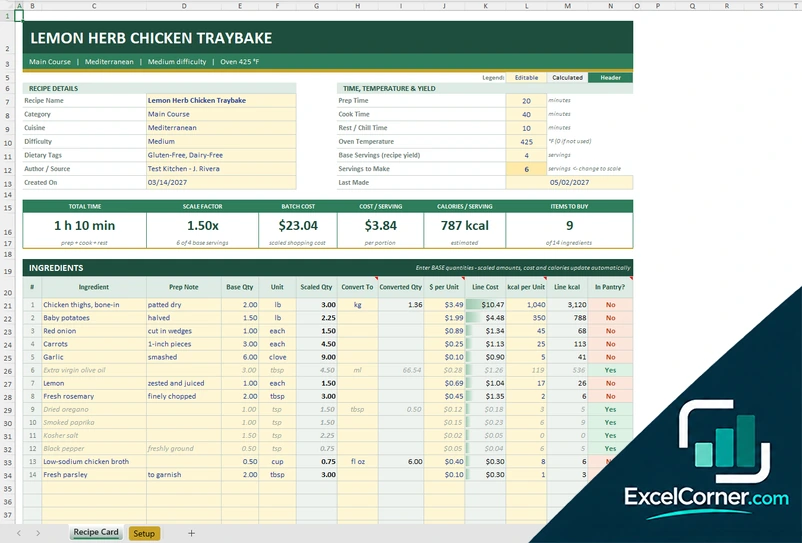
The Book sheet has the title, edition and page count, a finder (keyword, chapter, diet, maximum time, minimum rating) and an index of recipes. Each recipe page shows servings, a scale, cost per batch and per serving, the last time you made it and an option to add it to the shopping list.
The Shopping List sheet is built from the recipes you select, with the items to buy, quantities, the recipes that use them and the estimated cost.
Version 3: Recipe Database with Finder and Pantry
The Recipes sheet is your database, with category, cuisine, servings and times. The Ingredients sheet lists one row per ingredient with quantity, unit, cost and whether it is in stock. The Pantry sheet is your master ingredient list with aisle, cost and what you have.
The Finder searches by keyword, category, ingredient, diet, time, cost and rating. It shows the top results with a pantry match and the missing items, and previews a recipe with its ingredients and method.
How to use a recipe book template in Excel
- Download
Pick the version you want and open it in Excel. The files include sample recipes. - Set up the book
Enter the title, the edition and the chapters or categories you want to use. - Add your recipes
Type each recipe with its servings, times, ingredients and method. - Find and scale
Search the book, pick a recipe and set the servings that you want to cook. - Shop and print
Build a shopping list from the recipes you chose, or print a recipe page.
Replace the sample recipes with your own. The index, the totals and the shopping list update on their own.
Which recipe book template do you need?
| Family Cookbook | Recipe Book with Shopping List | Recipe Database with Pantry | |
|---|---|---|---|
| Layout | Chapters, contents and a page per recipe | Book index, recipe pages and a shopping list | A database with a finder and a pantry |
| Best for | A family or gift cookbook | Weekly cooking and shopping | A large collection and what you can cook now |
| You get | Contents, status of each recipe, quick and favorite counts | Scaling, cost per serving, shopping list by recipe | Search results with pantry match and missing items |
| Sheets | 2 | 3 | 4 |
| Charts | No | No | No |
They are separate files, so you can use more than one.
Tips for a recipe book you will use
- Write ingredients one per line with a quantity and a unit, so that they can be scaled and added to a list.
- Use the same chapter or category names every time, so that the index stays clean.
- Rate each recipe after you cook it and note what you would change.
- Record the date that you last made a recipe to rotate your favorites.
- Keep the pantry list up to date to see what you can cook now.
Frequently asked questions
Are these Excel recipe book templates free?
Yes. All three versions are free to download as .xlsx files. You do not need an account or an email address.
Which version should I choose?
Choose the Family Cookbook (Version 1) for a book with chapters and a page per recipe. Choose the Recipe Book with Shopping List (Version 2) to scale recipes, see their cost and build a shopping list. Choose the Recipe Database with Pantry (Version 3) to search by ingredient and see what you can cook.
How do I make a recipe book in Excel?
Make a sheet with one row per recipe for the category, times and servings, and a second sheet with one row per ingredient. Add a search and a summary of the recipes. The templates already have this.
What is the difference between a recipe book and a recipe template?
A recipe template is for one recipe. A recipe book keeps many recipes with an index and a search. For one recipe with scaling and cost, see the excel recipe template page.
Can I print a recipe book from Excel?
Yes. Each recipe page can be printed or saved as a PDF. The cookbook version is laid out in pages, with a table of contents.
These templates are planning tools with made-up sample data. The calories, nutrients, prices and costs are examples that you replace with your own, and they are not nutrition, medical or dietary advice. Check the allergens and the food safety rules that apply to you. Excel is a trademark of Microsoft Corporation; Excel Corner is not affiliated with Microsoft.