
Home › Calendars, Schedules & Productivity › Excel To Do List Template
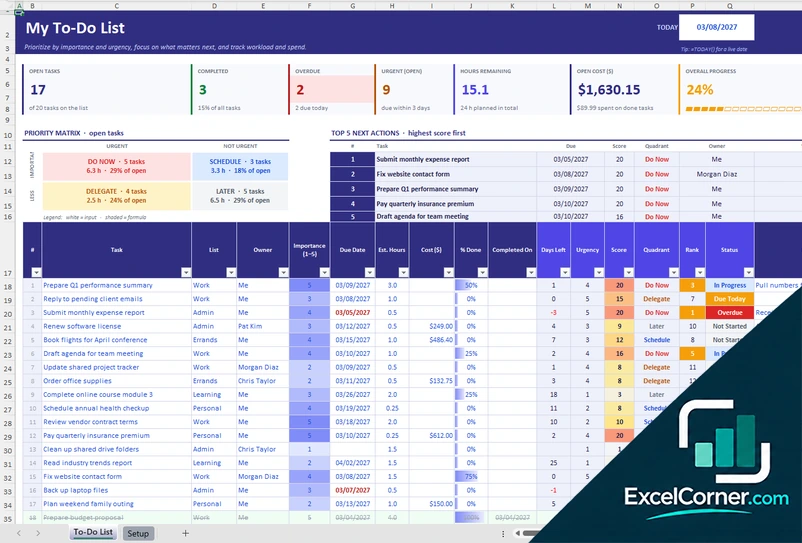
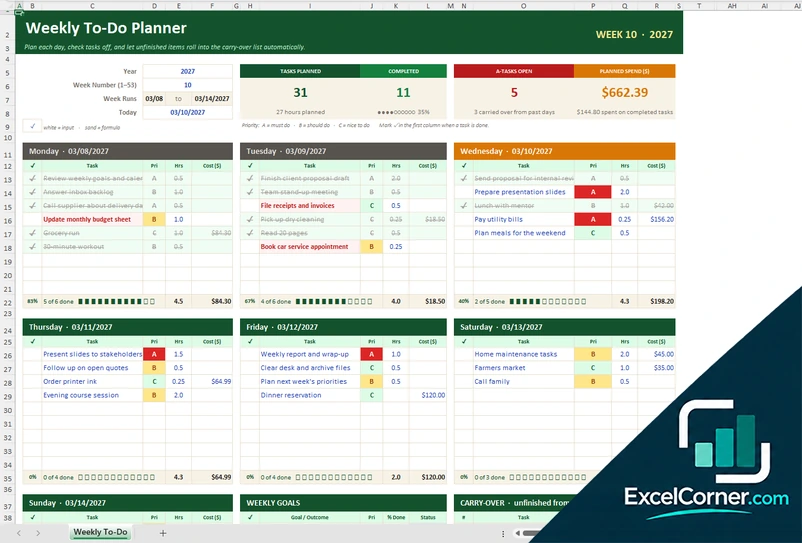
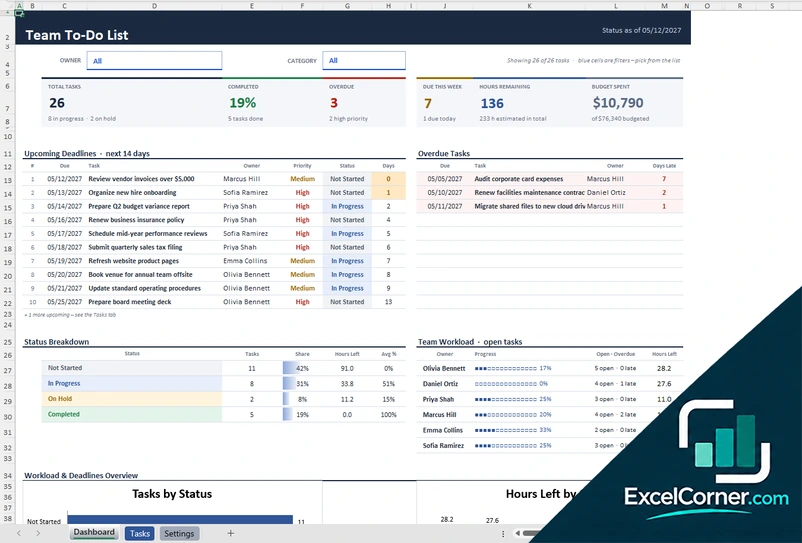
Previewing: Version 1 · To-Do List with Priority Matrix. Pick another version on the right.
Instant download · No sign-up · No email
Use these free Excel to do list templates to decide what to do first and to see what is done. One version ranks your tasks by importance and urgency, one is a weekly planner with a to-do list for each day, and one is a team to-do list with a dashboard of overdue tasks and workload.
Choose your version
- File
- .xlsx · 27 KB · 2 sheets
- Works with
- Microsoft Excel (.xlsx)
- Macros
- None · formulas only
- Price
- Free
Keep a to do list in an Excel spreadsheet
A to-do list is only useful if it helps you choose. A long list of tasks does not say which one to do first, which ones are late or how much work is left. In a spreadsheet you can add that information: a priority, a due date, an estimate of the time and a status, and let the formulas rank the tasks and count what is open and overdue.
These Excel to do list templates cover three ways to work. The first scores each task by its importance and its urgency, places it in a priority matrix and shows the top five next actions. The second is a weekly planner where you plan each day, mark tasks with a priority from A to C and carry unfinished tasks over to the next days. The third is a to-do list for a team, with an owner, a status and a dashboard of overdue tasks and the workload of each person.
Best for
- Individuals who want a prioritized to-do list for work or for life
- Managers and small teams who share a list of tasks and need to see who is overloaded
- Anyone who plans the week day by day and wants unfinished tasks carried forward
Maybe not for
A task app with reminders and sync across devices. These templates are Excel files that you update yourself.
Which version is right for you?
All three are free, formula-driven Excel files with sample data you can replace. They are independent, so you can download more than one.
Version 1
To-Do List with Priority Matrix
Score each task by importance and urgency, place it in a priority matrix and see the top five next actions and what is overdue.
To-Do ListSetup
.xlsx · 27 KB
Version 2
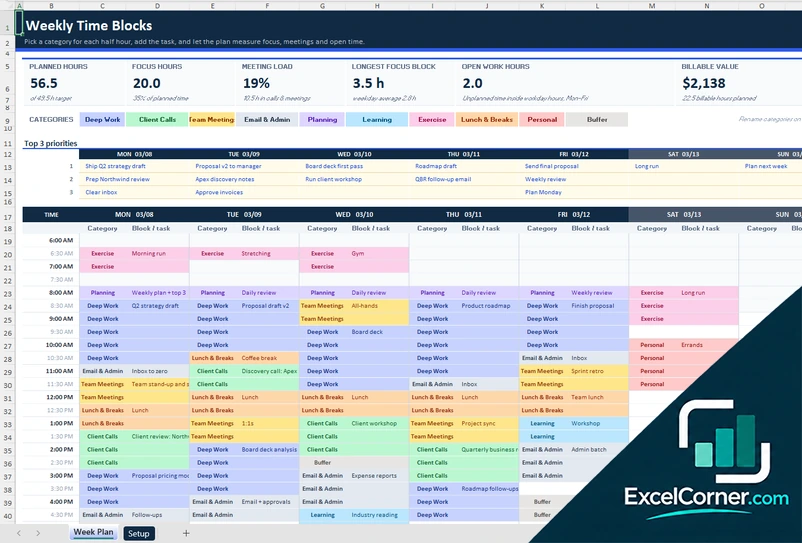
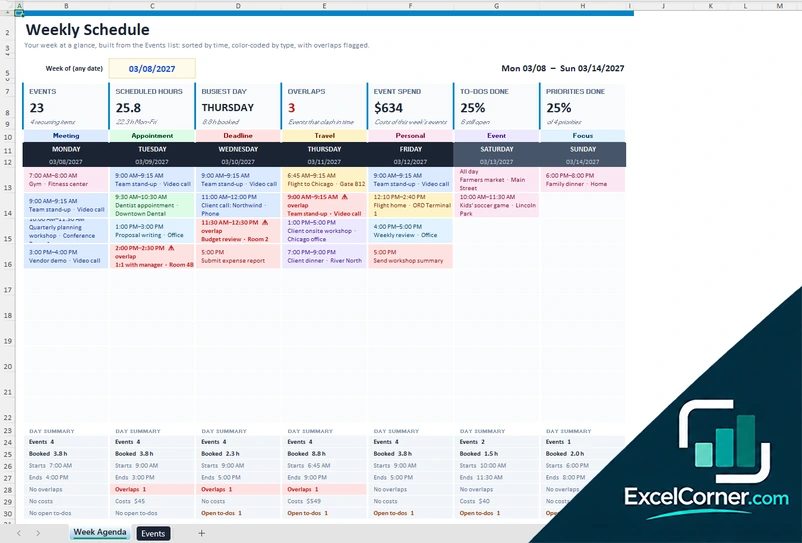
Weekly To-Do Planner
Pick a week, plan the tasks of each day with a priority, set weekly goals and carry unfinished tasks forward.
Weekly To-Do
.xlsx · 23 KB
Version 3
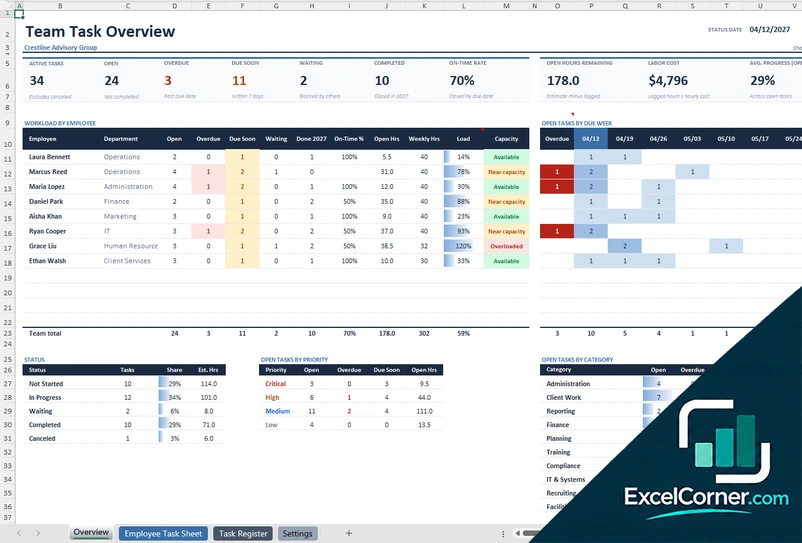
Team To-Do List with Dashboard
Keep one list of tasks for the team and see the overdue tasks, the workload of each owner and the status breakdown on a dashboard.
DashboardTasksSettings
.xlsx · 49 KB
What is inside the Excel to do list templates
Version 1: To-Do List with Priority Matrix
The To-Do List sheet has one row per task with the list or context, the importance from 1 to 5, the due date, the estimated hours, the cost, the percent done and notes. It calculates the days left, the urgency, the priority score, the quadrant, the rank and the status. At the top it shows the open and completed tasks, the overdue and urgent tasks, the hours remaining, the open cost and the overall progress, a priority matrix of the open tasks and the top five next actions. The Setup sheet holds the lists, the owners, the importance scale and the rules for what counts as important and urgent.
Version 2: Weekly To-Do Planner
On one sheet you pick the year and the week number, and the planner shows the seven days. Under each day you list the tasks with a priority of A, B or C, a mark when it is done and an optional cost. The sheet counts the tasks planned and completed, the A tasks that are still open and the planned spend. A carry-over list shows the unfinished tasks from past days, and a weekly goals box tracks each goal with a percent done and a status. A chart summarizes the tasks by day.
Version 3: Team To-Do List with Dashboard
The Tasks sheet holds up to 150 tasks with the category, the owner, the priority, the status, the start and due dates, the percent complete, the estimated hours, the budget, the actual cost, the completion date and notes, and calculates the days left, a due flag and the hours left. The Dashboard lets you filter by owner and by category and shows the total, completed and overdue tasks, those due this week, the hours remaining and the budget spent, with the overdue tasks, the status breakdown, the workload by team member and two charts. The Settings sheet holds the lists and the reporting rules.
How to use a to do list template in Excel
- Download
Pick the version you want and open it in Excel. The files have sample tasks so you can see how they work. - Set up the lists
On the Setup or Settings sheet, enter your lists or categories, the owners and the rules, such as the importance scale or the due-soon window. - Add your tasks
Write one task per row with its list, due date, importance or priority, estimated hours and notes. In the weekly planner, pick the week and enter the tasks under each day. - Update as you go
Change the percent done or mark the task as done. Completed tasks drop out of the open counts, and unfinished ones are carried over in the weekly planner. - Review the dashboard
Look at the next actions, the overdue tasks and the workload, and set the date at the top or enter the TODAY function to keep the flags current.
Type the TODAY function in the date cell so that the overdue and urgent flags stay live.
Which to do list template do you need?
| To-Do List with Priority Matrix | Weekly To-Do Planner | Team To-Do List with Dashboard | |
|---|---|---|---|
| For | Ranking tasks by importance and urgency | Planning each day of a week | A shared list for a team |
| Best for | Individuals who need to decide what to do first | People who plan their week by day | Managers and small teams |
| Main outputs | Priority score, quadrant, top 5 next actions | Tasks by day, A-tasks open, carry-over and weekly goals | Overdue tasks, workload by owner and status breakdown |
| Sheets | 2 | 1 | 3 |
| Charts | No | Yes | Yes |
They are separate files, so you can use more than one.
Tips for a better to do list
- Write tasks as actions you can finish, and break big tasks into smaller steps.
- Rate the importance and the urgency separately. Important and not urgent tasks are the ones that are easy to postpone.
- Add a due date and an estimate to each task, so you can see whether your list fits in the time you have.
- Pick no more than three to five tasks for the day and finish them before you add more.
- Review the list at the start or at the end of each day, and move the tasks that you did not do.
- Keep a done list. Seeing what you completed helps to keep going.
Frequently asked questions
Is this Excel to do list template free?
Yes. All three versions are free to download as .xlsx files. You do not need an account or an email address.
Which version should I choose?
Choose the To-Do List with Priority Matrix (Version 1) to rank tasks by importance and urgency. Choose the Weekly To-Do Planner (Version 2) to plan each day of the week. Choose the Team To-Do List with Dashboard (Version 3) for a shared list with owners and a dashboard.
How does the priority score work?
You rate the importance of each task from 1 to 5, and the template gives points for urgency from the due date. The priority score is the importance multiplied by the urgency, and the task is placed in a quadrant of the priority matrix.
What are A, B and C tasks in the weekly planner?
They are priorities. An A task is a must do, a B task is a should do and a C task is a nice to do. The planner counts the A tasks that are still open.
Can I make a daily to do list?
Yes. The weekly planner has a list of tasks for each day of the week, with a mark to check off, and it carries unfinished tasks forward. You can also set the date in the priority matrix version to see what is due today.
Can I share the to do list with my team?
Version 3 is made for that. Each task has an owner, a status and a due date, and the dashboard lets you pick an owner or a category to see the workload and the overdue tasks.
Does the template work in Google Sheets?
The files are made for Microsoft Excel and use standard formulas with no macros. You can upload them to Google Drive and open them with Google Sheets, but some formatting or charts may look different.
Is my information stored online?
No. The templates are plain Excel files, so the tasks, names and dates you type stay in your own file on your own computer.
More free checklist, schedule and planning templates
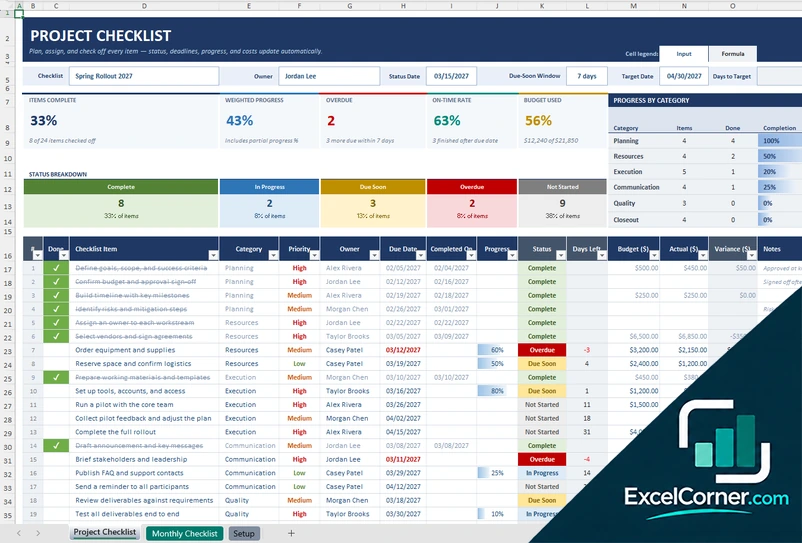
These templates are planning and record-keeping tools with sample data. Check the figures and any legal or policy requirements, such as overtime and rest rules for staff schedules, against the rules that apply to you. Excel is a trademark of Microsoft Corporation; Excel Corner is not affiliated with Microsoft.