
Home › Personal Life & Leisure › Meal Plan Template Excel › Weekly Meal Planner Template Excel
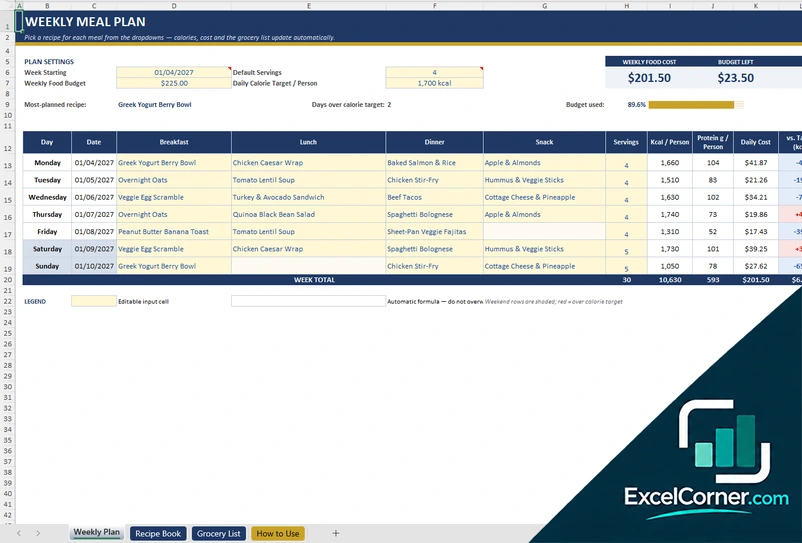
Previewing: Version 1 · Weekly Meal Planner with Grocery List. Pick another version on the right.
Instant download · No sign-up · No email
Download these free weekly meal planner templates for Excel to plan seven days of meals in one sheet. One version is a day-by-day planner with a recipe library and a grocery list that links every item to a recipe. One is a weekly menu with a log of each meal, macro targets and a nutrition dashboard. One is a planner grid with the days across the page and a shopping list that is built from the meals you chose.
Choose your version
- File
- .xlsx · 26 KB · 3 sheets
- Works with
- Microsoft Excel (.xlsx)
- Macros
- None · formulas only
- Price
- Free
Plan the week in an Excel meal planner
A weekly meal planner answers what is for dinner once, for all seven days. You pick the meals, shop for what the plan needs and see the cost before you spend it. In Excel, the planner also adds up calories and protein for each day, compares cost with your weekly budget and builds a shopping list.
There are three versions. The first lists the days down the page and writes a grocery list that skips what you already have. The second is a menu log with meal status and a nutrition dashboard. The third puts the days across the page like a printed planner, with a shopping list in packs. For monthly or household plans, see our meal plan template excel page.
Best for
- Families and individuals who plan dinners and lunches for the week and want to stay inside a food budget
- People who prepare meals on Sunday and want to see prep notes, leftovers and the cost of every day
- Anyone who tracks calories, protein or macros and wants the plan to show the gap against the target
Maybe not for
A meal planning app that suggests recipes or orders groceries. These planners are Excel files that you fill in. They do not choose meals for you or connect to a store, and the nutrition and prices are the values that you enter.
Which version is right for you?
All three are free, formula-driven Excel files with sample data you can replace. They are independent, so you can download more than one.
Version 1
Weekly Meal Planner with Grocery List
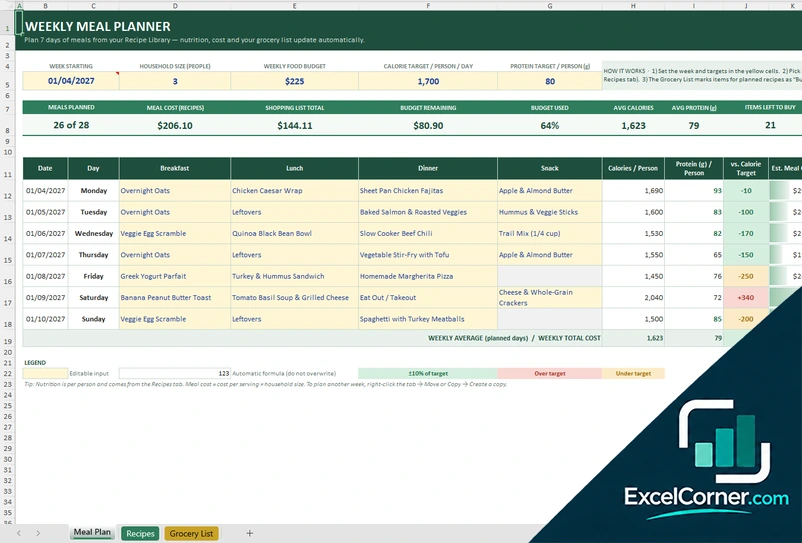
A seven-day planner with drop-down meals, calories and protein per person against your targets, daily cost against a weekly budget, a recipe library and a smart grocery list linked to the recipes.
Meal PlanRecipesGrocery List
.xlsx · 26 KB
Version 2
Weekly Menu with Nutrition Dashboard
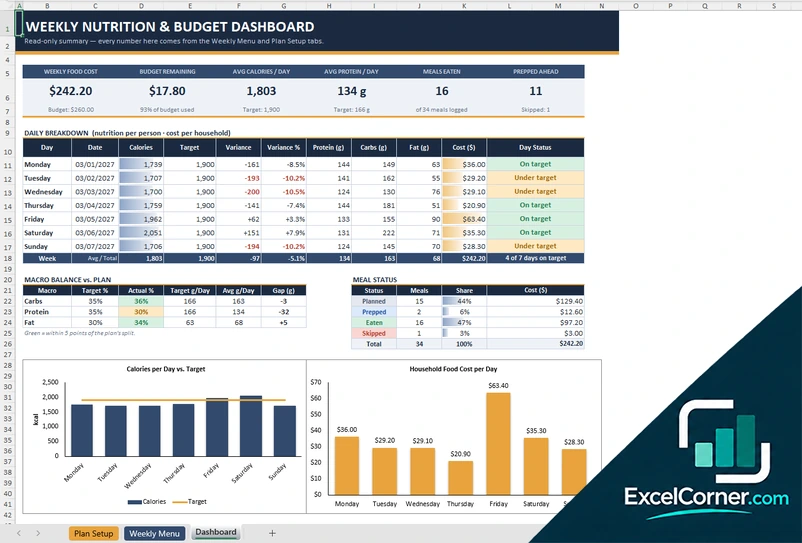
A weekly menu with a row for each meal slot of each day, a status from planned to eaten, a choice of macro split by plan type and a dashboard with the daily variance, the macro balance and the weekly food cost.
Plan SetupWeekly MenuDashboard
.xlsx · 28 KB
Version 3
Planner Grid with Shopping List
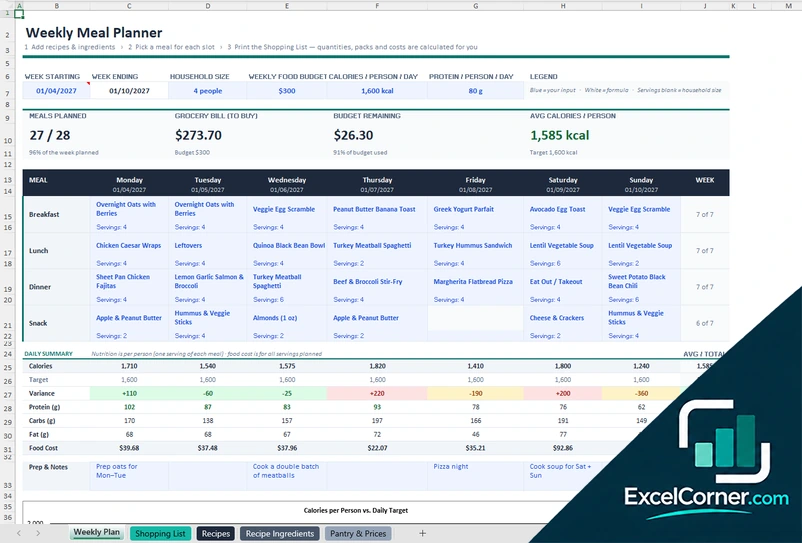
A planner grid with the days across the page and the servings under each meal, a daily nutrition summary with a chart, and a shopping list in packs by store section that is calculated from a recipe library with ingredients and a price catalog.
Weekly PlanShopping ListRecipesRecipe IngredientsPantry & Prices
.xlsx · 72 KB
What is inside the weekly meal planner Excel templates
Version 1: Weekly Meal Planner with Grocery List
The Meal Plan sheet takes the week start date, household size, weekly food budget and calorie and protein targets. For each day you pick breakfast, lunch, dinner and a snack from a drop-down list fed by the Recipes sheet, which has room for about 75 meals.
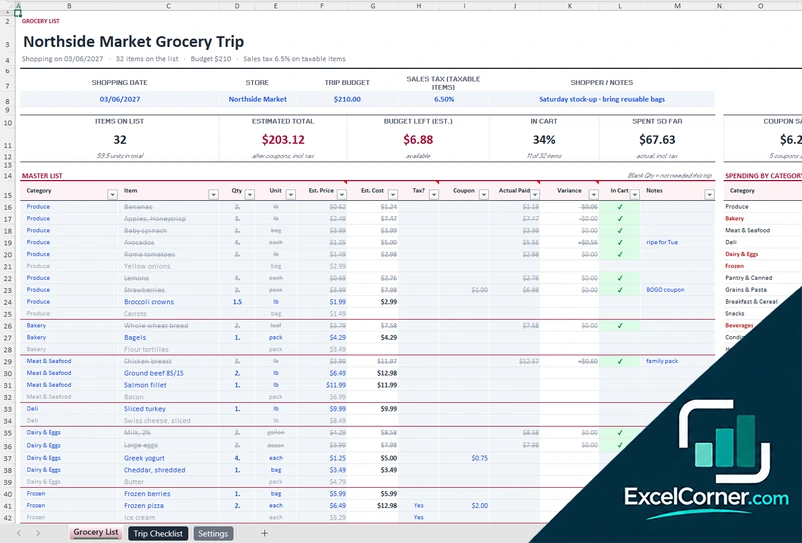
You get daily calories, protein and cost, plus the budget remaining. The Grocery List sheet links each item to a recipe, marks what you have at home, and shows totals, a progress bar and spend by category.
Version 2: Weekly Menu with Nutrition Dashboard
The Plan Setup sheet holds the plan name, first day of the week, number of people, daily calorie target, weekly grocery budget and plan type: balanced, high protein, lower carb, plant-forward or your own. The Weekly Menu sheet has a row for each meal slot, where you enter the item, status, calories, macros and cost.
Daily totals show whether each day is on target, under or over. The Dashboard shows weekly food cost, budget remaining, average calories and protein, meals by status and two charts.
Version 3: Planner Grid with Shopping List
The Weekly Plan sheet works like a printed planner. You enter the week start, household size, weekly food budget and calorie and protein targets. The grid has a row for each meal slot and a column for each day, Monday to Sunday, with a drop-down recipe and servings in each cell.
A daily summary compares calories with the target, with a chart. The Shopping List sheet is calculated from the plan, grouped by store section, with pack sizes, costs and a spend chart. Recipes, Recipe Ingredients and Pantry and Prices sheets feed it.
How to use a weekly meal planner in Excel
- Download
Pick the version that you want and open it in Excel. Each file opens with a sample week, so you can see how it works. - Set the week
Enter the first day of the week, the number of people in the household, the food budget of the week and your daily calorie and protein targets. - Build your recipe list
Add the meals that you cook with their calories, protein, cost and servings. Fill the ingredient list if the planner has a grocery or shopping list. - Choose the meals
Pick a meal for each slot of each day from the drop-down lists. The calories, the protein, the cost and the checks update on their own. - Shop and adjust
Use the grocery or shopping list, tick what you buy and compare the plan with the budget. Swap a meal if a day is over the target.
Copy the sheet or reset the plan for the next week. Your recipes and prices stay, and only the choices change.
Which weekly meal planner do you need?
| Weekly Meal Planner with Grocery List | Weekly Menu with Nutrition Dashboard | Planner Grid with Shopping List | |
|---|---|---|---|
| Layout | Days down the page, one row per day | One row per meal slot, with a status | Days across the page, like a printed planner |
| Best for | Families that plan and shop by recipe | People who follow calories and macros | Households that shop in packs by store section |
| Data you enter | A recipe library and the meals of one week | Targets, a plan type and the menu items | Recipes, their ingredients and a price catalog |
| Main outputs | Daily calories, protein and cost, budget left, smart grocery list | Macro balance, daily variance, meal status, weekly cost | Daily summary, calories chart, shopping list by section, packs and cost |
| Sheets | 3 | 3 | 5 |
| Charts | No | Yes | Yes |
They are separate files, so you can use more than one.
Tips for a weekly meal plan that you keep
- Plan the dinners first. When the dinners are set, lunches and breakfasts are easy to fill with leftovers and the staples that you always eat.
- Choose the day you shop and plan the week around it. Fresh fish and salad go early in the week, and the freezer meals go at the end.
- Cook a double batch of one meal and plan it twice. Leftovers are the cheapest meal of the week.
- Leave one slot free for eating out or a spare night. A plan with no room for life is a plan that you drop on Wednesday.
- Look at the pantry and the fridge before you tick the shopping list, so that you do not buy what you already have.
- Compare the cost of the plan with your budget before you go to the store, not after, and swap an expensive dinner for a cheaper one.
- Keep a library of 15 to 20 meals that your household likes and rotate them, so that you only add a new recipe now and then.
Frequently asked questions
Are these weekly meal planner templates for Excel free?
Yes. All three versions are free to download as .xlsx files. You do not need an account or an email address.
Which version should I choose?
Choose Version 1 (Weekly Meal Planner with Grocery List) for days down the page and a recipe-based grocery list. Choose Version 2 (Weekly Menu with Nutrition Dashboard) to log meals and track macros. Choose Version 3 (Planner Grid with Shopping List) for a printable week and a shopping list in packs.
How do I make a weekly meal planner in Excel?
Make a table with a row for each day and a column for each meal, plus a list of your recipes with calories and cost. Pick a recipe from a drop-down list in each cell and add formulas for daily totals and weekly cost. The templates on this page already have all of this.
What is the difference between a meal plan and a weekly meal planner?
A meal plan can cover any period, such as a month or a trip, and often adds nutrition goals. A weekly meal planner is the seven-day version you reset every week. For a monthly view or household menu, see the meal plan template excel page.
Does the planner make a grocery list?
Yes. Version 1 writes a grocery list linked to recipes that skips what you have at home. Version 3 calculates a shopping list in packs, by store section. Version 2 is a menu and nutrition log and has no shopping list.
More free meal, recipe and grocery templates
These templates are planning tools with made-up sample data. The calories, nutrients, prices and costs are examples that you replace with your own, and they are not nutrition, medical or dietary advice. Check the allergens and the food safety rules that apply to you. Excel is a trademark of Microsoft Corporation; Excel Corner is not affiliated with Microsoft.