
Home › Marketing, Sales & Customers › Pricing Matrix Template Excel
Previewing: Version 1 · Price-Value Positioning Matrix with Quadrants. Pick another version on the right.
Instant download · No sign-up · No email
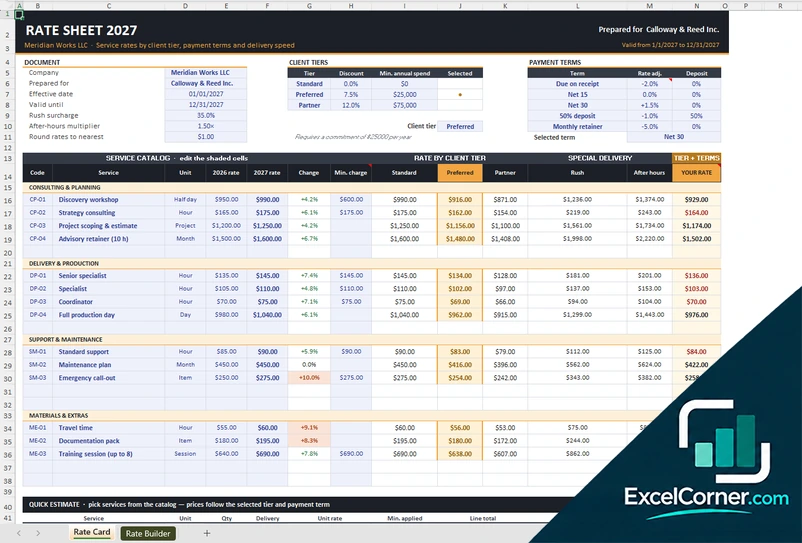
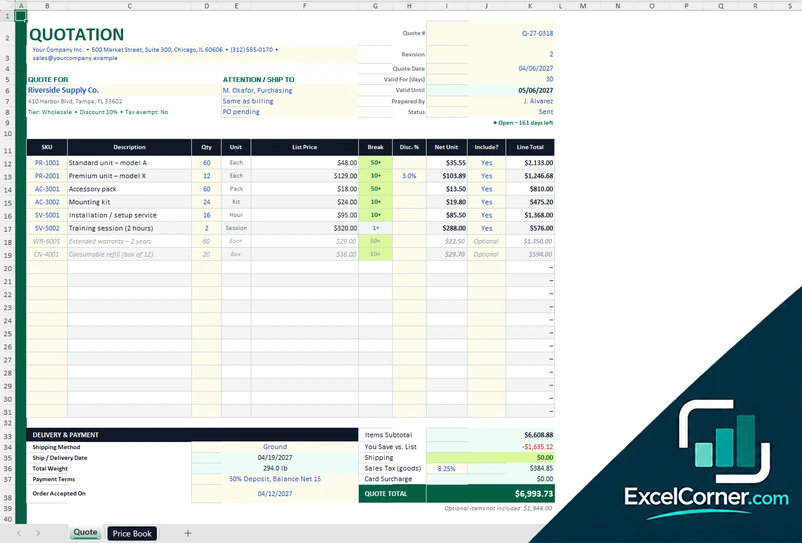
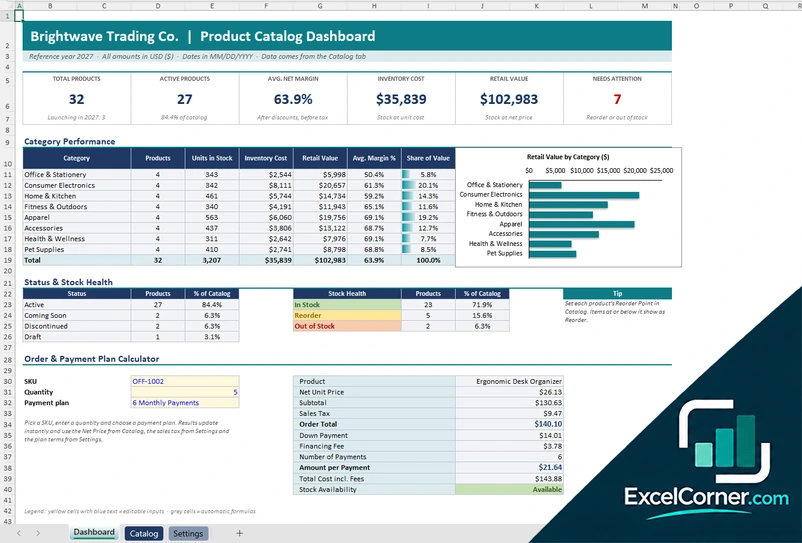
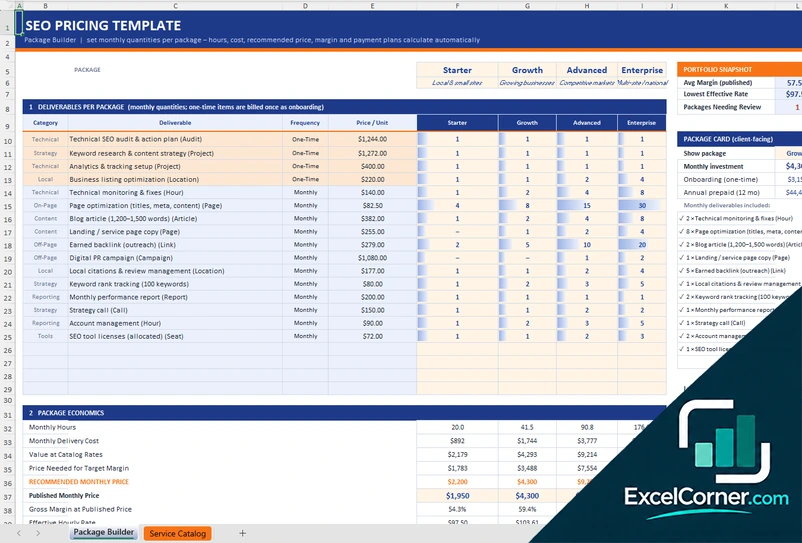
Download these free pricing matrix templates in Excel. One compares your prices with competitors on price and value. One builds a quantity by variant price grid by customer segment with a quick quote. One builds a plan matrix with a feature comparison and a volume and terms matrix.
Choose your version
- File
- .xlsx · 25 KB · 3 sheets
- Works with
- Microsoft Excel (.xlsx)
- Macros
- None · formulas only
- Price
- Free
Build a pricing matrix in an Excel spreadsheet
A pricing matrix puts prices in a grid so that you can see them all at once: by quantity and variant, by customer segment, by plan or by payment term. In Excel the grid is calculated from a few rules, such as the base price, the quantity discounts and the segment adjustment, so you can change a rule and see every price change.
These three templates use the matrix in three ways. Version 1 compares your offers with competitors on price and value. Version 2 is a price grid by quantity and variant, with a margin check and a quick quote. Version 3 compares plans and features and shows unit prices by volume and payment terms.
Best for
- Product and pricing managers who set prices for several plans or variants
- Sales teams that quote different prices by quantity or customer segment
- Anyone who wants to compare their prices with the market
Maybe not for
A CPQ or a pricing software that connects to your CRM. These are Excel files: you type the prices and the rules, and the matrix and the margins are calculated from them.
Which version is right for you?
All three are free, formula-driven Excel files with sample data you can replace. They are independent, so you can download more than one.
Version 1
Price-Value Positioning Matrix with Quadrants
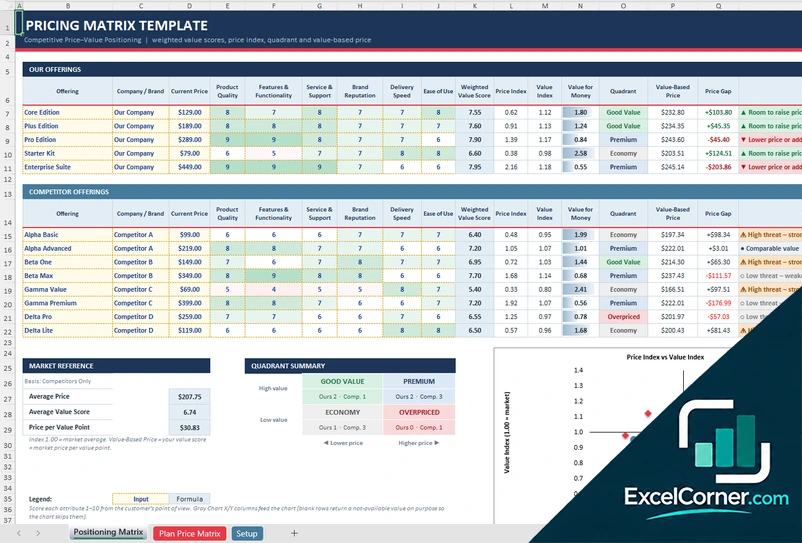
A positioning matrix with weighted value scores, a price index, a quadrant for each offer, a value-based price, a plan price matrix by segment and payment plan, and a chart.
Positioning MatrixPlan Price MatrixSetup
.xlsx · 25 KB
Version 2
Quantity by Variant Price Matrix with Quick Quote
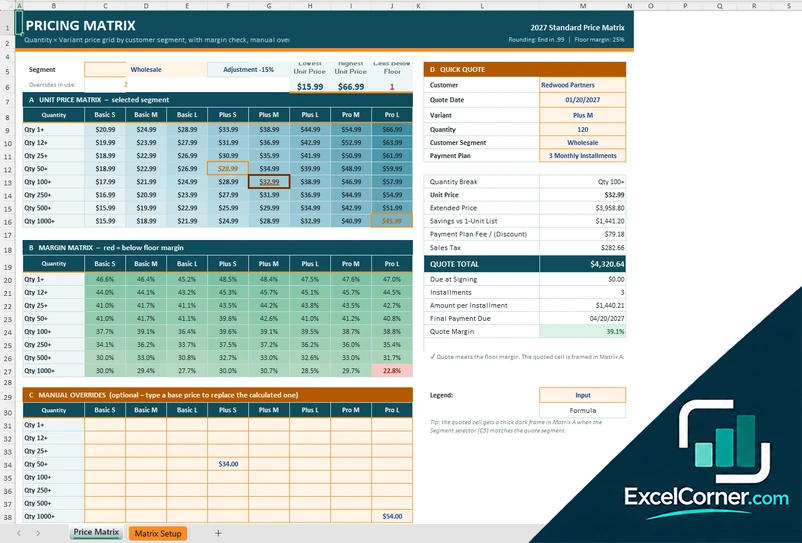
A pricing matrix of quantity breaks by variant, with segment adjustments, a margin matrix, manual price overrides, a quick quote with payment plans and a setup sheet.
Price MatrixMatrix Setup
.xlsx · 21 KB
Version 3
Plan Matrix with Feature and Volume Terms Matrix
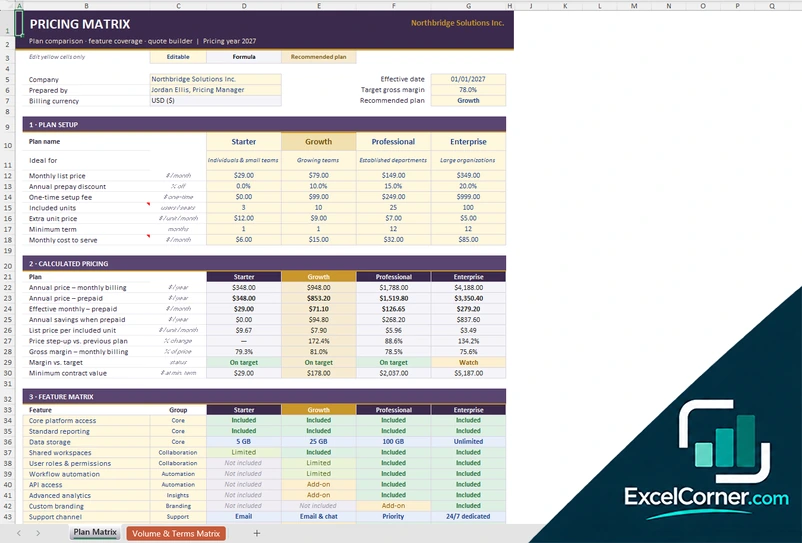
A plan pricing matrix with monthly and prepaid prices, margin against a target and a feature matrix, plus a volume and terms matrix with a price finder and a payment schedule.
Plan MatrixVolume & Terms Matrix
.xlsx · 26 KB
What is inside the pricing matrix templates
Version 1: Price-Value Positioning Matrix with Quadrants
The Positioning Matrix lists your offerings and your competitors’ offerings with a price and a score from 1 to 10 for each value attribute, such as quality, support and brand. It calculates the weighted value score, the price index, the value index and the quadrant, and the value-based price and the price gap.
It adds a market reference, a quadrant summary and a chart. The Plan Price Matrix shows the price by customer segment and payment plan for the selected deal, and the Setup sheet holds the weights and rules.
Version 2: Quantity by Variant Price Matrix with Quick Quote
On the Price Matrix sheet you pick a customer segment and see the unit price for each quantity break and variant. The price is the base price times the quantity discount and the segment adjustment, rounded. A margin matrix shows in red the cells under the floor margin.
You can type a manual override for any cell. The quick quote takes a customer, a variant, a quantity and a payment plan, and gives the unit price, the total, the installments and the quote margin.
Version 3: Plan Matrix with Feature and Volume Terms Matrix
The Plan Matrix sheet sets up four plans with the monthly price, the prepay discount, the setup fee, the included units and the cost to serve. It calculates the annual price, the effective monthly price, the step-up between plans and the margin against the target, and a feature matrix of included, limited and add-on features.
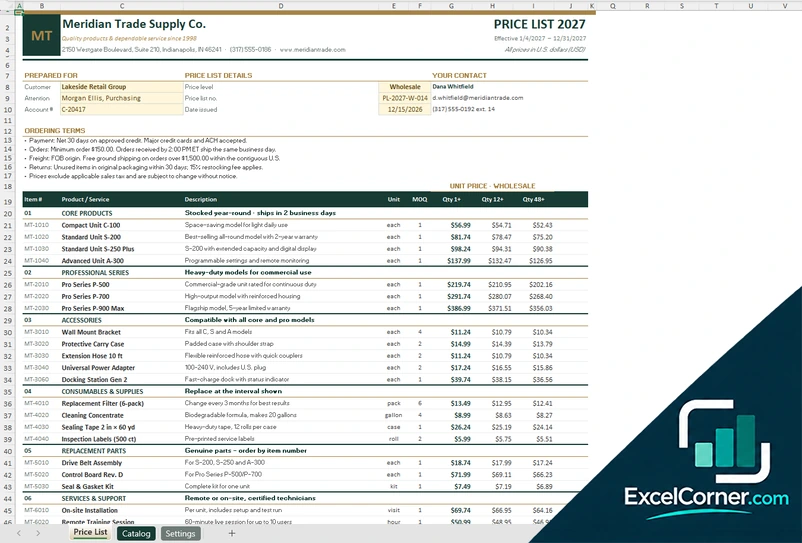
The Volume and Terms Matrix shows the unit price by quantity band and payment plan, a gross margin matrix, a price finder and a payment schedule.
How to use a pricing matrix template in Excel
- Download
Pick the version that fits your pricing and open it in Excel. Each file has sample prices. - Enter the rules
Add the base prices, the quantity breaks, the customer segments and the payment plans. - Add the costs
Enter the cost to serve, so the template can show the margin of each cell. - Read the matrix
Look at the prices, the margins and the quadrants, and find the cells below your floor margin. - Quote
Pick a customer, a quantity and a payment plan to get a quote with the margin.
Replace the sample prices with your own. The matrix, the margins and the quotes update on their own.
Which pricing matrix template do you need?
| Price-Value Positioning Matrix | Quantity by Variant Price Matrix | Plan, Feature and Volume Matrix | |
|---|---|---|---|
| You enter | Offers and competitor offers scored 1 to 10 | Base prices, breaks and segments | Plans, features and volume bands |
| Best for | Positioning against competitors | Quantity pricing by segment | Plan pricing and feature comparison |
| You get | Value score, quadrant, value-based price | Price grid, margin grid, quick quote | Plan pricing, feature matrix, unit price grid |
| Sheets | 3 | 2 | 2 |
| Charts | 1 | No | No |
They are separate files, so you can use more than one.
Tips for a pricing matrix
- Start from your costs, so every cell keeps a margin.
- Set a floor margin and watch the cells that go below it.
- Keep the steps between plans clear: each plan should give a reason to move up.
- Give a discount for volume or for prepaying, but not too early.
- Review the matrix when your costs or your competitors change.
Frequently asked questions
Are these pricing matrix templates free?
Yes. All three versions are free to download as .xlsx files. You do not need an account or an email address.
Which version should I choose?
Choose the Positioning Matrix (Version 1) to compare your prices with competitors. Choose the Price Matrix (Version 2) for quantity and variant prices by segment. Choose the Plan Matrix (Version 3) for plans, features and volume terms.
What is a pricing matrix?
It is a table that shows prices for combinations of factors, for example quantity and product variant, or plan and payment term. It helps you and your customers see the price for each case. It also shows the margin of each case.
How do I make a pricing matrix in Excel?
Put one factor in the rows and another in the columns, and calculate each cell from the base price and the discounts. Add a margin table next to it. The templates use formulas, so you change a rule and all the prices update.
What is a price-value matrix?
It plots offers by their price and by how much value customers get. The quadrants are good value, premium, economy and overpriced. Version 1 scores the value from several attributes and compares you with the market average.
More free pricing templates
These templates use made-up sample companies, products and prices. Check the prices, the taxes, the discounts and the terms against your own rules before you share them with a customer. Excel is a trademark of Microsoft Corporation; Excel Corner is not affiliated with Microsoft.