
Home › Calendars, Schedules & Productivity › Meeting Minutes Excel Template
Previewing: Version 1 · Meeting Minutes Template. Pick another version on the right.
Instant download · No sign-up · No email
Use these free meeting minutes templates for Excel to keep an official record of each meeting: who attended, what was discussed, what was decided and who has to do what by when. One version is a one-sheet minutes form with a meeting cost, one adds a people directory and an approval block, and one is a meeting log with an action register and a dashboard.
Choose your version
- File
- .xlsx · 17 KB · 1 sheets
- Works with
- Microsoft Excel (.xlsx)
- Macros
- None · formulas only
- Price
- Free
Take and track meeting minutes in an Excel spreadsheet
Meeting minutes are the written record of a meeting. A useful set of minutes lists the attendees, the topics, the decisions and the action items, with an owner and a due date for each action. Minutes are only valuable if people can find them later and if the actions are followed up, which is where a spreadsheet can help: the actions can be counted, sorted by due date and flagged when they are late.
These meeting minutes Excel templates cover three ways to work. The first is a single-sheet template to fill in during or after a meeting, with attendance, an agenda with planned and actual minutes, decisions and action items. The second is a minutes workbook with a people directory, a quorum check, a next-meeting section and a signature block for approval. The third is a meeting log and action register for teams that hold many meetings and want to see the hours, the cost and the open actions in a dashboard.
Best for
- Project managers and team leads who write minutes after every meeting
- Executive assistants and note-takers who need a consistent format and an approval step
- Teams that want to follow action items from many meetings in one place
Maybe not for
Live transcription or recording, and formal corporate minutes that have legal wording requirements. These templates help you structure and follow up the minutes.
Which version is right for you?
All three are free, formula-driven Excel files with sample data you can replace. They are independent, so you can download more than one.
Version 1
Meeting Minutes Template
Fill in one sheet for each meeting: details, attendance, agenda with planned and actual time, decisions and action items with due dates.
Minutes
.xlsx · 17 KB
Version 2
Minutes Workbook with Directory
Keep a people directory once and use it in every set of minutes, with a quorum check, action items and a signature block.
MinutesSetup
.xlsx · 21 KB
Version 3
Meeting Log and Action Register
Log every meeting, track all action items in one register and see meeting hours, cost, decisions and completion on a dashboard.
DashboardMeeting LogAction Register
.xlsx · 47 KB
What is inside the meeting minutes Excel templates
Version 1: Meeting Minutes Template
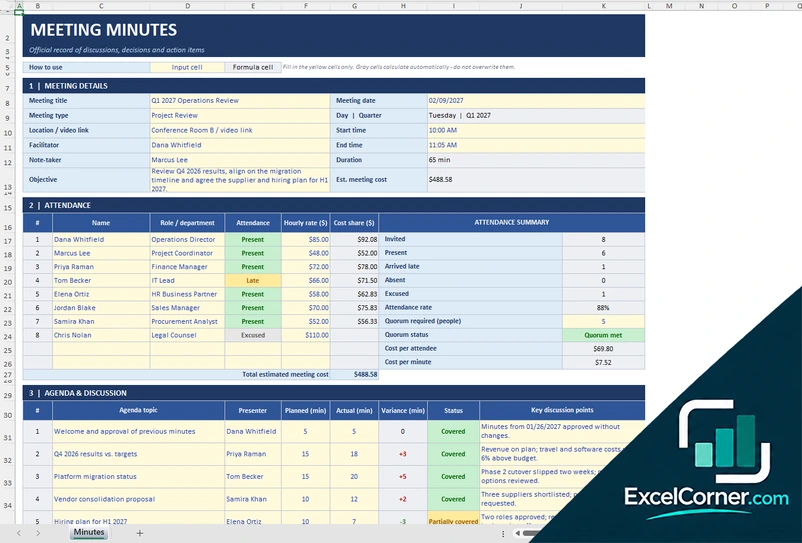
The Minutes sheet has six sections. Meeting details covers the title, the date, the type, the location, the facilitator, the note-taker, the times and the objective, and it calculates the duration and the estimated meeting cost. Attendance lists each person with a role, an attendance status and an hourly rate, and summarizes who was invited, present, late, absent or excused, the attendance rate, the quorum, the cost per attendee and the cost per minute. The agenda section compares the planned and the actual minutes for each topic. The decisions section records who decided and by which method, and the action items section calculates the days left, an alert and the completion rate.
Version 2: Minutes Workbook with Directory
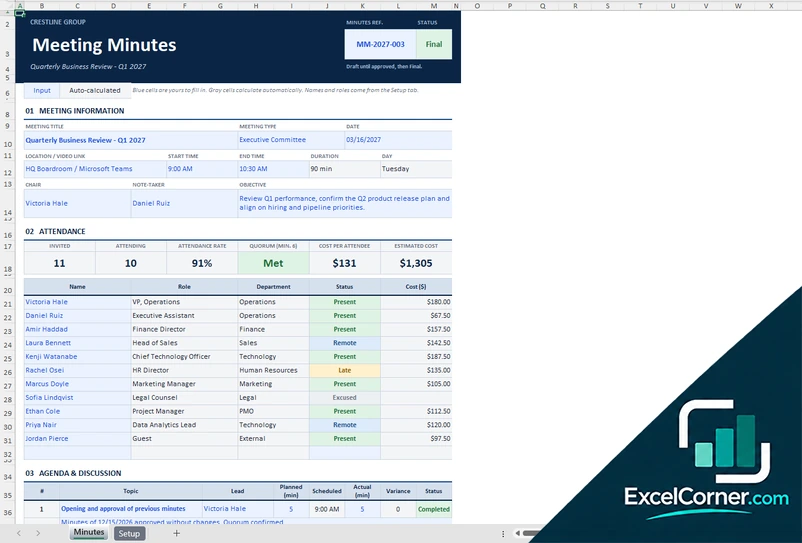
The Setup sheet holds the company name, the quorum, the due-soon window, the default hourly rate, the people directory with job title, department and hourly rate, and the list of meeting types. The Minutes sheet takes the names and roles from that directory, so you only choose the people. It has a reference number and a status that moves from draft to final, the meeting information, the attendance with the invited, attending, attendance rate, quorum and cost, the agenda and discussion with scheduled and actual times, the decisions, the action items with an alert, and a section for the next meeting with prepared by, approved by, date and signature.
Version 3: Meeting Log and Action Register
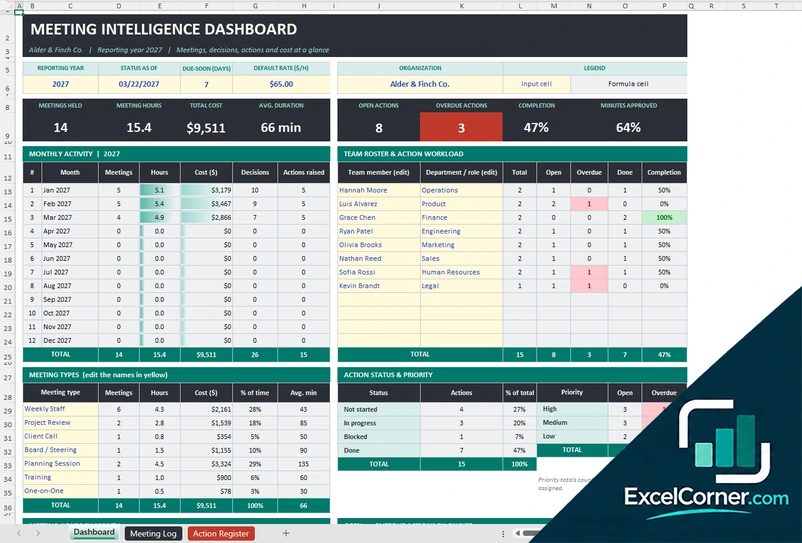
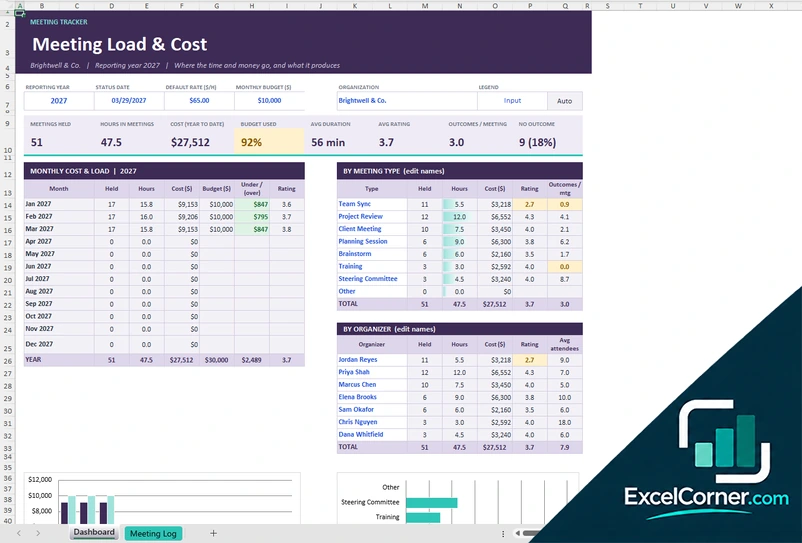
The Meeting Log has one row for each meeting with the date, title, type, facilitator, start time, scheduled and actual minutes, attendees, the average rate and the status of the minutes. It calculates the variance in minutes and the cost, and it keeps the number of decisions and actions. The Action Register lists each action with the meeting ID, the owner, the priority, the due date and the status, and calculates the age, the days to due and a health flag. The Dashboard shows the meetings held, the meeting hours, the total cost, the average duration, the open and overdue actions, the completion rate and the minutes approved, with monthly activity, the workload by team member, the meeting types and two charts.
How to use a meeting minutes template in Excel
- Download
Pick the version you want and open it in Excel. The files come with sample meetings so you can see how they work. - Enter the meeting details
Fill in the title, the date, the type, the location, the facilitator or chair, the note-taker, the start and end time and the objective. - Record the attendance
List the attendees with their role and attendance status. The template counts who was present, late, absent or excused and checks the quorum, if you use one. - Write the agenda, decisions and actions
Note the topics with the planned and actual minutes, the decisions with who made them and how, and each action item with an owner, a priority and a due date. - Follow up
Type the TODAY function in the status date so the actions show as overdue or due soon. Send the minutes and update the status of the actions until they are done.
Change the status of an action and the counts, the alerts and the completion rate update.
Which meeting minutes template do you need?
| Meeting Minutes Template | Minutes Workbook with Directory | Meeting Log and Action Register | |
|---|---|---|---|
| For | Minutes of one meeting on one sheet | Formal minutes with approval | Tracking many meetings and actions |
| Best for | Project and team meetings | Committees and executive meetings | Teams that report on meeting time and actions |
| Main outputs | Attendance, decisions, actions and meeting cost | Quorum, agenda timing, actions and sign-off | Meeting hours, cost, open and overdue actions |
| Sheets | 1 | 2 | 3 |
| Charts | No | No | Yes |
They are separate files, so you can use more than one.
Tips for writing meeting minutes
- Write the minutes during the meeting or right after it, while the discussion is fresh, and send them within a day.
- Record decisions and actions rather than a full transcript. A short line on the reason for a decision is enough.
- Give every action one owner and a due date. An action without an owner is rarely done.
- Start each meeting by reviewing the open actions from the last one.
- Keep the format the same every time, so people know where to look.
- Use the meeting cost as a reminder, not a target. It helps to decide whether a recurring meeting is worth its time.
Frequently asked questions
Is this meeting minutes Excel template free?
Yes. All three versions are free to download as .xlsx files. You do not need an account or an email address.
Which version should I choose?
Choose the Meeting Minutes Template (Version 1) for a single sheet that you fill in for each meeting. Choose the Minutes Workbook with Directory (Version 2) if you want a people directory, a quorum check and an approval block. Choose the Meeting Log and Action Register (Version 3) to track many meetings, their cost and all the action items.
What should meeting minutes include?
The date, time and place, the attendees and the absentees, the topics discussed, the decisions made and the action items with owners and due dates. These templates also show the planned and the actual time for each topic.
How does the template calculate the meeting cost?
It multiplies the time of the meeting by the hourly rate of each attendee. You can enter a rate for each person, and the workbook with a directory uses a default rate for guests.
How are action items tracked?
Each action has a status, a priority and a due date. The templates count the actions that are open, overdue or due soon and show the completion rate. The meeting log keeps all the actions from all the meetings in one register.
Can I use it for a recurring weekly meeting?
Yes. Save a copy of the minutes template for each meeting, or log each weekly meeting in the Meeting Log and Action Register and keep the actions in one place.
Does the template work in Google Sheets?
The files are made for Microsoft Excel and use standard formulas with no macros. You can upload them to Google Drive and open them with Google Sheets, but some formatting or charts may look different.
Is my meeting information stored online?
No. The templates are plain Excel files, so the names, notes and decisions you type stay in your own file on your own computer.
More free meeting, agenda and project log templates
These templates are record-keeping and planning tools with sample data. For meetings with legal or regulatory requirements, such as board meetings, check the rules that apply to your organization. Excel is a trademark of Microsoft Corporation; Excel Corner is not affiliated with Microsoft.