
Home › Project Management › Cost Estimate Template Excel
Previewing: Version 1 · Cost Estimate by Phase with Contingency and Billing Plan. Pick another version on the right.
Instant download · No sign-up · No email
Download these free cost estimate templates in Excel to price a job before you start. One builds an estimate by phase with contingency and a billing plan. One tracks the estimate against the budget and the payments. One builds the cost per unit from labor, materials and subcontracts.
Choose your version
- File
- .xlsx · 29 KB · 3 sheets
- Works with
- Microsoft Excel (.xlsx)
- Macros
- None · formulas only
- Price
- Free
Build a cost estimate in an Excel spreadsheet
A cost estimate lists what a job will cost before you start: labor, materials, equipment, subcontractors and the extras on top, such as overhead and contingency. In Excel you enter the quantities and the rates once, and the totals, the percentages and the cost per unit are calculated for you. That makes it easy to compare options and to answer the question: how much?
These three templates cover different needs. Version 1 builds an estimate by phase and cost type, with a range of accuracy and a monthly billing plan. Version 2 puts the estimate and the budget tracker together, with payment draws. Version 3 builds the price from unit rates and then compares the estimate with the actual costs. For a simple customer estimate from a price list, with a payment plan, see our excel estimate template versions.
Best for
- Contractors and builders who need to price a job before they bid
- Project managers who want to turn an estimate into a budget they can track
- Freelancers and agencies who quote a project from hours and rates
Maybe not for
Estimating software that takes quantities from drawings or plans. These are Excel files: you type the quantities and the rates, and the totals are calculated from what you enter.
Which version is right for you?
All three are free, formula-driven Excel files with sample data you can replace. They are independent, so you can download more than one.
Version 1
Cost Estimate by Phase with Contingency and Billing Plan
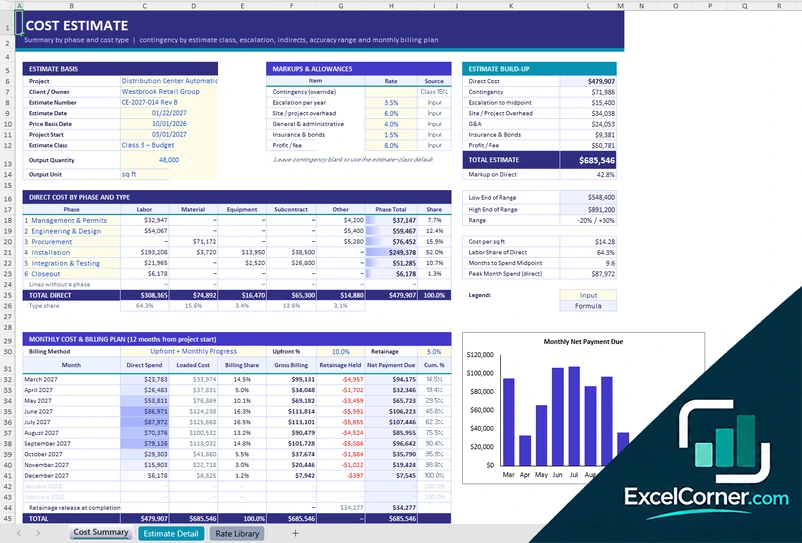
A cost estimate with WBS lines, a rate library, contingency by estimate class, escalation, overhead and profit, an accuracy range and a 12-month billing plan.
Cost SummaryEstimate DetailRate Library
.xlsx · 29 KB
Version 2
Cost Estimate and Budget Tracker with Payment Plan
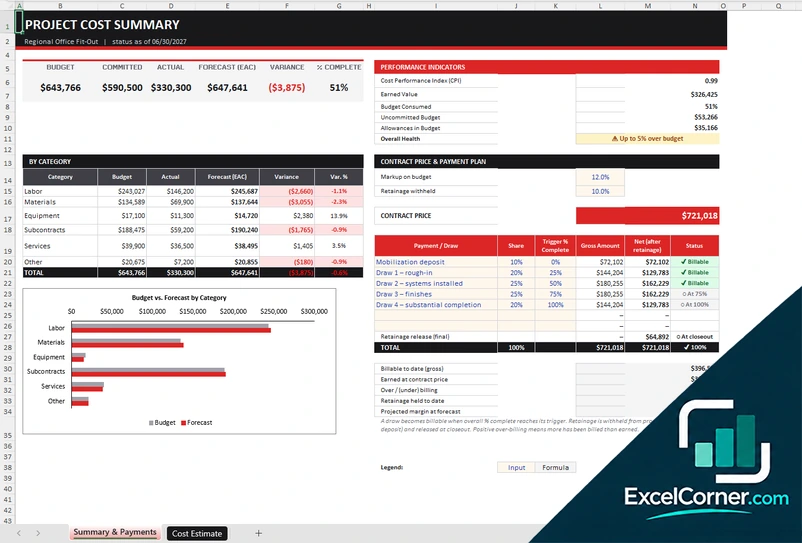
A cost estimate and budget tracker with cost codes, allowances, forecast and variance by category, cost performance index and a contract price with payment draws and retainage.
Summary & PaymentsCost Estimate
.xlsx · 22 KB
Version 3
Unit-Rate Cost Estimate with Estimate vs Actual
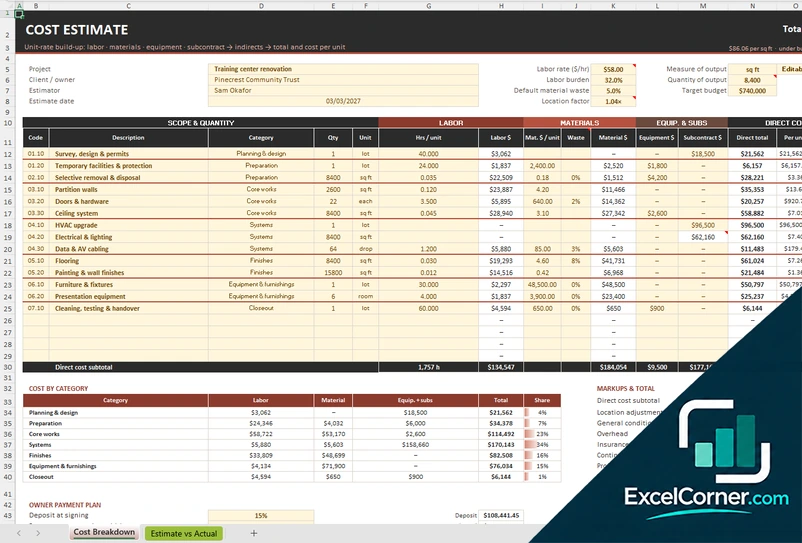
A unit-rate cost estimate with labor burden, material waste and a location factor, cost by category, a total with cost per unit and an estimate versus actual sheet with an invoice log.
Cost BreakdownEstimate vs Actual
.xlsx · 26 KB
What is inside the cost estimate templates
Version 1: Cost Estimate by Phase with Contingency and Billing Plan
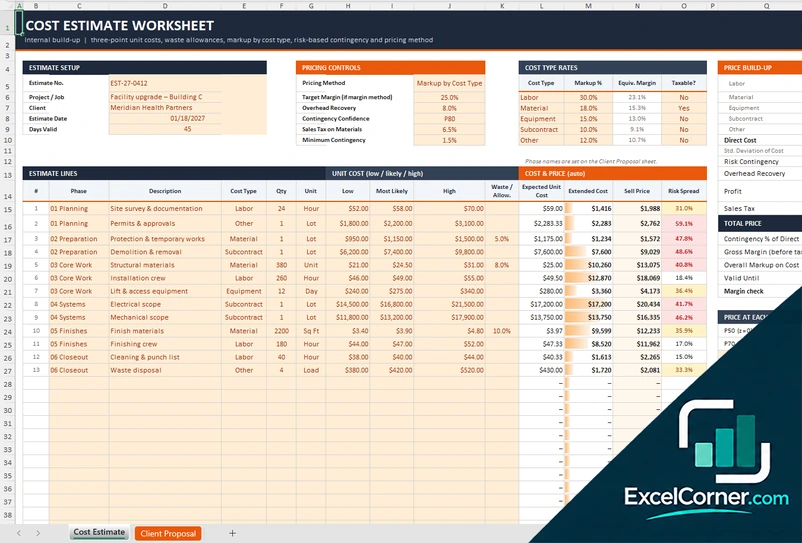
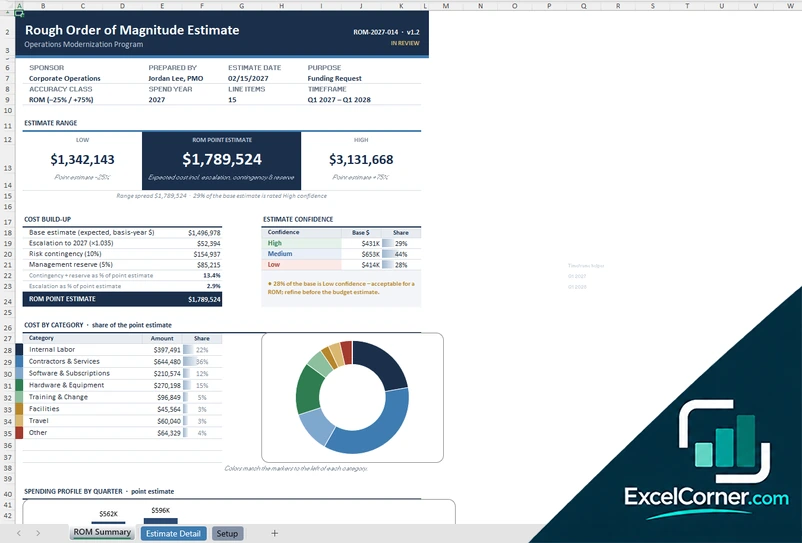
The Cost Summary sheet holds the estimate basis, the markups and allowances, and the build-up of the total. It covers contingency by estimate class, escalation, overhead, G&A, insurance and profit, and shows the accuracy range and the cost per unit. A monthly cost and billing plan has a chart of the net payment due.
The Estimate Detail sheet has the line items by WBS code, phase and type, with a quantity, a unit and a rate. The Rate Library holds the resource rates, the estimate classes and the labor burden that every line uses.
Version 2: Cost Estimate and Budget Tracker with Payment Plan
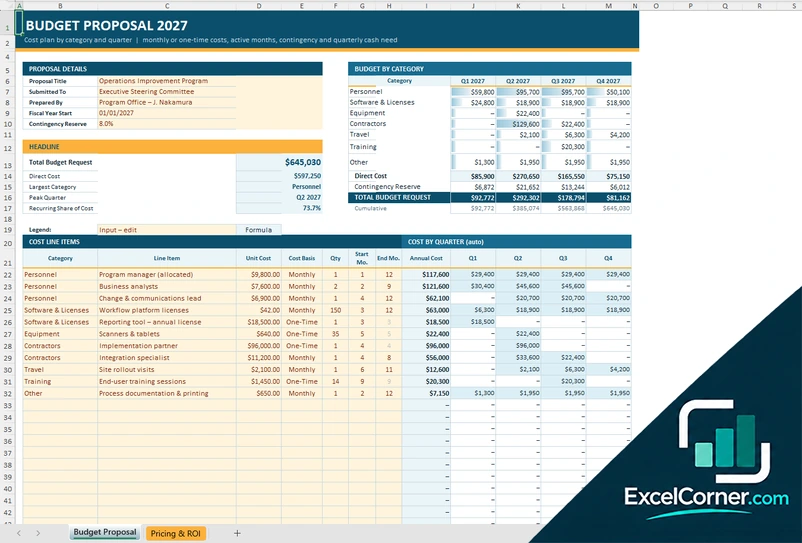
On the Cost Estimate sheet you list each line with a cost code, a category, a description, a quantity, a unit, a unit cost and an allowance. It calculates the estimate and tracks the committed and actual costs for each line.
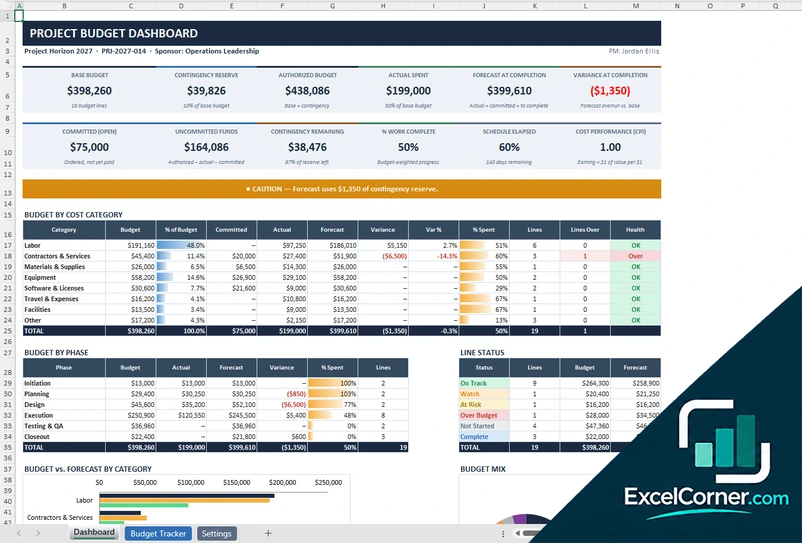
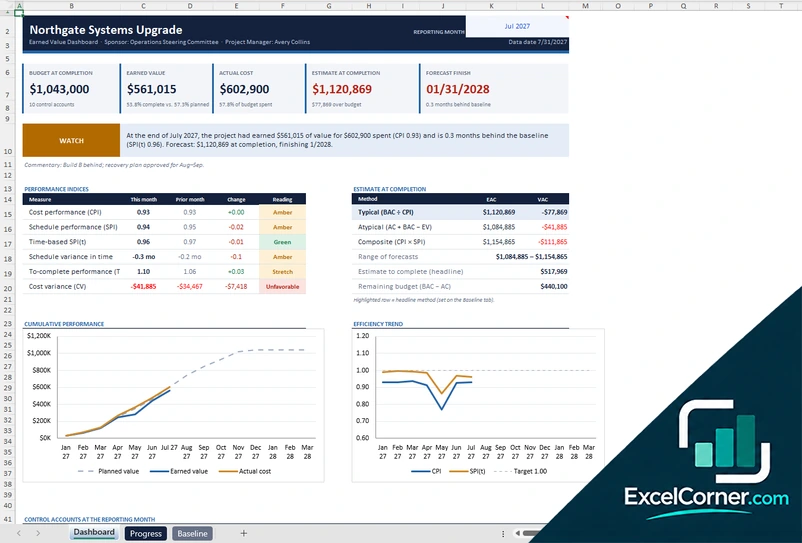
The Summary and Payments sheet shows the budget, committed, actual and forecast, the variance, the percent complete and the cost performance index, with a chart of budget against forecast by category. It also builds the contract price with the markup, the retainage and the payment draws.
Version 3: Unit-Rate Cost Estimate with Estimate vs Actual
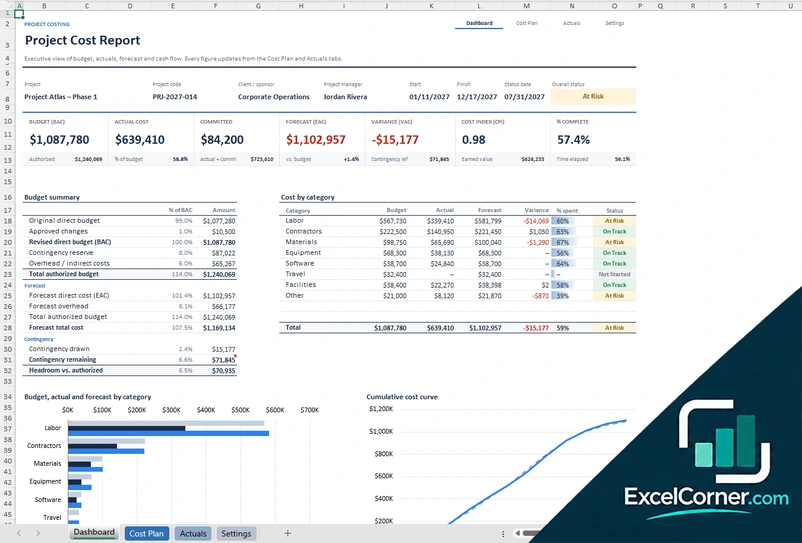
On the Cost Breakdown sheet you enter the project details, the labor rate and burden, the material waste, a location factor and the target budget. Each scope line has the quantity, the hours per unit, the material cost, the equipment and the subcontract.
It calculates the direct cost, the cost by category, the markups and the total, with the cost per square foot and an owner payment plan. The Estimate vs Actual sheet controls the budget by category with approved changes, commitments, invoices and a variance alert.
How to use a cost estimate template in Excel
- Download
Pick the version that fits your job and open it in Excel. Each file has a sample project so you can see how it works. - Set the basis
Enter the project, the client, the date and the extras on top, such as overhead, contingency and profit. - List the lines
Add each line with a quantity, a unit and a unit rate or an hourly rate, grouped by phase or category. - Check the totals
Look at the direct cost, the extras, the total estimate and the cost per unit. - Track it
Use the budget or the actual-cost sheet to compare what you spend with the estimate.
Replace the sample project with your own. The totals, the percentages and the charts update on their own.
Which cost estimate template do you need?
| Estimate by Phase with Billing Plan | Estimate and Budget Tracker | Unit-Rate Estimate vs Actual | |
|---|---|---|---|
| You enter | WBS lines with quantities and rates | Cost codes, quantities and unit costs | Scope lines with hours and material costs |
| Best for | Pricing a job with contingency and a range | Estimating and tracking the budget | Cost per unit and cost control |
| You get | Estimate total, range, monthly billing plan | Forecast, variance, CPI, payment draws | Cost per sq ft, payment plan, estimate vs actual |
| Sheets | 3 | 2 | 2 |
| Charts | 1 | 1 | No |
They are separate files, so you can use more than one.
Tips for a better cost estimate
- Break the job into phases or categories, so nothing is forgotten.
- Use real quotes for materials and subcontractors, and note the date of each price.
- Add a contingency, and make it larger when the design is less complete.
- Include the indirect costs: overhead, insurance, permits and profit.
- Keep the estimate, so you can compare it with the actual cost when the job ends.
Frequently asked questions
Are these cost estimate templates free?
Yes. All three versions are free to download as .xlsx files. You do not need an account or an email address.
Which version should I choose?
Choose the Estimate by Phase (Version 1) to price a job with contingency and a billing plan. Choose the Estimate and Budget Tracker (Version 2) to track the budget and the payment draws. Choose the Unit-Rate Estimate (Version 3) to build the cost per unit and compare it with the actuals.
How do I make a cost estimate in Excel?
List each item with a quantity, a unit and a unit cost, and multiply them to get a line total. Group the lines by phase, add the overhead, contingency and profit, and sum everything. The templates already do this and show the cost per unit.
How much contingency should I add?
It depends on how complete the design is. Early estimates need more, often 10 to 20 percent, and detailed estimates need less, often 5 to 10 percent. Version 1 sets the contingency by estimate class and lets you override it.
What is the difference between an estimate and a budget?
An estimate is a forecast of the cost before the work. A budget is the approved amount that you track during the work. Version 2 and Version 3 start from the estimate and turn it into a budget that you compare with the actual costs.
More free project cost templates
These templates use made-up sample projects, quantities and rates. An estimate is a forecast, so check the quantities, rates and taxes against your own quotes before you use the numbers in a bid or a contract. Excel is a trademark of Microsoft Corporation; Excel Corner is not affiliated with Microsoft.