
Home › Marketing, Sales & Customers › Excel Proposal Template
Previewing: Version 1 · Budget Proposal with Pricing Options and ROI. Pick another version on the right.
Instant download · No sign-up · No email
Download these free proposal templates in Excel to win clients and get projects approved. They include client proposals with investment options, project proposals with a Gantt timeline and team budget, a budget proposal with ROI and a business case with a five-year cost-benefit analysis.
Choose your version
- File
- .xlsx · 24 KB · 2 sheets
- Works with
- Microsoft Excel (.xlsx)
- Macros
- None · formulas only
- Price
- Free
Write a proposal in an Excel spreadsheet
A proposal explains what you will do, how long it takes and what it costs. Excel is a good place for the numbers: you enter the deliverables, the hours and the rates once, and the totals, the discounts, the timeline and the payment plan are calculated for you. When the client changes the scope, the price changes with it.
These six templates fit different cases. Some are client proposals with investment options, a plan and a budget. Some are project proposals with a Gantt timeline and team hours. One is a budget proposal with pricing models and ROI, and one is a business case with a five-year cost-benefit analysis.
Proposal and project proposal are searched in the same way, so they share this page. Pick the file that fits your case, and use the table below to compare them.
Best for
- Consultants and agencies who send a proposal with a price to a client
- Managers who ask for a budget and need to show the return
- Project teams who want a timeline, a fee and a payment plan in one file
Maybe not for
A proposal tool with e-signature and tracking of who opened it. These are Excel files: you type the scope and the prices, and the totals and the timeline are calculated from them.
Which version is right for you?
All six are free, formula-driven Excel files with sample proposals that you can replace. They are independent, so you can download more than one.
Version 1
Budget Proposal with Pricing Options and ROI
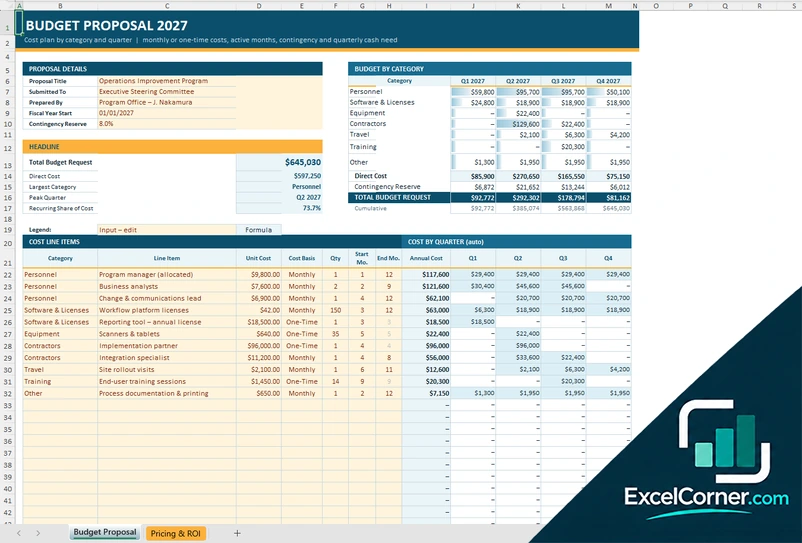
A budget proposal with cost lines by category and quarter, contingency, a pricing and ROI sheet with three funding models, a payment schedule and charts.
Budget ProposalPricing & ROI
.xlsx · 24 KB
Version 2
Client Proposal with Investment Options and Timeline
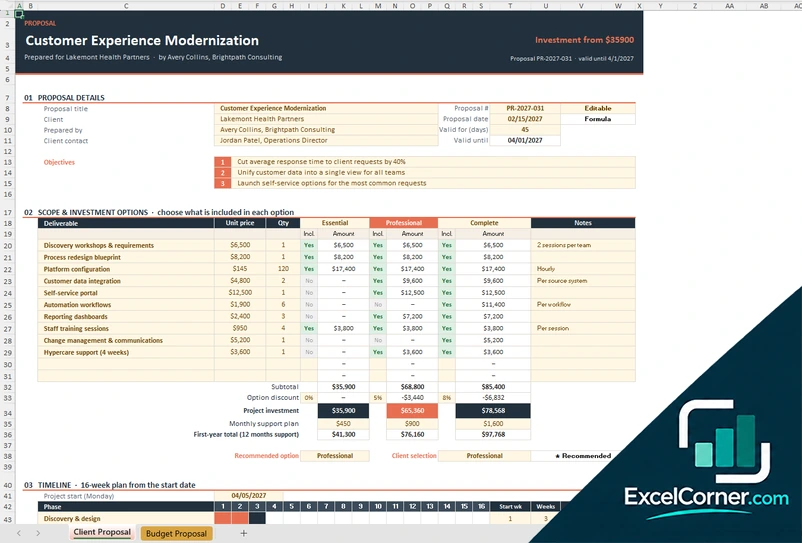
A client proposal with scope and investment options, a recommended package, a 16-week timeline and an internal budget proposal with a financial case and approvals.
Client ProposalBudget Proposal
.xlsx · 25 KB
Version 3
Project Proposal with Gantt Timeline and Team Effort
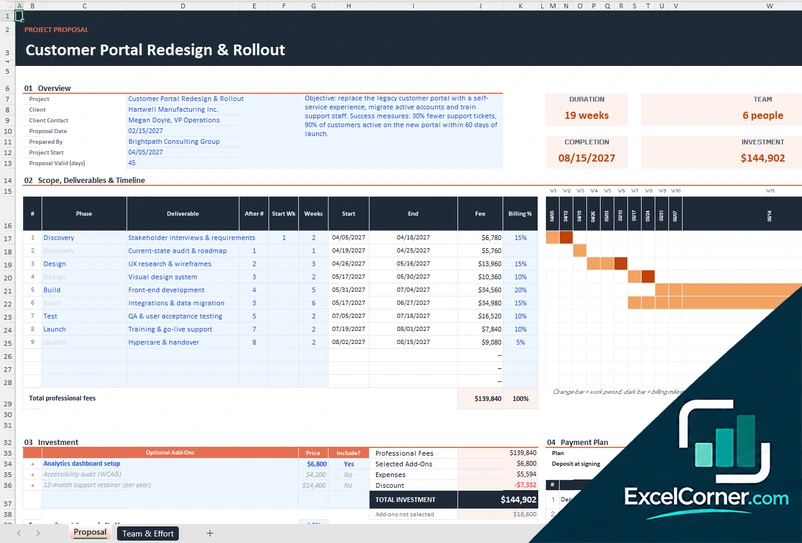
A project proposal with deliverables by phase, a Gantt timeline, optional add-ons, a payment plan and a team and effort sheet that prices the hours by role.
ProposalTeam & Effort
.xlsx · 22 KB
Version 4
Client Project Proposal with Plan and Budget
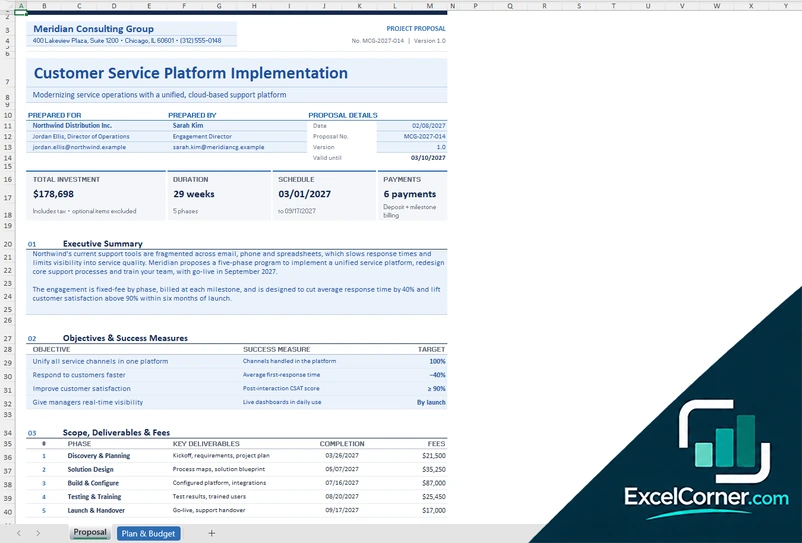
A client project proposal built from a plan and budget sheet, with phases, budget lines, a discount and tax, a payment plan and a printable proposal.
ProposalPlan & Budget
.xlsx · 28 KB
Version 5
One-Page Project Proposal with Gantt and Team Budget
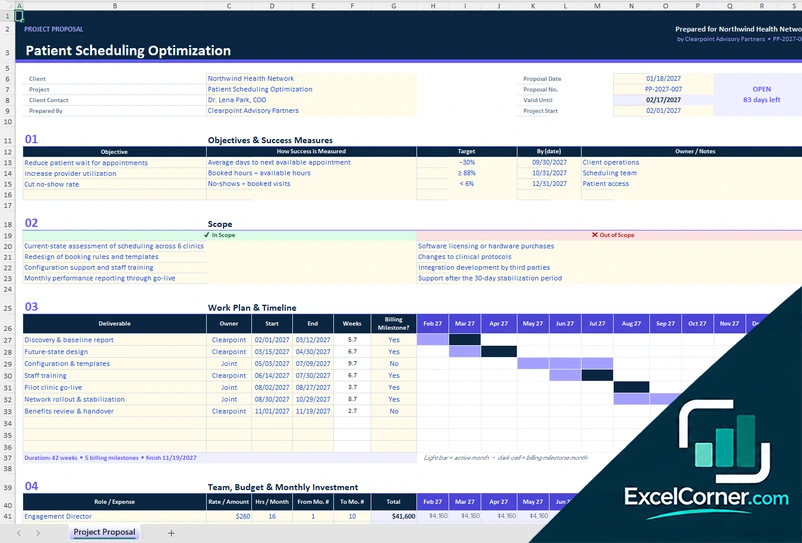
A one-page project proposal with objectives, scope, a work plan with a monthly Gantt, a team and budget table, total hours, blended rate and a chart of the monthly cost.
Project Proposal
.xlsx · 20 KB
Version 6
Project Business Case with Cost-Benefit and Risks
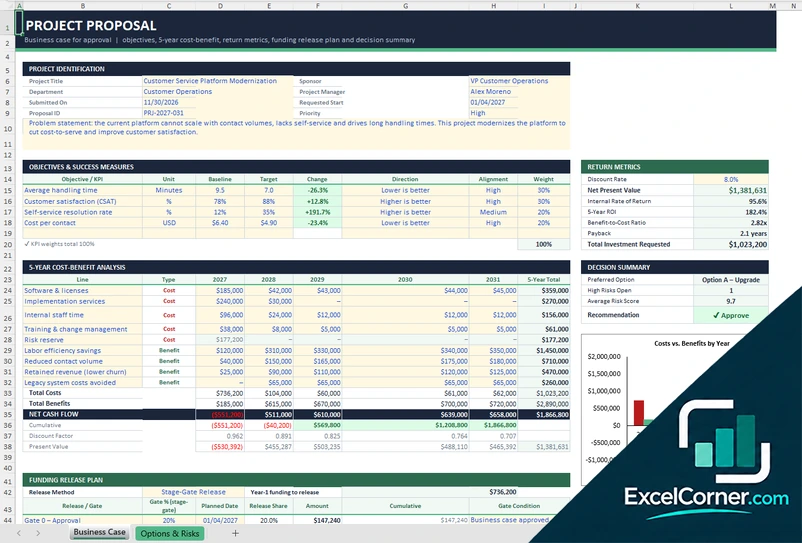
A project business case with objectives and KPIs, a five-year cost-benefit analysis, NPV, IRR and payback, a funding release plan, approvals and an options and risks sheet.
Business CaseOptions & Risks
.xlsx · 21 KB
What is inside the proposal templates
Version 1: Budget Proposal with Pricing Options and ROI
The Budget Proposal sheet has the proposal details, a contingency rate and a headline with the total budget request, the direct cost and the peak quarter. Each cost line has a category, a unit cost, a monthly or one-time basis, a quantity and start and end months. It spreads the cost across four quarters.
The Pricing and ROI sheet compares three ways to fund the proposal, a fixed fee, time and materials and a shared model. It shows the expected return, the client price comparison, the cash flow and the payment schedule, with charts.
Version 2: Client Proposal with Investment Options and Timeline
The Client Proposal sheet has the proposal details, the client objectives and a table of deliverables with a unit price and a quantity. You mark with Yes or No what each of the three options includes, add an option discount and a monthly support plan, and see the first-year total.
A 16-week timeline shows each phase. The Budget Proposal sheet is an internal business case: a quarterly cost plan, a financial case with ROI and payback, a funding plan and approvals.
Version 3: Project Proposal with Gantt Timeline and Team Effort
The Proposal sheet has the overview, the key figures for duration, team, completion date and investment, and the deliverables by phase with the weeks, the start and end dates, the fee and the billing percent. A Gantt chart shows each work period and billing milestone.
Below you find optional add-ons, the investment total and the payment plan. The Team and Effort sheet takes the hours by role for each deliverable, multiplies them by the role rates and flags margins under 40 percent.
Version 4: Client Project Proposal with Plan and Budget
The Plan and Budget sheet is where you enter the phases with their dates and billing shares, and the budget lines assigned to each phase. You choose the discount, the tax and the payment plan. The Proposal sheet builds itself from this data.
It shows who the proposal is for and by whom, the total investment, the duration, the schedule and the payments, then an executive summary, the objectives with targets, and the deliverables and fees by phase.
Version 5: One-Page Project Proposal with Gantt and Team Budget
On the Project Proposal sheet you enter the client, the project, the dates and the objectives with how to measure them, and what is in scope and out of scope. The work plan lists each deliverable with an owner, dates and a billing milestone, and draws a Gantt bar by month.
The team and budget table takes the rate, the hours per month and the months for each role. It shows the total hours, the blended rate, the peak month cost, the average per month and the total investment, with a chart.
Version 6: Project Business Case with Cost-Benefit and Risks
The Business Case sheet has the project identification, the problem statement and the objectives with a baseline, a target and a weight. A five-year table lists the costs and the benefits, and works out the net cash flow, the NPV, the IRR, the payback and the benefit-cost ratio, with a chart.
It adds a decision summary, a funding release plan and approvals. The Options and Risks sheet compares alternatives with a weighted score and lists the risks with their expected cost.
How to use a proposal template in Excel
- Download
Pick the version that fits your case and open it in Excel. Each file has a sample proposal so you can see how it works. - Add the basics
Enter the title, the client, who prepares it, the date and how long the proposal is valid. - List the scope
Add each deliverable or cost line with a quantity and a price, and mark what is included in each option. - Set the plan
Enter the start date, the weeks for each phase and the payment milestones. - Check and send
Review the totals and the timeline, then print the proposal or save it as a PDF to send.
Replace the sample proposal with your own. The totals, the timeline and the payment plan update on their own.
Which proposal template do you need?
| Budget Proposal with Pricing and ROI | Client Proposal with Options | Project Proposal with Gantt | Client Proposal with Plan and Budget | One-Page Proposal with Gantt | Business Case with Cost-Benefit | |
|---|---|---|---|---|---|---|
| You enter | Cost lines by quarter and pricing inputs | Deliverables and prices with options | Deliverables, weeks and hours by role | Phases, budget lines, payment plan | Deliverables, dates and team hours | Costs, benefits and risks by year |
| Best for | Asking for a budget with a return | Selling a project in three packages | A timeline and fees by phase | A printable proposal for a client | A short proposal with a timeline | Approval and funding by a sponsor |
| You get | Budget by quarter, three pricing models, ROI | Option totals, timeline, payment plan | Gantt, team size, fees, payment plan | Proposal document, total, payments | Gantt, monthly cost, total investment | NPV, IRR, payback, risk register |
| Sheets | 2 | 2 | 2 | 2 | 1 | 2 |
| Charts | 2 | No | Gantt bars | No | 1 | 1 |
They are separate files, so you can use more than one.
Tips for a proposal that wins
- Start with the client’s goal, and show how your work reaches it.
- Offer two or three options, so the client compares packages and not only prices.
- Show the timeline and the milestones next to the price.
- Say how long the proposal is valid, and what the payment terms are.
- Keep it short: put the details in the sheets and the summary on page one.
Frequently asked questions
Are these proposal templates free?
Yes. All six versions are free to download as .xlsx files. You do not need an account or an email address.
Which version should I choose?
For a client proposal, choose Version 2 or Version 4. For a Gantt timeline and fees by phase, choose Version 3 or Version 5. To ask for a budget with ROI, choose Version 1. For internal approval with a cost-benefit analysis, choose Version 6.
What should a proposal include?
A summary of the goal, the scope and the deliverables, the timeline, the price and the payment terms, and how long the offer is valid. Project proposals also have objectives with success measures. The templates have a section for each of them.
How do I write a project proposal in Excel?
Make a sheet with the project details, the objectives, a table of phases with dates, and a budget by role or by line. Add the total and the payment terms. The templates have these parts with formulas that calculate the totals.
What is the difference between a proposal and a business case?
A proposal asks a client to approve and pay for a project. A business case asks an internal sponsor to fund it, and shows the costs, the benefits and the return. Version 6 is a business case, and the other versions are proposals.
More free sales and pricing templates
These templates use made-up sample companies, projects and prices. Check the scope, the taxes, the terms and the legal wording against your own rules before you send a proposal, an estimate or a bid. Excel is a trademark of Microsoft Corporation; Excel Corner is not affiliated with Microsoft.