
Home › Marketing, Sales & Customers › Excel Estimate Template
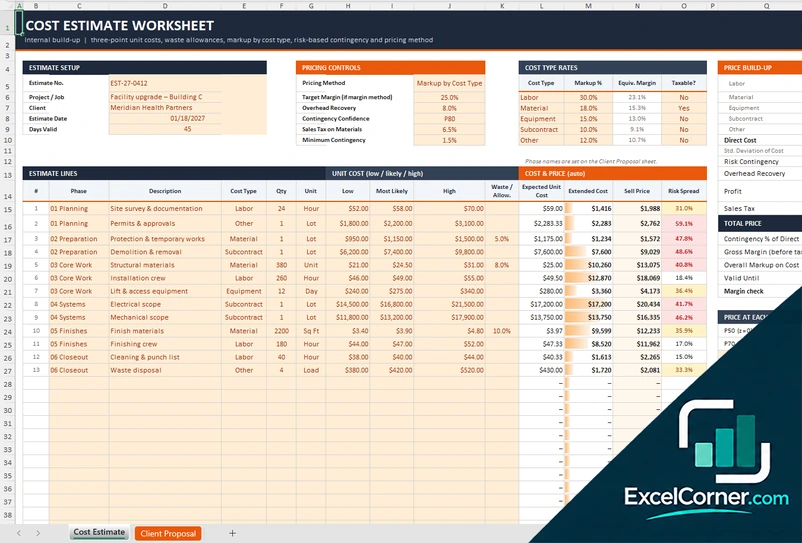
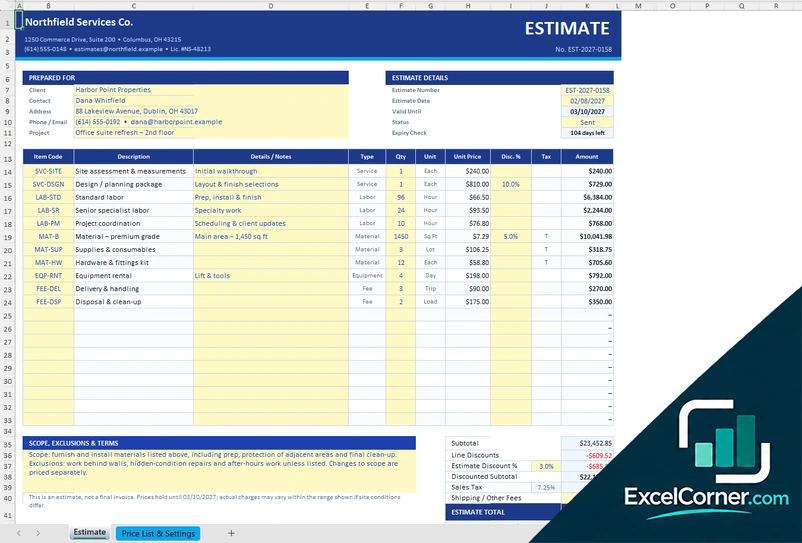
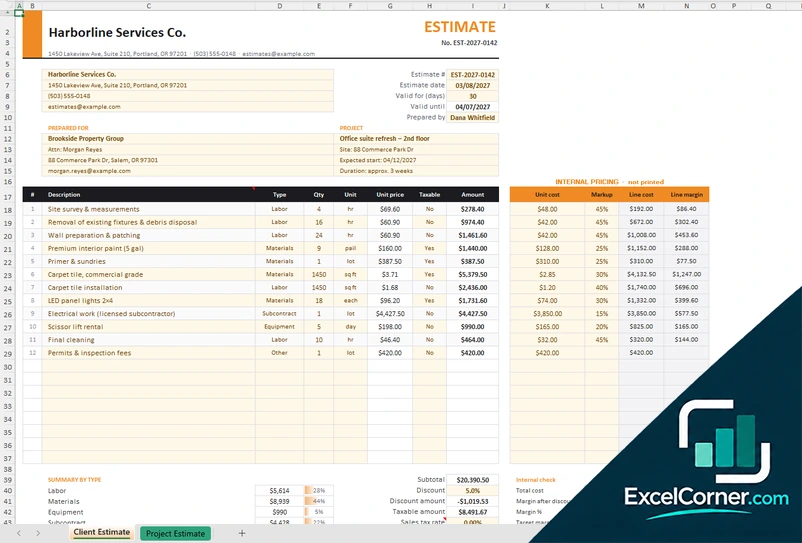
Previewing: Version 1 · Cost Estimate Worksheet with Client Proposal. Pick another version on the right.
Instant download · No sign-up · No email
Download these free estimate templates in Excel to quote a job with confidence. One builds the internal cost with a three-point range and a client proposal. One makes a clean estimate from a price list. One adds a project estimate with contingency and accuracy ranges.
Choose your version
- File
- .xlsx · 23 KB · 2 sheets
- Works with
- Microsoft Excel (.xlsx)
- Macros
- None · formulas only
- Price
- Free
Make an estimate in an Excel spreadsheet
An estimate tells a customer what a job will cost before you start. In Excel you list each item with a quantity and a price, and the subtotal, the discount, the tax and the total are calculated. You can also keep your own cost, markup and margin in hidden columns, so you know what you earn on each line.
These three templates cover two jobs. Version 1 builds the internal cost with low, likely and high values and turns it into a client proposal. Version 2 is a printable estimate fed by a price list. Version 3 is a client estimate with a payment plan and a project estimate with contingency. To price a whole project by phase, with contingency and a budget, see our cost estimate template excel versions.
Best for
- Contractors and service businesses that quote jobs to customers
- Freelancers who price a project from hours and materials
- Teams that want a range of cost, not a single number
Maybe not for
Field service software that creates estimates on site and converts them into invoices. These are Excel files: you type the items and the prices, and the totals are calculated from them.
Which version is right for you?
All three are free, formula-driven Excel files with sample data you can replace. They are independent, so you can download more than one.
Version 1
Cost Estimate Worksheet with Client Proposal
A cost estimate worksheet with three-point unit costs, markup by cost type, risk-based contingency and a client proposal with price by phase and a payment schedule.
Cost EstimateClient Proposal
.xlsx · 23 KB
Version 2
Estimate from a Price List
An estimate with a letterhead, item codes from a price list, discounts, sales tax, scope and exclusions, and a price list sheet with cost, markup and margin.
EstimatePrice List & Settings
.xlsx · 20 KB
Version 3
Client Estimate with Project Estimate and Payment Plan
A client estimate with internal cost and margin columns that do not print, a payment plan and a project estimate with three-point work packages, contingency and cash flow.
Client EstimateProject Estimate
.xlsx · 26 KB
What is inside the estimate templates
Version 1: Cost Estimate Worksheet with Client Proposal
On the Cost Estimate sheet you set up the estimate, the pricing controls and the rates by cost type. Each line has a phase, a cost type, a quantity and a low, most likely and high unit cost. It calculates the expected cost, the sell price and the risk spread, plus the price at each confidence level.
The Client Proposal sheet turns it into a project estimate for the customer, with the total, the price by phase, the payment schedule, the retainage and the scope notes, with a chart.
Version 2: Estimate from a Price List
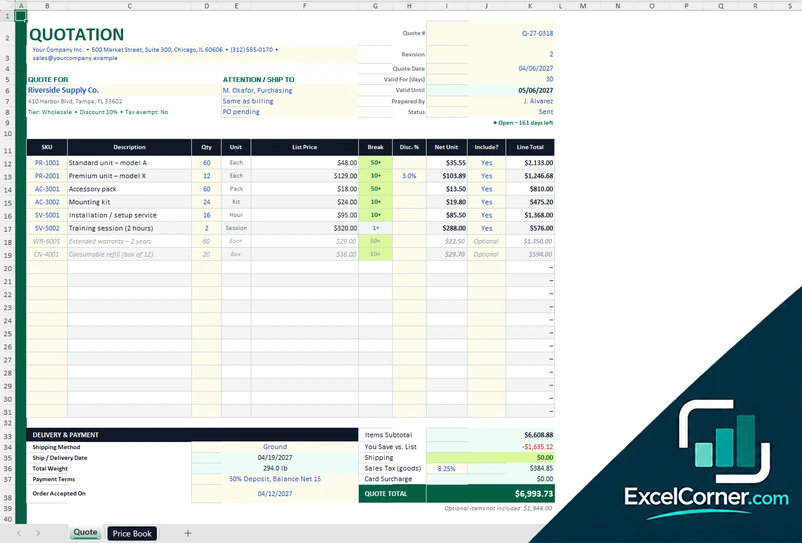
The Estimate sheet has your letterhead, the customer, the estimate details and an expiry check. Each line takes an item code from the price list, with the type, quantity, unit price, discount and tax. It adds the subtotal, the discount, the sales tax, the shipping and the total, and a scope and terms block.
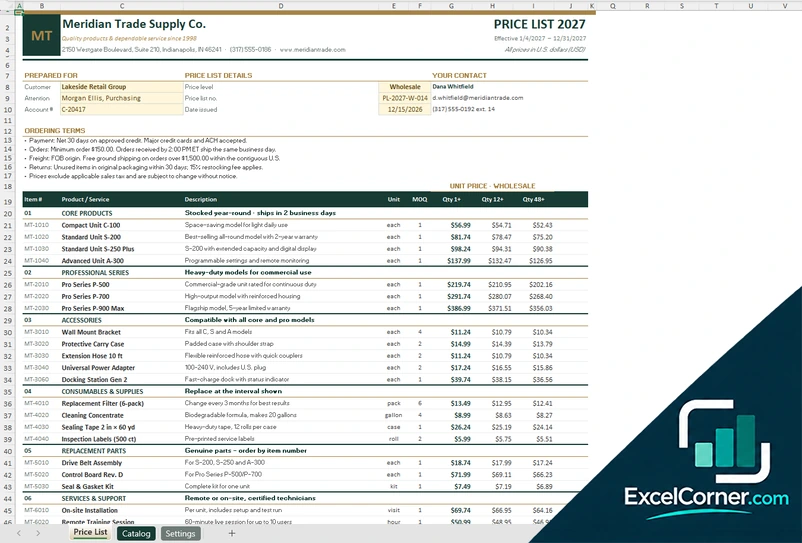
The Price List and Settings sheet is the item catalog for services, labor, materials, equipment and fees, with the unit cost, the markup and the unit price. Margins below your target are flagged in red.
Version 3: Client Estimate with Project Estimate and Payment Plan
The Client Estimate sheet is printable: company, customer, project, valid days and lines by type with a unit price and a taxable flag. Internal columns for unit cost, markup, line cost and margin do not print. It adds the discount, the tax, a summary by type and a payment plan.
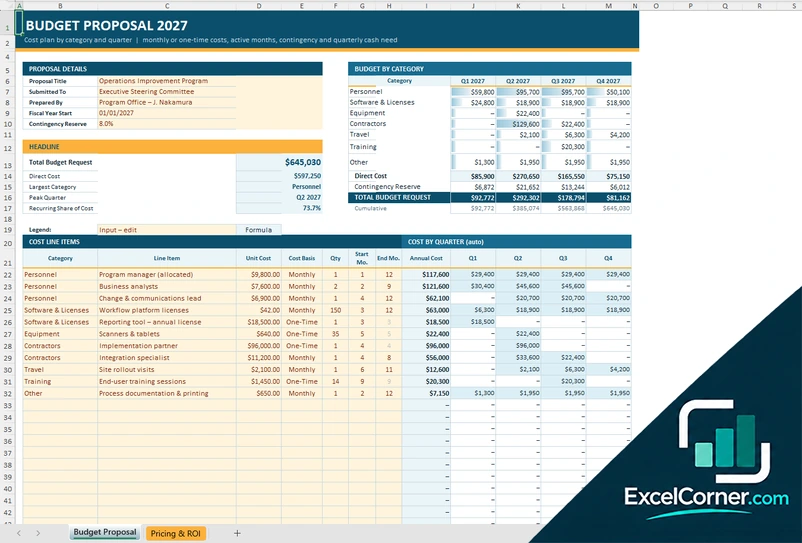
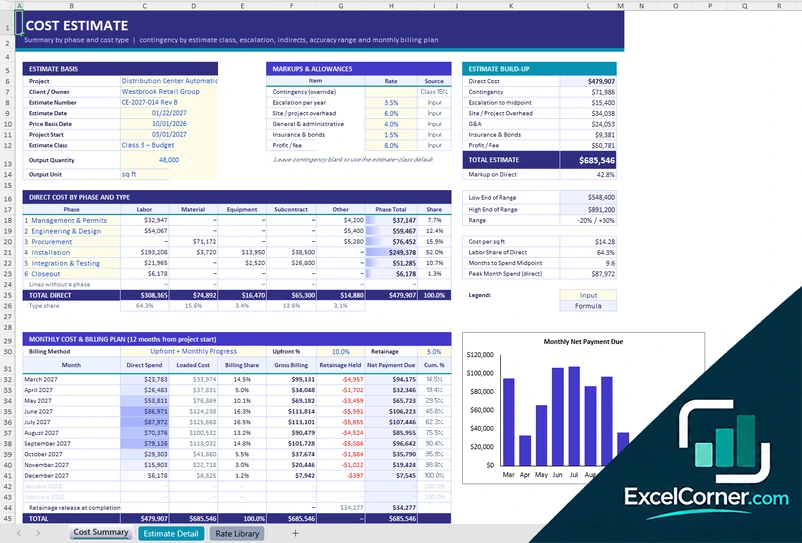
The Project Estimate sheet uses three-point estimates for work packages, adds contingency by confidence level and escalation, and shows the accuracy range and the monthly cash flow.
How to use an estimate template in Excel
- Download
Pick the version that fits your job and open it in Excel. Each file has a sample estimate. - Add your details
Enter your company, the customer, the project, the estimate date and how long it is valid. - List the items
Add each line with a quantity, a unit and a price or a cost, picking the type from the list. - Set the extras
Enter the discount, the sales tax, the markup and the contingency you want to apply. - Send it
Check the total, then print the estimate or save it as a PDF for your customer.
Replace the sample estimate with your own. The totals, the margins and the payment plan update on their own.
Which estimate template do you need?
| Cost Worksheet with Client Proposal | Estimate from a Price List | Client and Project Estimate | |
|---|---|---|---|
| You enter | Low, likely and high unit costs | Item codes and quantities | Lines with a price and a markup |
| Best for | Pricing with risk and a margin target | Fast, repeatable job estimates | A client estimate and a project range |
| You get | Price at each confidence level, payment schedule | Totals with discount and tax, item catalog | Margin, payment plan, accuracy range, cash flow |
| Sheets | 2 | 2 | 2 |
| Charts | 1 | No | No |
They are separate files, so you can use more than one.
Tips for an accurate estimate
- Break the job into small lines. Small lines are easier to price than one big number.
- Use real prices from suppliers, and write the date of each price.
- Add a contingency for the unknown, and make it bigger when the scope is unclear.
- Write what is included and what is not, so the customer knows what to expect.
- Say how long the estimate is valid.
Frequently asked questions
Are these estimate templates free?
Yes. All three versions are free to download as .xlsx files. You do not need an account or an email address.
Which version should I choose?
Choose the Cost Worksheet (Version 1) to price with a low, likely and high cost. Choose the Estimate from a Price List (Version 2) for fast, repeatable quotes. Choose the Client and Project Estimate (Version 3) for a payment plan and an accuracy range.
How do I make an estimate in Excel?
Make a table with the item, the quantity, the unit price and the line total, then add the subtotal, the discount, the tax and the total. Add your company and the customer details at the top. The templates already do this.
What is the difference between an estimate and a quote?
An estimate is an approximate price that can change if the scope changes. A quote is a fixed price for a defined scope. The templates have a validity date and a scope section, so you can use them for either.
What is three-point estimating?
You give a low, a most likely and a high value for each cost. The expected cost is the low plus four times the most likely plus the high, divided by six. Version 1 and Version 3 use it to show a range.
More free estimate and pricing templates
These templates use made-up sample companies, projects and prices. Check the scope, the taxes, the terms and the legal wording against your own rules before you send a proposal, an estimate or a bid. Excel is a trademark of Microsoft Corporation; Excel Corner is not affiliated with Microsoft.