
Home › Operations, Inventory & Logistics › Packing List Template Excel
Previewing: Version 1 · Export Packing List. Pick another version on the right.
Instant download · No sign-up · No email
Download these free packing list templates for Excel to document what is in a shipment. One version is an export packing list with shipper, consignee, HS codes, weights, volume and container details. One is a fulfillment board that tracks orders, packs them and prints a packing slip. One is a pallet packing list that records what went into each carton and each pallet and checks the weights.
Choose your version
- File
- .xlsx · 26 KB · 3 sheets
- Works with
- Microsoft Excel (.xlsx)
- Macros
- None · formulas only
- Price
- Free
Make a packing list in an Excel spreadsheet
A packing list is a document that describes the contents of a shipment: how many packages there are, what is in each one, how much each weighs and how big it is. Freight forwarders, carriers, customs and the buyer use it to check that what arrives is what was sent, and for export shipments it goes with the commercial invoice. A spreadsheet is a good tool for it, because the weights, the volumes and the totals are calculated from the lines that you enter, and you can reuse your product list for every new shipment.
These Excel templates cover three ways of working with packing lists. The first is an export packing list in the usual layout: shipper or exporter, consignee and notify party, the references, the ports, the Incoterms, the container and the seal, and a package detail with the SKU, the HS code, the country of origin, the net and gross weights and the dimensions, with a summary of the total packages, the weights and the volume. The second is a fulfillment board for a business that packs many orders: it follows the order pipeline from not started to shipped, shows the fill rate, the on-time shipping and the carrier performance, and prints a packing slip for any order. The third is a pallet packing list for truck shipments: you record what went into each carton and each pallet, and the workbook checks the weights, the volume and the pallet height, compares what was packed with what was ordered and builds the packing list.
Best for
- Exporters, importers and freight forwarders that prepare shipping documents
- Warehouse and fulfillment teams that pack, check and ship orders
- Manufacturers and distributors that ship pallets and cartons by truck or by container
Maybe not for
A freight forwarding or warehouse management system. These templates are Excel files that you fill in and print or save as a PDF. They do not replace the requirements of your carrier or of customs. If you need a personal list for a trip or a move, you will find that these templates are made for goods and shipments.
Which version is right for you?
All three are free, formula-driven Excel files with sample data you can replace. They are independent, so you can download more than one.
Version 1
Export Packing List
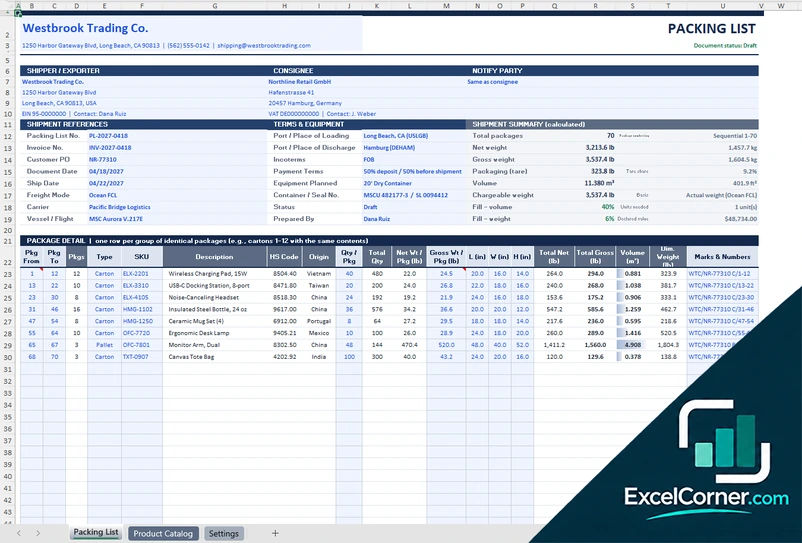
An export packing list with party boxes, references, terms and equipment, a calculated shipment summary and a package detail with HS codes, origin, net and gross weight, dimensions and volume.
Packing ListProduct CatalogSettings
.xlsx · 26 KB
Version 2
Fulfillment Board
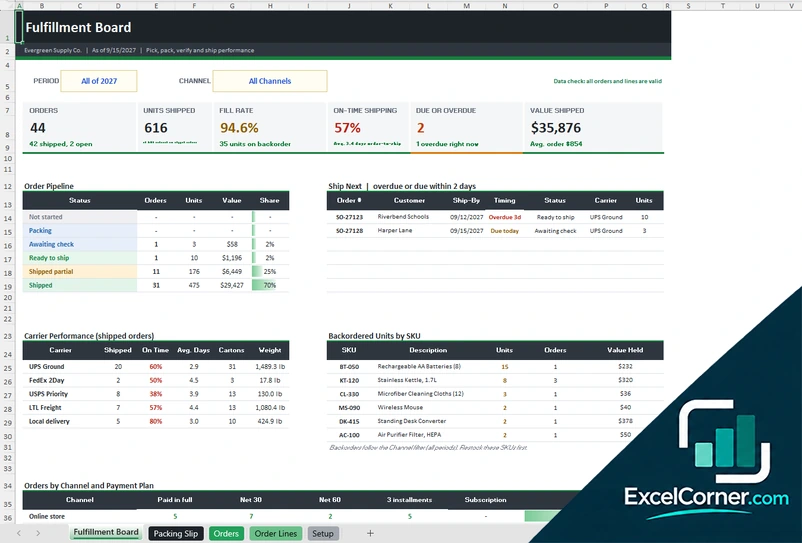
A fulfillment board with an order pipeline from not started to shipped, a ship-next list, carrier performance, backordered units by SKU and a packing slip that prints for any order.
Fulfillment BoardPacking SlipOrdersOrder LinesSetup
.xlsx · 220 KB
Version 3
Pallet Packing List
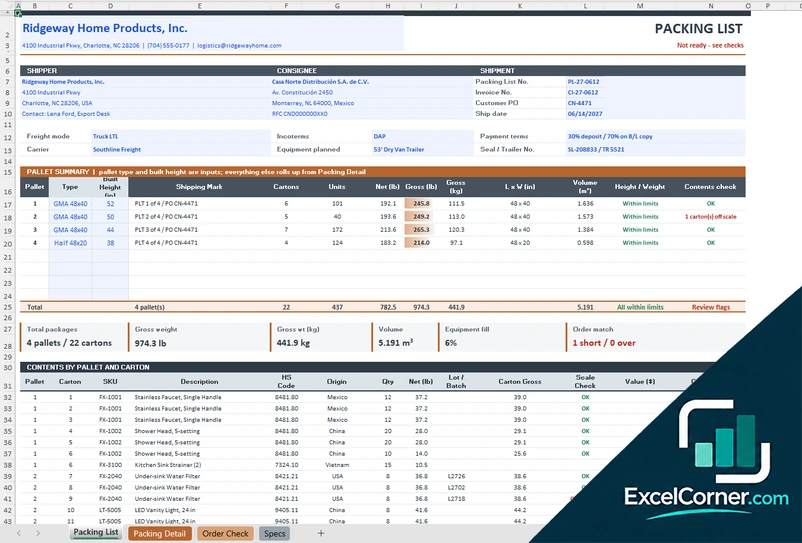
A pallet packing list built from a carton detail sheet, with a pallet summary, weight and height checks, an order match against what was ordered and a list of the contents by pallet and carton.
Packing ListPacking DetailOrder CheckSpecs
.xlsx · 98 KB
What is inside the packing list Excel templates
Version 1: Export Packing List
The Packing List sheet has your company and the document status, boxes for the shipper or exporter, the consignee and the notify party, the shipment references (packing list number, commercial invoice number, customer PO, document date, ship date, freight mode, carrier or forwarder, vessel or flight) and the terms and equipment (port of loading, port of discharge, Incoterms, payment terms, equipment planned, container and seal). A shipment summary adds up the total packages, the net and gross weight, the packaging tare, the volume, the chargeable weight and how full the equipment is. The package detail has one row for each group of identical packages with the package numbers from and to, the type, the SKU, the description, the HS code, the country of origin, the quantity per package, the total quantity, the net and gross weight, the dimensions, the volume, the dimensional weight and the marks and numbers. The Product Catalog sheet holds your products with HS code, origin, net weight, value and units per carton, and the Settings sheet holds the calculation settings, the equipment capacities and the lists.
Version 2: Fulfillment Board
The Fulfillment Board has a period and a channel filter and shows the orders, the units shipped, the fill rate, the on-time shipping rate, the orders that are due or overdue and the value shipped. The order pipeline counts the orders, the units and the value in each status (not started, packing, awaiting check, ready to ship, shipped partial and shipped) with a list of the orders to ship next, a table of carrier performance (shipped orders, on time, average days, cartons and weight), the backordered units by SKU and a summary of the orders by channel and payment plan. The Orders sheet holds about 400 orders with the shipping and verification details and calculated lines, units, fill rate, weight, value, status and days to ship, and the Order Lines sheet holds about 1,200 lines to pick and pack. The Packing Slip sheet prints the slip of the order that you select, and the Setup sheet holds your company, the product master and the lists.
Version 3: Pallet Packing List
The Packing List sheet shows the shipper, the consignee and the shipment (packing list number, invoice number, customer PO, ship date, freight mode, Incoterms, payment terms, carrier, planned equipment and seal or trailer number). A pallet summary lists each pallet with its type, its built height, its shipping mark, the number of cartons, the units, the net and gross weight in pounds and kilograms, the footprint, the volume, a height and weight check and a contents check. Totals show the packages, the gross weight, the volume, how full the equipment is and the order match. Below that, the contents are listed by pallet and carton, with the SKU, description, HS code, origin, quantity, net weight, lot or batch, carton gross weight, a scale check, the value and the carton mark. On the Packing Detail sheet you enter what went into each carton, up to about 300 lines, with the scale weight, and the sheet calculates the tare, the gross weight, the volume and the flags. The Order Check sheet compares the quantity ordered with the quantity packed and shows the variance and status, and the Specs sheet holds the product master, the carton types, the equipment and rules, the pallet types and the lists.
How to use a packing list template in Excel
- Download
Pick the version you want and open it in Excel. The files have sample shipments for a made-up company, so you can see how each sheet works. - Set up your lists
On the catalog, setup or specs sheet, enter your products with their weights, HS codes and values, your package types and your equipment. - Enter the shipment details
Fill in the shipper, the consignee, the references, the ports or the destination, the Incoterms, the payment terms and the carrier. - List the packages
Add each line with its SKU, its quantity per package, the number of packages and the dimensions. The sheet calculates the weights, the volume and the totals. - Check, print and send
Look at the status and the flags, print the packing list or save it as a PDF, and send it with the commercial invoice or give it to the carrier.
Replace the sample content with your own. The totals, the weights, the volumes and the checks update on their own.
Which packing list template do you need?
| Export Packing List | Fulfillment Board | Pallet Packing List | |
|---|---|---|---|
| For | An export or freight shipment with HS codes | Packing many orders and printing slips | Pallets and cartons on a truck |
| Best for | Exporters and forwarders | Warehouse and fulfillment teams | Manufacturers and distributors |
| Data you enter | Package lines from a product catalog | About 400 orders and 1,200 order lines | About 300 carton lines and an order check |
| Main outputs | Total packages, net and gross weight, volume, chargeable weight, equipment fill | Order pipeline, fill rate, on-time shipping, carrier performance, backordered units | Pallet summary, volume, gross weight, order match, weight and height checks |
| Sheets | 3 | 5 | 4 |
| Charts | No | No | No |
They are separate files, so you can use more than one.
Tips for an accurate packing list
- Give the packing list a number and a date, and match it to the commercial invoice and the purchase order.
- Describe the goods in the same way on the packing list, the invoice and the order, so that customs and the buyer see the same thing.
- Weigh the packages when you can. Use the scale weight rather than a calculated weight for the gross weight.
- Measure the packages, and keep the dimensions with the packing list. Freight is often charged on volume.
- Add the HS code and the country of origin for each product on export shipments.
- Number the packages and the pallets, and write the same marks on the goods.
- Compare what you packed with what the customer ordered before the truck leaves.
Frequently asked questions
Are these packing list templates for Excel free?
Yes. All three versions are free to download as .xlsx files. You do not need an account or an email address.
Which version should I choose?
Choose the Export Packing List (Version 1) for an export or freight shipment with HS codes, weights and a container. Choose the Fulfillment Board (Version 2) if you pack many orders and want to see the pipeline, the fill rate and the carrier performance. Choose the Pallet Packing List (Version 3) to record the contents of each carton and each pallet and check the weights.
What is a packing list?
A packing list is a document that lists the contents of a shipment: the packages, what is in them, and their weights and dimensions. It is used by the carrier, by customs and by the receiver to check the goods.
What is the difference between a packing list and a packing slip?
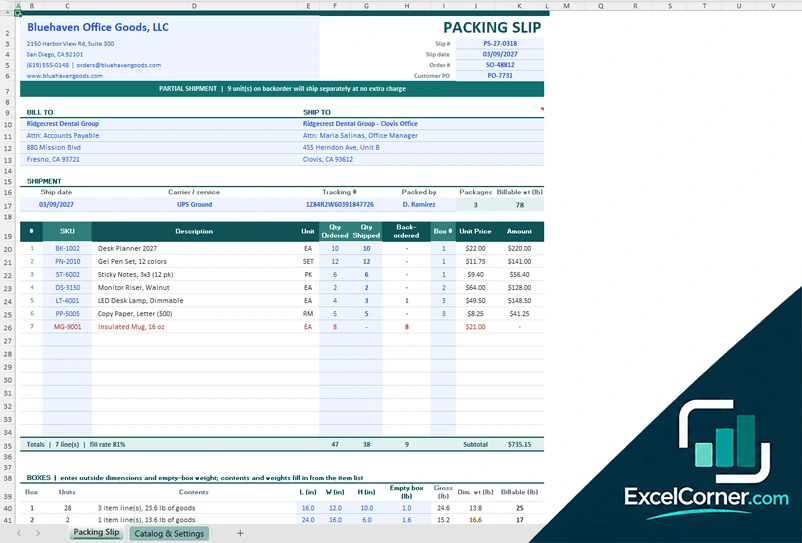
The terms are often used for the same thing. In general, a packing slip is a simple document that goes with a parcel to a customer, and a packing list is more detailed, with weights, dimensions and package marks, and is used for freight and export shipments. This site has packing slip templates as well.
What is the difference between a packing list and a commercial invoice?
A packing list describes the physical shipment and has no prices that matter for payment. A commercial invoice states the value of the goods and the terms of sale. For an export shipment you normally need both, and they must agree.
Can I use these templates for a travel or moving packing list?
No. These templates are for business shipments with products, packages, weights and carriers. They are not a checklist of clothes for a trip or of boxes for a move.
Do the templates calculate weights and volume?
Yes. They calculate the net and the gross weight, the volume and, in Version 1, the chargeable weight and how full the equipment is. Version 3 also checks the weight of each carton against the weight on the scale.
Does the template work in Google Sheets?
The files are made for Microsoft Excel and use standard formulas with no macros. You can upload them to Google Drive and open them with Google Sheets, but some formatting or charts may look different.
Is my information stored online?
No. The templates are plain Excel files, so the names, addresses, dates and amounts you type stay in your own file on your own computer.
These templates are document and tracking tools with made-up sample data. They are not legal documents or legal advice. Check the requirements of your carrier, your buyer and customs for each shipment, because the documents that are needed depend on the goods and the countries involved. Excel is a trademark of Microsoft Corporation; Excel Corner is not affiliated with Microsoft.