
Home › Operations, Inventory & Logistics › Delivery Note Template Excel
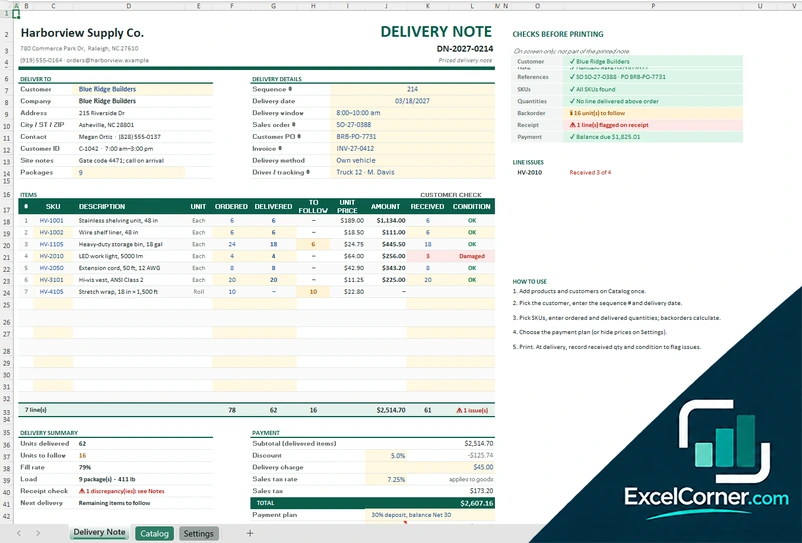
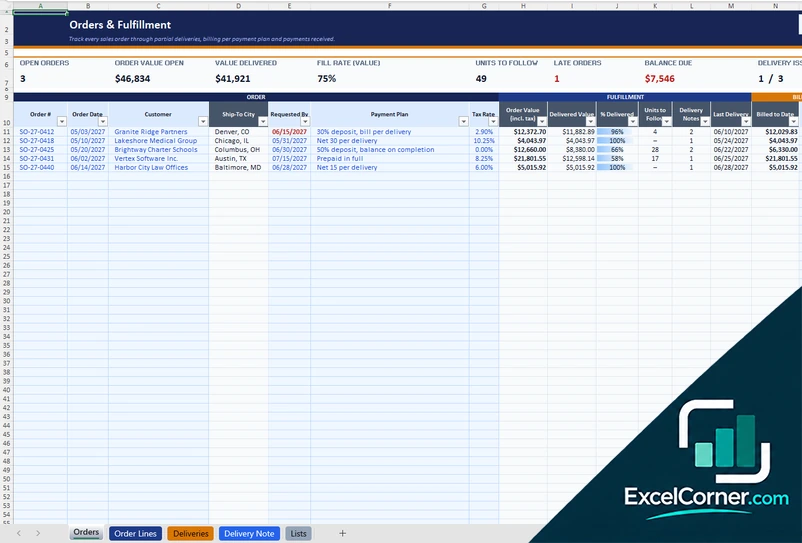
Previewing: Version 1 · Printable Delivery Note. Pick another version on the right.
Instant download · No sign-up · No email
Download these free delivery note templates for Excel to confirm what you delivered and what the customer received. One version is a printable delivery note with a product catalog, items ordered, delivered and to follow, and a signature box. The other is an order fulfillment system that keeps orders, order lines and deliveries and prints a delivery note for any delivery.
Choose your version
- File
- .xlsx · 25 KB · 3 sheets
- Works with
- Microsoft Excel (.xlsx)
- Macros
- None · formulas only
- Price
- Free
Make a delivery note in an Excel spreadsheet
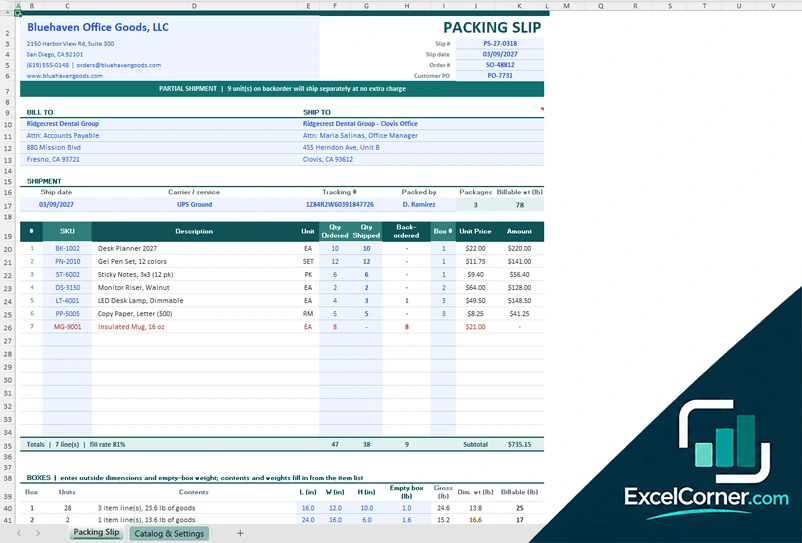
A delivery note, also called a delivery slip, a packing slip or a goods received note, goes with the goods to the customer. It lists what was ordered, what is in the delivery and what is still to come, and the customer signs it to confirm that the goods arrived and in what condition. It does not ask for payment, and it is not an invoice, but it is the paper that settles most disputes about a shipment. A spreadsheet lets you fill it in from your own lists of customers and products, so that the quantities and the totals are right every time.
These Excel templates give you two ways to do it. The first is a single printable delivery note for a small business: you choose the customer and the products from lists, enter the quantity ordered and the quantity delivered, and the sheet works out what is still to follow, checks the document before you print it and leaves a space for the receiver to sign and note the condition of the goods. The second is a small order fulfillment system: it keeps your orders, the lines of each order and the deliveries made against them, and shows the fill rate, the late orders, the balance due and the delivery issues, and it prints a delivery note for any delivery that you choose.
Best for
- Small businesses, wholesalers and workshops that deliver goods to customers
- Warehouse and dispatch teams that need a signed proof of delivery
- Sales and customer service teams that follow partial deliveries and open orders
Maybe not for
An invoicing or warehouse management system. These templates are Excel files that you fill in and print or save as a PDF, and they do not replace the invoice. They work well for a business that wants a clean document and a record of its deliveries without new software.
Which version is right for you?
Both are free, formula-driven Excel files with sample data you can replace. They are independent, so you can download both.
Version 1
Printable Delivery Note
A printable delivery note with checks before printing, a deliver to box, delivery details, a table of items ordered, delivered and to follow, a delivery summary and a signature box, with a catalog and a settings sheet.
Delivery NoteCatalogSettings
.xlsx · 25 KB
Version 2
Order Fulfillment System
An order fulfillment workbook with an orders list, order lines, a deliveries log, cards for the fill rate, the late orders and the balance due, and a delivery note that prints for any delivery.
OrdersOrder LinesDeliveriesDelivery NoteLists
.xlsx · 94 KB
What is inside the delivery note Excel templates
Version 1: Printable Delivery Note
The Delivery Note sheet shows checks before printing at the top. It then holds the company details, the delivery number and date, the deliver to box and the delivery details, such as the order reference, the carrier and the vehicle. A table lists the items with the product code, the description, the unit, the quantity ordered, the quantity delivered, the quantity to follow, the quantity received and the condition. A delivery summary adds up the lines and the units, and a payment box and the signature boxes close the page. The Catalog sheet holds your products with their codes, descriptions and units, and the Settings sheet holds your company, your customers and the lists.
Version 2: Order Fulfillment System
The Orders sheet holds your customer orders, about 200 lines, with the customer, the order date, the promised date and the status, and the Order Lines sheet lists the products of each order. The Deliveries sheet records each delivery against an order, up to about 300, with the date, the quantities, the carrier, the status and the proof of delivery. Cards at the top show the open orders, the order value in progress, the value delivered, the fill rate, the units to follow, the late orders, the balance due and the delivery issues or proofs of delivery that are still pending. The Delivery Note sheet prints a delivery note for the delivery that you select, and the Lists sheet holds the customers, the products and the statuses.
How to use a delivery note template in Excel
- Download
Pick the version you want and open it in Excel. The files have a sample company, so you can see how each sheet works. - Set up your lists
Enter your company details, your customers and your products with their codes and units, on the Settings, Catalog or Lists sheet. - Fill in the delivery
Enter the delivery number, the date, the customer, the address, the order reference and the quantities that you ordered and delivered. - Check the document
Look at the checks before printing. The sheet shows what is still to follow and warns about missing data. - Print and get it signed
Print the delivery note or save it as a PDF, and ask the receiver to sign it and note the condition of the goods.
Replace the sample content with your own. The quantities, the totals and the checks update on their own.
Which delivery note template do you need?
| Printable Delivery Note | Order Fulfillment System | |
|---|---|---|
| For | One delivery note at a time | Orders, deliveries and delivery notes in one workbook |
| Best for | Small businesses and workshops | Teams with many orders and partial deliveries |
| Data you enter | Items of one delivery, from a catalog | About 200 order lines and 300 deliveries |
| Main outputs | Ordered, delivered, to follow, condition and signature, checks before printing | Open orders, fill rate, late orders, balance due, delivery issues, PODs pending |
| Sheets | 3 | 5 |
| Charts | No | No |
They are separate files, so you can use both.
Tips for a clear delivery note
- Give each delivery note a number and keep them in order, so that you can find any of them.
- Copy the customer order number onto the delivery note, because the customer matches it to their own records.
- List the quantity ordered, the quantity delivered and the quantity that follows, so that a partial delivery is clear.
- Use the same product codes and descriptions as on the order and the invoice.
- Ask the receiver to check the goods and to write any damage or shortage on the note before they sign.
- Keep the signed copy. It is your proof of delivery if there is a claim.
- Do not put prices on a delivery note if the receiver is not the buyer.
Frequently asked questions
Are these delivery note templates for Excel free?
Yes. Both versions are free to download as .xlsx files. You do not need an account or an email address.
Which version should I choose?
Choose the Printable Delivery Note (Version 1) if you need to produce a delivery note now, from a list of customers and products. Choose the Order Fulfillment System (Version 2) if you also want to keep your orders and deliveries, follow partial deliveries and see the fill rate and the late orders.
What is a delivery note?
A delivery note is a document that goes with a delivery. It lists the goods that are delivered, with their quantities, and the receiver signs it to confirm that they received them. It is also called a delivery slip or a packing slip.
What is the difference between a delivery note and an invoice?
A delivery note describes the goods that are delivered and confirms their receipt. An invoice asks for payment and shows prices, taxes and payment terms. The two usually carry the same order reference.
Can I use the delivery note for partial deliveries?
Yes. Both templates show the quantity ordered, the quantity delivered and the quantity that is still to follow. Version 2 also keeps a record of each delivery against the order.
Can I print the delivery note or save it as a PDF?
Yes. The delivery note is set up to print on one page of letter size paper. You can also save it as a PDF from Excel and send it by email.
Can I add my logo and company details?
Yes. Enter your company name, address and contact details on the settings sheet and they appear on the delivery note.
Does the template work in Google Sheets?
The files are made for Microsoft Excel and use standard formulas with no macros. You can upload them to Google Drive and open them with Google Sheets, but some formatting or charts may look different.
Is my information stored online?
No. The templates are plain Excel files, so the names, addresses, dates and amounts you type stay in your own file on your own computer.
More free logistics templates
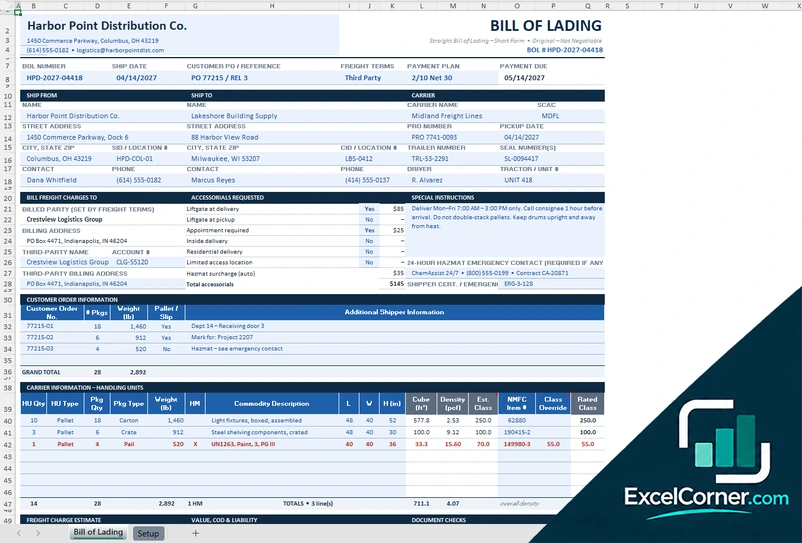
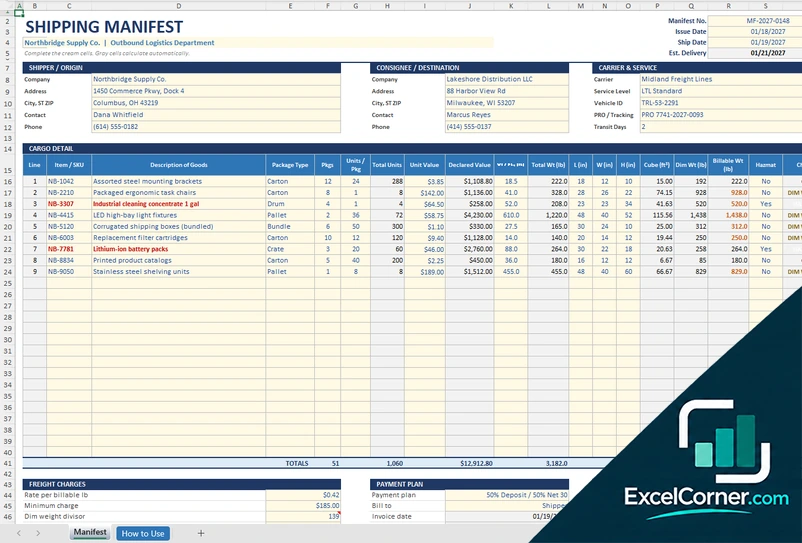
These templates are document and tracking tools with made-up sample data. They are not legal documents or legal advice. Check your sales terms and local rules, because what a delivery note must contain can depend on the contract and on the country. Excel is a trademark of Microsoft Corporation; Excel Corner is not affiliated with Microsoft.