
Home › Operations, Inventory & Logistics › Shipping Manifest Template Excel
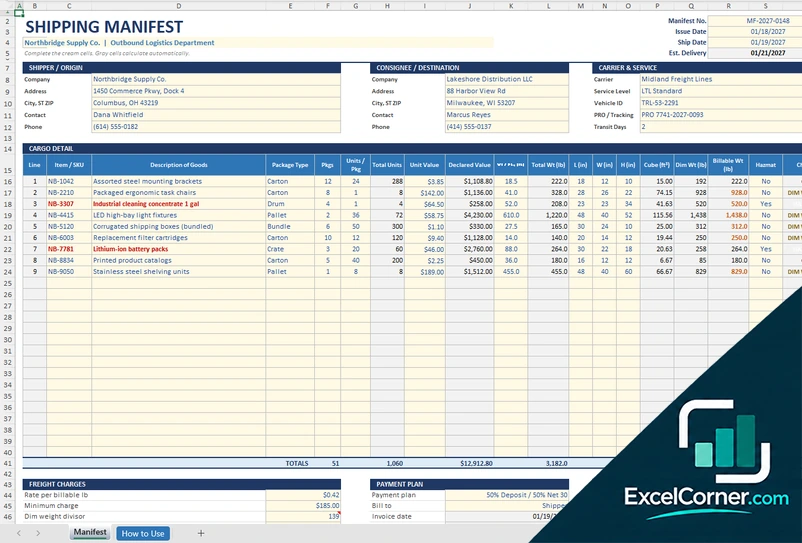
Previewing: Version 1 · Cargo Manifest. Pick another version on the right.
Instant download · No sign-up · No email
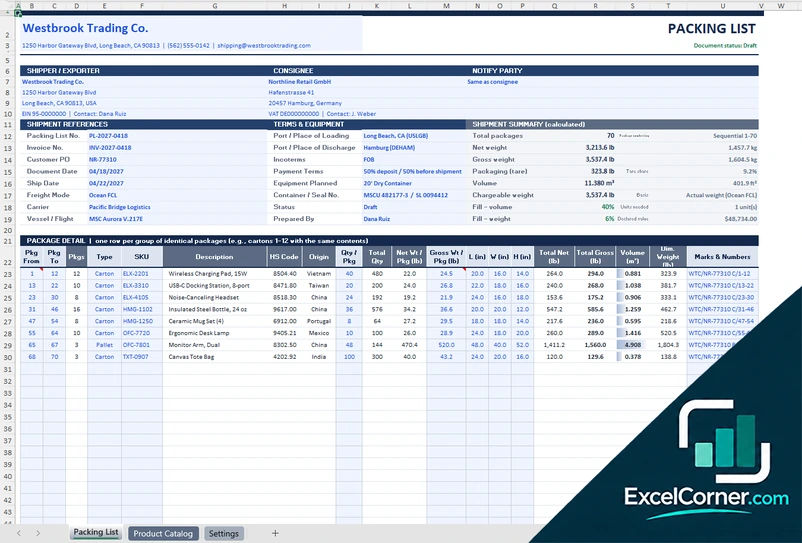
Download these free shipping manifest templates for Excel to list everything that goes on a truck or with a carrier. One version is a cargo manifest with dimensions, billable weight, hazmat and freight charges. One is a load manifest for a truck, with its stops, pallets, weights and payments. One is a multi-shipment manifest for a carrier pickup, with tracking numbers, service levels and COD.
Choose your version
- File
- .xlsx · 22 KB · 2 sheets
- Works with
- Microsoft Excel (.xlsx)
- Macros
- None · formulas only
- Price
- Free
Prepare a shipping manifest in an Excel spreadsheet
A shipping manifest is a list of the shipments or the cargo that a carrier takes on one trip or one pickup. It names the shipper, the consignee and the carrier, and for each item it gives the packages, the weight, the dimensions and the value. The driver signs it when they collect the load, and it is the document that you check against the freight when something is missing or damaged. A spreadsheet makes it easy to add up the pieces, the weight and the charges, and to keep a copy of every manifest.
These Excel templates give you three kinds of shipping manifest. The first is a cargo manifest for one shipment or one carrier: it has boxes for the shipper, the consignee and the carrier, a cargo table with the package type, the units, the declared value, the weight, the dimensions, the cube, the dimensional weight and the billable weight, a hazmat mark and the freight charges with the payment plan. The second is a load manifest for a truck with several stops: it checks the weight and the pallets against the capacity of the truck, and tracks each stop with its invoice, due date, payment, delivery status and proof of delivery. The third is a multi-shipment manifest for a pickup by a parcel or freight carrier: it lists many shipments with tracking or PRO numbers, the service level, the weight, the billable weight, the special handling and the COD amount, and it prices them from a rate table.
Best for
- Shippers, warehouses and e-commerce sellers that hand shipments to a carrier
- Dispatchers and drivers who plan and check a truck load with several stops
- Logistics and billing teams that need the weights, the freight charges and the collections of each manifest
Maybe not for
A transport management system or the manifest tool of your carrier. These templates are Excel files that you fill in and print or save as a PDF. They do not send data to the carrier, and they do not replace the bill of lading.
Which version is right for you?
All three are free, formula-driven Excel files with sample data you can replace. They are independent, so you can download more than one.
Version 1
Cargo Manifest
A cargo manifest with shipper, consignee and carrier boxes, cargo detail with the package type, weights, dimensions, cube and billable weight, hazmat marks, freight charges and a payment plan.
ManifestHow to Use
.xlsx · 22 KB
Version 2
Truck Load Manifest
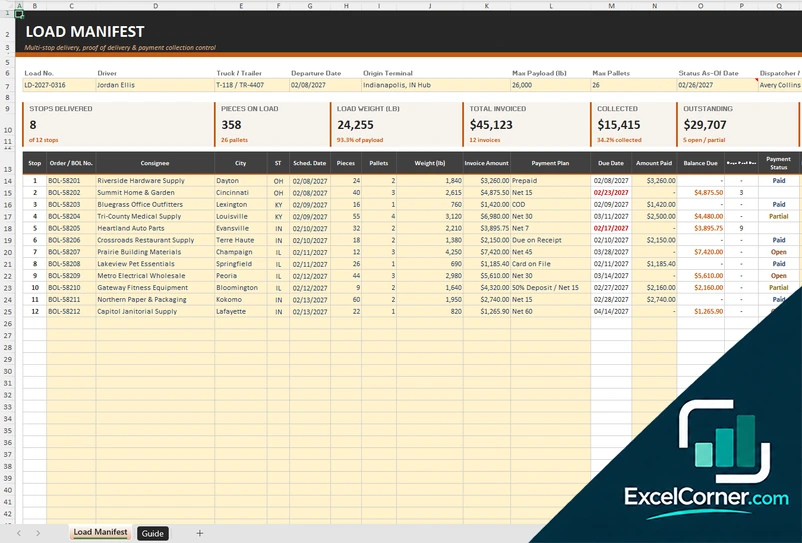
A load manifest with the driver, the truck, its payload and pallet capacity, a line for each stop with the consignee, pieces, pallets, weight, invoice and payment, collections by payment plan and a chart.
Load ManifestGuide
.xlsx · 23 KB
Version 3
Multi-Shipment Manifest
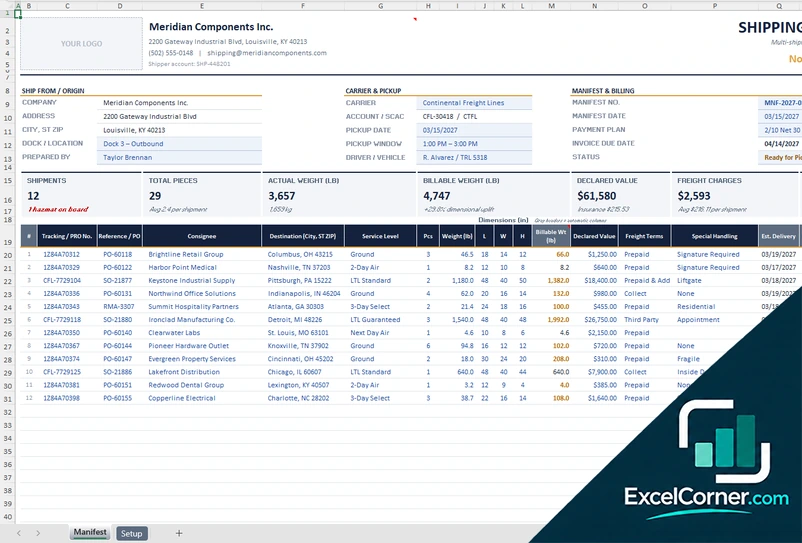
A manifest for a carrier pickup with ship-from, carrier and pickup details, billing terms and a list of shipments with tracking numbers, service level, billable weight, special handling and COD, priced from a rate table.
ManifestSetup
.xlsx · 26 KB
What is inside the shipping manifest Excel templates
Version 1: Cargo Manifest
The Manifest sheet has boxes for the shipper, the consignee and the carrier, and the header details of the shipment. The cargo detail lists each line with the package type, the units, the declared value, the actual weight, the dimensions, the cube, the dimensional weight, the billable weight and a hazmat mark. The freight charges are totaled and split according to a payment plan. The How to Use sheet explains each part of the workbook.
Version 2: Truck Load Manifest
The Load Manifest sheet starts with the load header: the driver, the truck, the maximum payload and the maximum number of pallets. Each stop is one line with the consignee, the pieces, the pallets, the weight, the invoice, the due date, the amount paid, the days past due, the payment status, the delivery status and the proof of delivery. The totals are checked against the capacity of the truck. A summary shows the collections by payment plan with a chart, and the Guide sheet explains how to use the manifest.
Version 3: Multi-Shipment Manifest
The Manifest sheet has a space for your logo and boxes for the ship-from address, the carrier and the pickup, and the manifest and billing details. The shipments list has one line for each shipment with the tracking or PRO number, the service level, the weight, the billable weight, the special handling and the COD amount, and totals at the bottom. The Setup sheet holds a rate table by service level, the accessorial fees, the carriers and the billing terms.
How to use a shipping manifest template in Excel
- Download
Pick the version you want and open it in Excel. The files have a sample load for a made-up company, so you can see how each sheet works. - Set it up
On the setup or guide sheet, enter your company details, your carriers, the service levels and rates, and the payment plans. - Enter the parties and the trip
Fill in the shipper, the consignee or the stops, the carrier, the driver and the truck, the pickup date and the references. - List the cargo
Add each shipment or item with its packages, weight and dimensions. The sheet works out the cube, the billable weight and the totals. - Check, print and keep a copy
Look at the totals and the checks, print the manifest or save it as a PDF, get it signed at pickup and keep a copy.
Replace the sample content with your own. The weights, the charges and the payment dates update on their own.
Which shipping manifest template do you need?
| Cargo Manifest | Truck Load Manifest | Multi-Shipment Manifest | |
|---|---|---|---|
| For | One shipment or one carrier, with freight charges | A truck with several stops | A carrier pickup with many shipments |
| Best for | Shippers and freight coordinators | Dispatchers and drivers | E-commerce sellers and parcel shippers |
| Main outputs | Cube, dimensional and billable weight, hazmat, freight charges, payment plan | Weight and pallet check, stops, invoices, collections by payment plan, POD | Tracking and PRO numbers, service level, billable weight, special handling, COD, rate table |
| Sheets | 2 | 2 | 2 |
| Charts | No | Yes | No |
They are separate files, so you can use more than one.
Tips for an accurate shipping manifest
- Give each manifest a number and a date, and keep the signed copy with the shipping documents.
- Count the pieces at pickup and check the total against the manifest before the driver leaves.
- Weigh the shipments and measure the packages. Carriers bill the larger of the actual and the dimensional weight.
- Mark dangerous goods and give the emergency contact when the load includes them.
- Put the stops of a truck in delivery order, and check the weight and the pallets against the capacity of the truck.
- Write the tracking number or PRO number of each shipment so that you can follow it.
- State who pays the freight, the shipper, the consignee or a third party, so that the right party is billed.
Frequently asked questions
Are these shipping manifest templates for Excel free?
Yes. All three versions are free to download as .xlsx files. You do not need an account or an email address.
Which version should I choose?
Choose the Cargo Manifest (Version 1) for one shipment or one carrier with weights, dimensions and freight charges. Choose the Truck Load Manifest (Version 2) for a truck with several stops, a capacity check and payments. Choose the Multi-Shipment Manifest (Version 3) to hand many shipments to a carrier at one pickup, with tracking numbers, service levels and COD.
What is a shipping manifest?
A shipping manifest is a document that lists the goods or the shipments that are carried on a trip or handed to a carrier at one pickup. It names the parties and shows, for each item, the number of packages, the weight and often the value.
What is the difference between a manifest and a bill of lading?
A bill of lading is the contract and the receipt for one shipment. A manifest is a list of several shipments or items that travel together. A manifest usually refers to the bills of lading or the tracking numbers of the shipments on it.
What is billable weight?
Billable weight is the weight that a carrier uses to price a shipment. It is the larger of the actual weight and the dimensional weight, which is calculated from the size of the package. Versions 1 and 3 calculate it.
Can I use the manifest for a truck with several stops?
Yes. Version 2 is a load manifest with a line for each stop. It adds up the pieces, the pallets and the weight, compares them with the capacity of the truck, and shows the invoice, the payment and the delivery status of each stop.
Can I print the manifest or save it as a PDF?
Yes. The manifest sheets are set up to print, and you can save them as a PDF from Excel and send them to the carrier or the driver.
Does the template work in Google Sheets?
The files are made for Microsoft Excel and use standard formulas with no macros. You can upload them to Google Drive and open them with Google Sheets, but some formatting or charts may look different.
Is my information stored online?
No. The templates are plain Excel files, so the names, addresses, dates and amounts you type stay in your own file on your own computer.
More free logistics templates
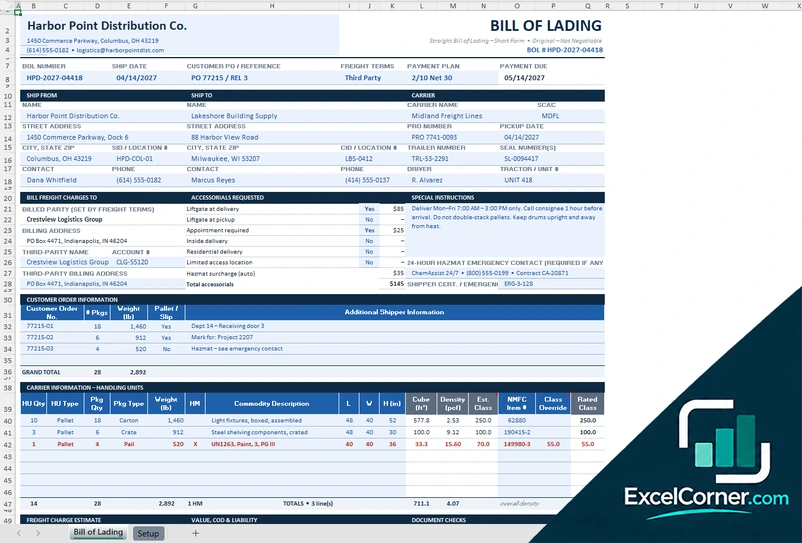
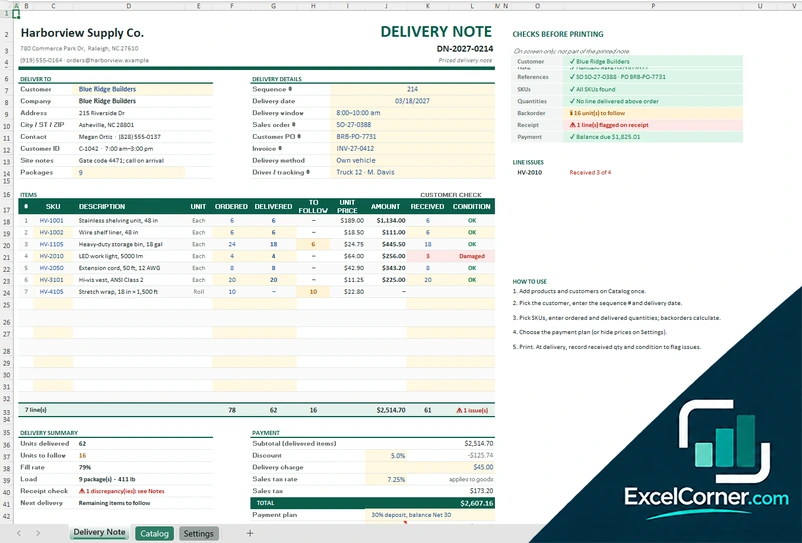
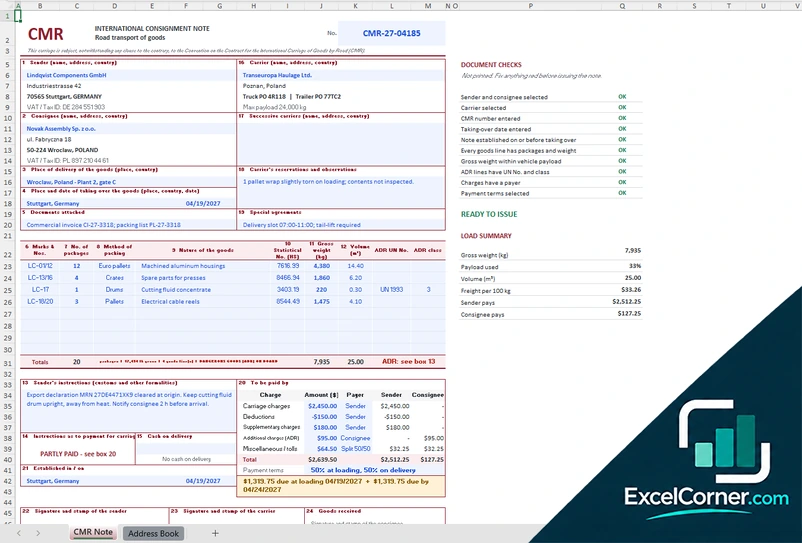
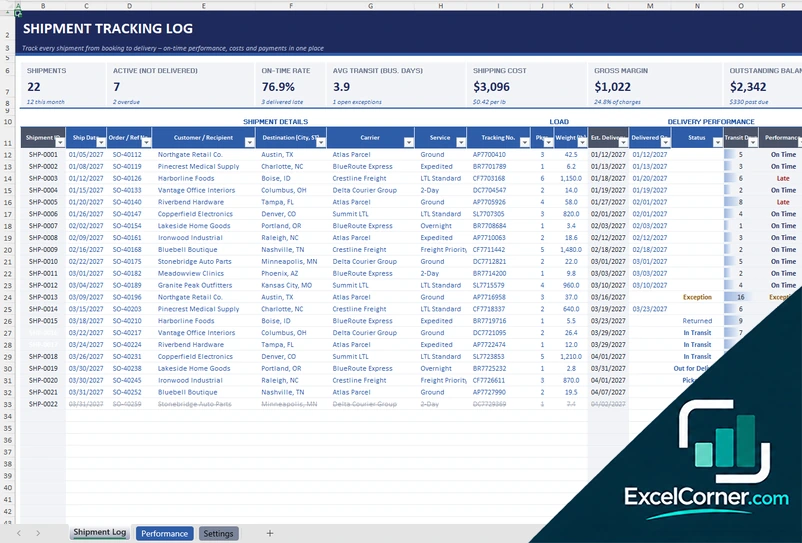
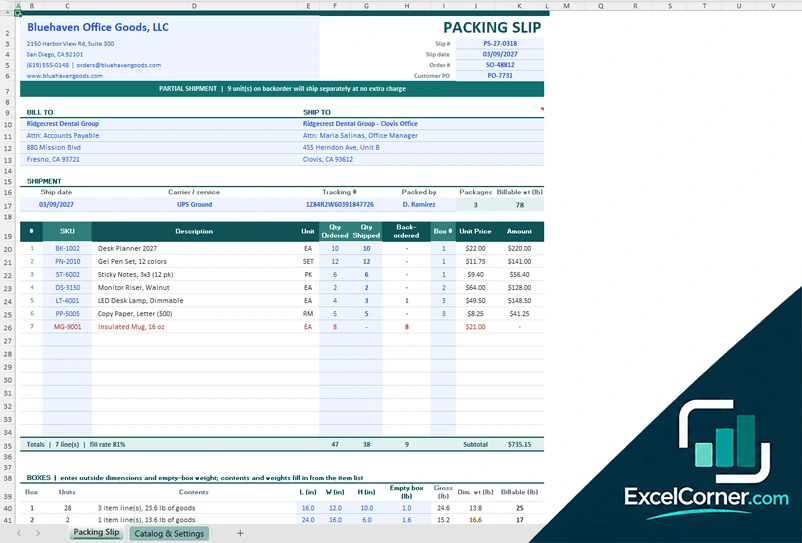
These templates are document and tracking tools with made-up sample data. They are not legal documents or legal advice. Check your carrier agreements and the transport rules that apply to your goods, especially for dangerous goods and cross-border shipments. Excel is a trademark of Microsoft Corporation; Excel Corner is not affiliated with Microsoft.